
ThomasGaythorpe
Participating Frequently
January 4, 2023
Question

Premiere Pro V23.1 -3dB audio drop on export

  • January 4, 2023
  • 2 replies
  • 1923 views

We're working with R128 compliant audio and have found that when adding media to a sequence, the audio is 3dB lower.

We work with video files containing multichannel audio to supply to our international clients. Therefore we configure a 22 channel output with the sequence channels routed 1 - 1, 2 - 2, 3 - 3 and so on. With premiere only offering stereo bus', we have to route each track to a stereo pair, for example, routing track 1 to output 1 & 2 and then pan to the left, therefore routing track 1 to output 1.


In the below example, I'm only including a stereo split to show the drop in volume.


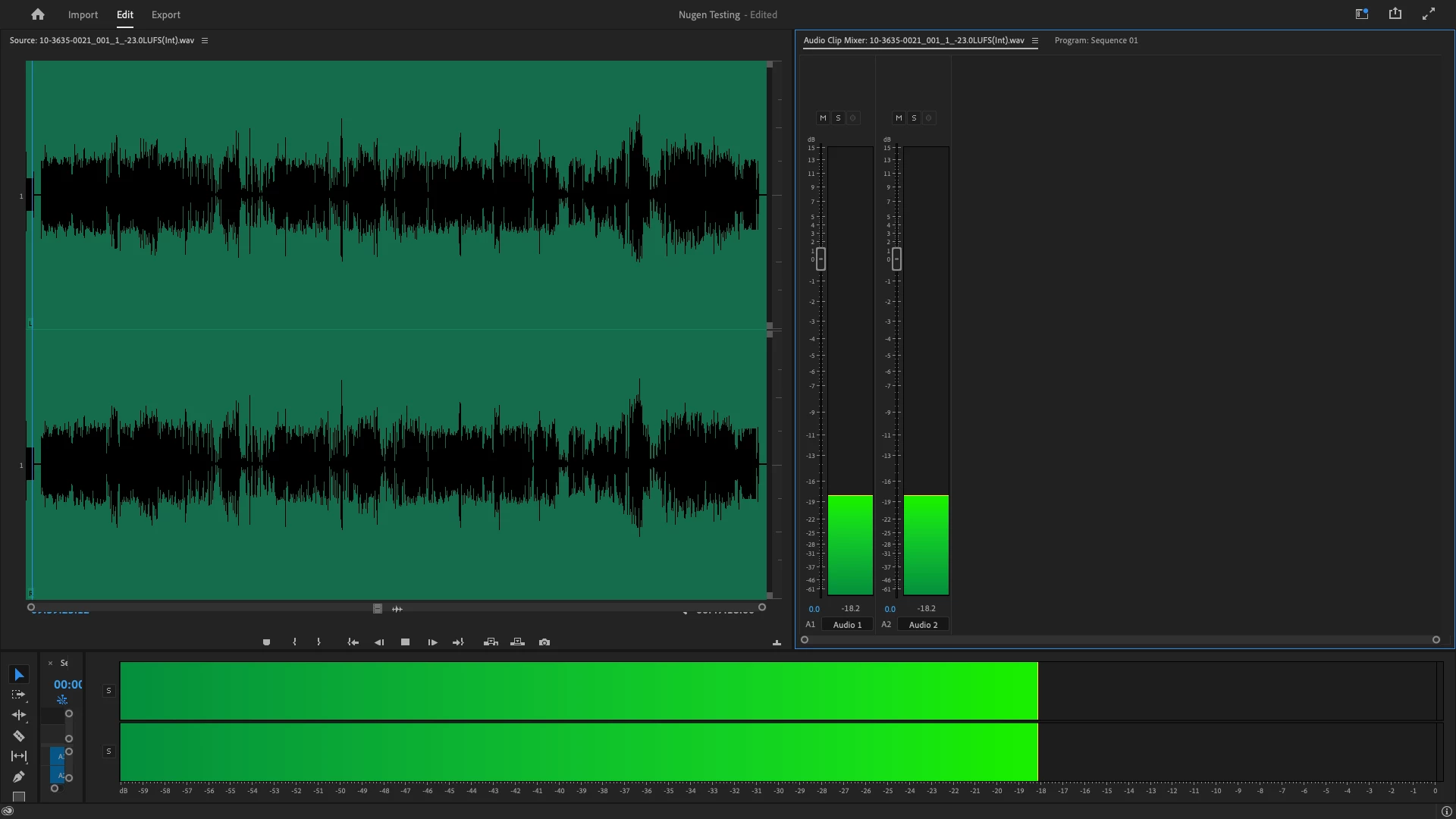
Original media reference tone in player at -18dB
 

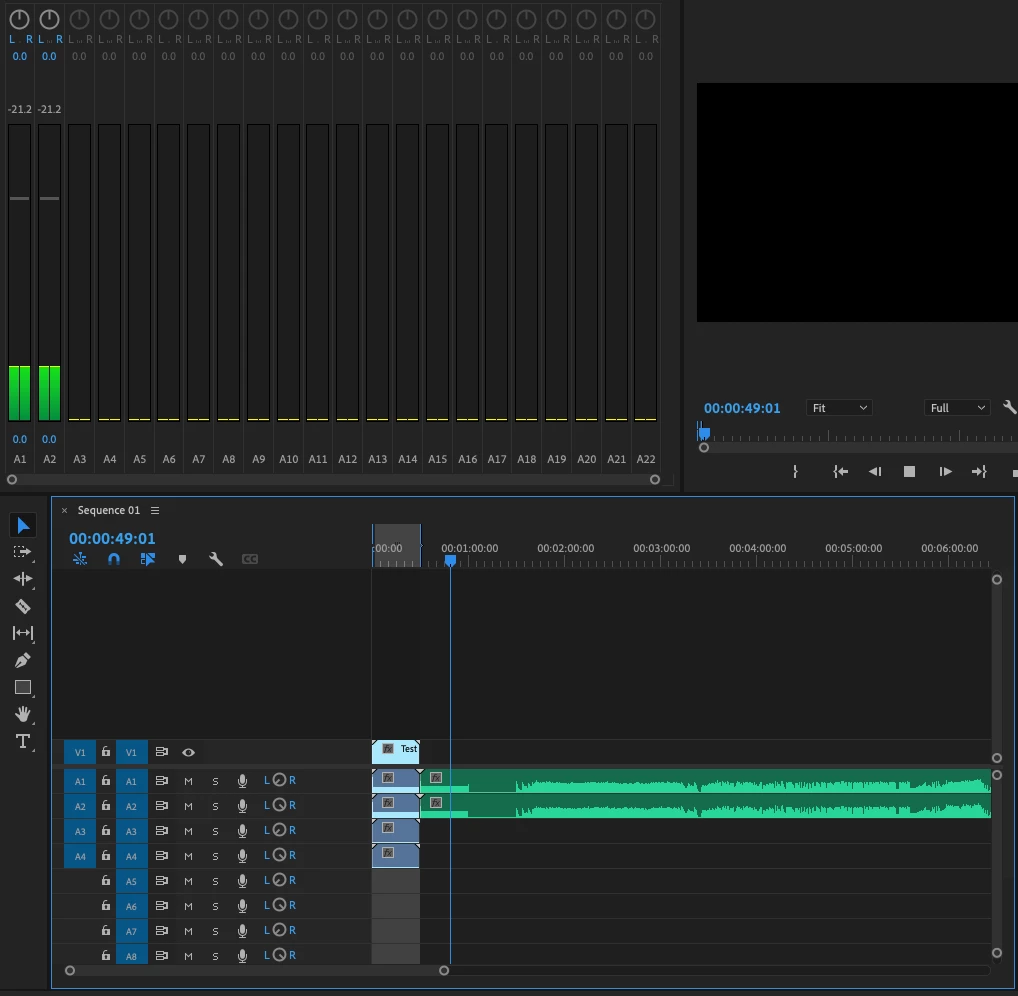
Original media in the sequence, reference tone at -21.2dB


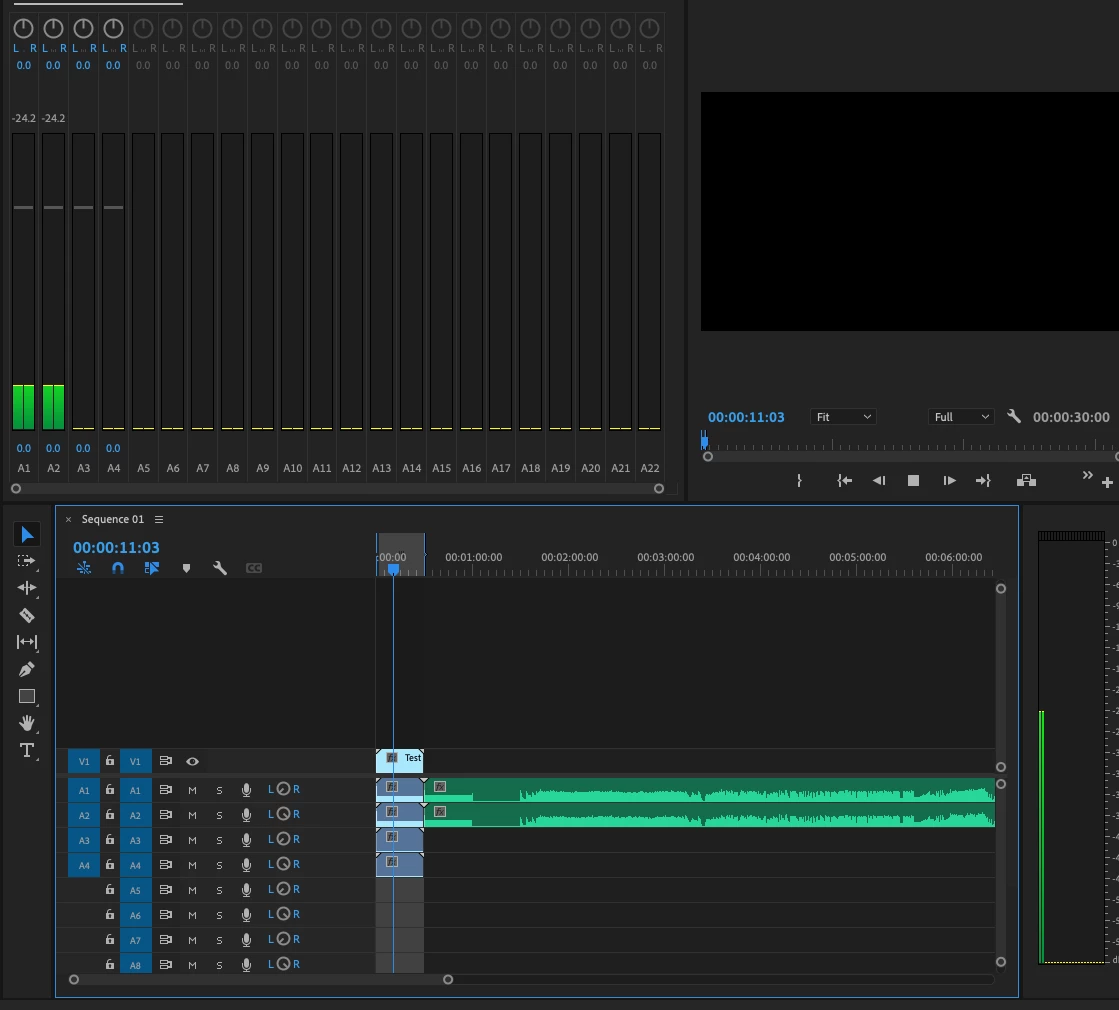
Same reference tone exported and reimported playing at -24.2dB
 

This topic has been closed for replies.

2 replies

Known Participant
January 4, 2023

I've not tested this in premiere (I will do it) but it seems Premiere uses the pan law of -3dB for mono tracks. This is an old known limitation of analogic consoles that was replicated in digital domain, but in my opinion, absolutely obsolete.

I edit audio outside premiere (Nuendo). In Nuendo I can set the pan law to 0dB tha avoids this efect. Protools and Audition have this option too.

R Neil Haugen
Legend
January 4, 2023

I've seen over on the Audition forum explanations of this sort of thing ... stereo summed to mono being down -3db sort of thing. I know Jarle can discuss how to avoid this by setting up the audio channels as a preset then applying it to sequences ... but that is WAY above my working knowledge.


Neil

Everyone's mileage always varies ...
R Neil Haugen
Legend
January 4, 2023

Premiere offers mono,  stereo, adaptive, and 5.1 audio track types. For many pro users the wiser choice for audio (especially when it will be sent out for additional audio work) is dual mono. I know @Jarle Leirpoll  suggests avoiding stereo for most pro workflows.


A straight -3dB change sounds like going from perhaps dual mono to stereo, something like that.


Neil

Everyone's mileage always varies ...
ThomasGaythorpe
Participating Frequently
January 4, 2023

Thanks Neil,


How would we implement this?


We currently configure our sequences as stated above and shown in the below screenshot;


When I add 22 mono channels, all channels in my sequence mix down to a single mono channel.


Many thanks,

Tom

Warren Heaton
Community Expert
Community Expert
January 4, 2023

Is Loudness Normalization enabled in the Export Options?

That's the only thing off-hand that I can think of that would cause audio in an exported file to play at a lower dB than the Timeline it came from when reimported.