
Bene12
Known Participant
March 21, 2021
Question

Premiere Pro video changing timing when scaled / URGENT

  • March 21, 2021
  • 1 reply
  • 492 views

Hello, strange issue in the latest Premiere:

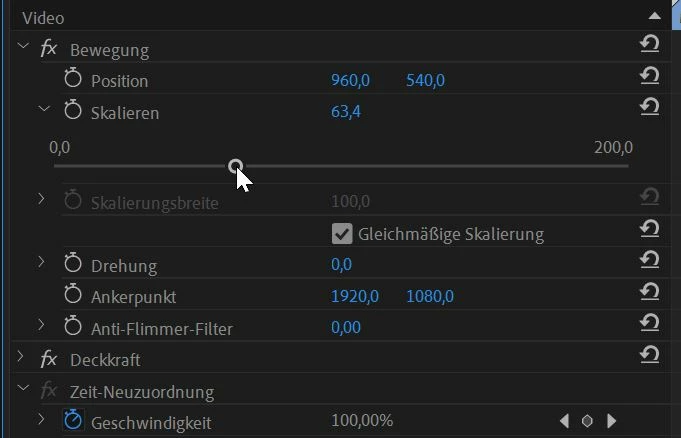
When I scale the video, then the timing is changed, too.

So Audio and Video do not match anymore!

Is that a  new bug??

I have to scale back to 100% in order to get sound and audio matched again.

Thanks for quick help...


This topic has been closed for replies.

1 reply

R Neil Haugen
Legend
March 21, 2021

By any chance is this VFR, variable frame rate, from a phone, screen capture or "device"?


Neil

Everyone's mileage always varies ...
Bene12
Bene12Author
Known Participant
March 22, 2021

Hi Neil,

it is a movie from an iPhone12Pro with a frame rate of 30fps at 4k, and taken with Osmo3 app.

It was imported as an MP4.

I made a workaround, to export it to AfterEffects (which was quite an effort), then do the scaling there and reimport just the video into Premiere.

Is there any known issue with iPhone devices?

Thanks


R Neil Haugen
Legend
March 23, 2021

iPhone media is VFR ... variable frame-rate. Meaning you may have the FPS set to 30fps, but ... depending on how much motion the phone 'sees' ... it may decide there's so little motion that at this moment 28.3fps is fine, but a bit later, there's a lot of motion, and it might even go above 30fps for a bit.


My Samsung phones do the same. A 30fps file will in reality vary from maybe 28.-something fps to 31.2 fps or so, continually changing through the length of the recording.


The sound, of course, is recorded solidly at a steady rate.


This is done in the camera so that it saves the amount of space and effort writing files to disc. And if you're not editing the clips, works ok for viewing also.


But when editing it ... an app like PrPro needs to be displaying X frames per second, period, and so it will have to make the in-between frames on the fly if and as it can. Which is why though it might be able to work with at least some VFR, it's normally better to convert the clips to CFR prior to importing into Premiere.


And that's where the free utility app HandBrake comes in. It can convert the clips to a solid CFR at whatever frame-rate you set. And though it's an odd process, it can batch process say an entire folder of clips.


I set that to working when I'm going to be away from the computer, or have it running on my laptop while I'm working on my desktop, so it doesn't affect anything I'm working on at the moment. Then import the converted files into PrPro.


And ... I'm wondering if PrPro is having an issue with this media, being as it's needing to create frames that aren't actually there on the fly, while you're telling it to also scale the clip up or down.


Neil

Everyone's mileage always varies ...