Exit
  • Global community
    • Language:
      • Deutsch
      • English
      • Español
      • Français
      • Português
  • 日本語コミュニティ
  • 한국 커뮤니티
0

Premiere Pro Video Saturated When Exporting

Participant ,
Mar 28, 2022 Mar 28, 2022

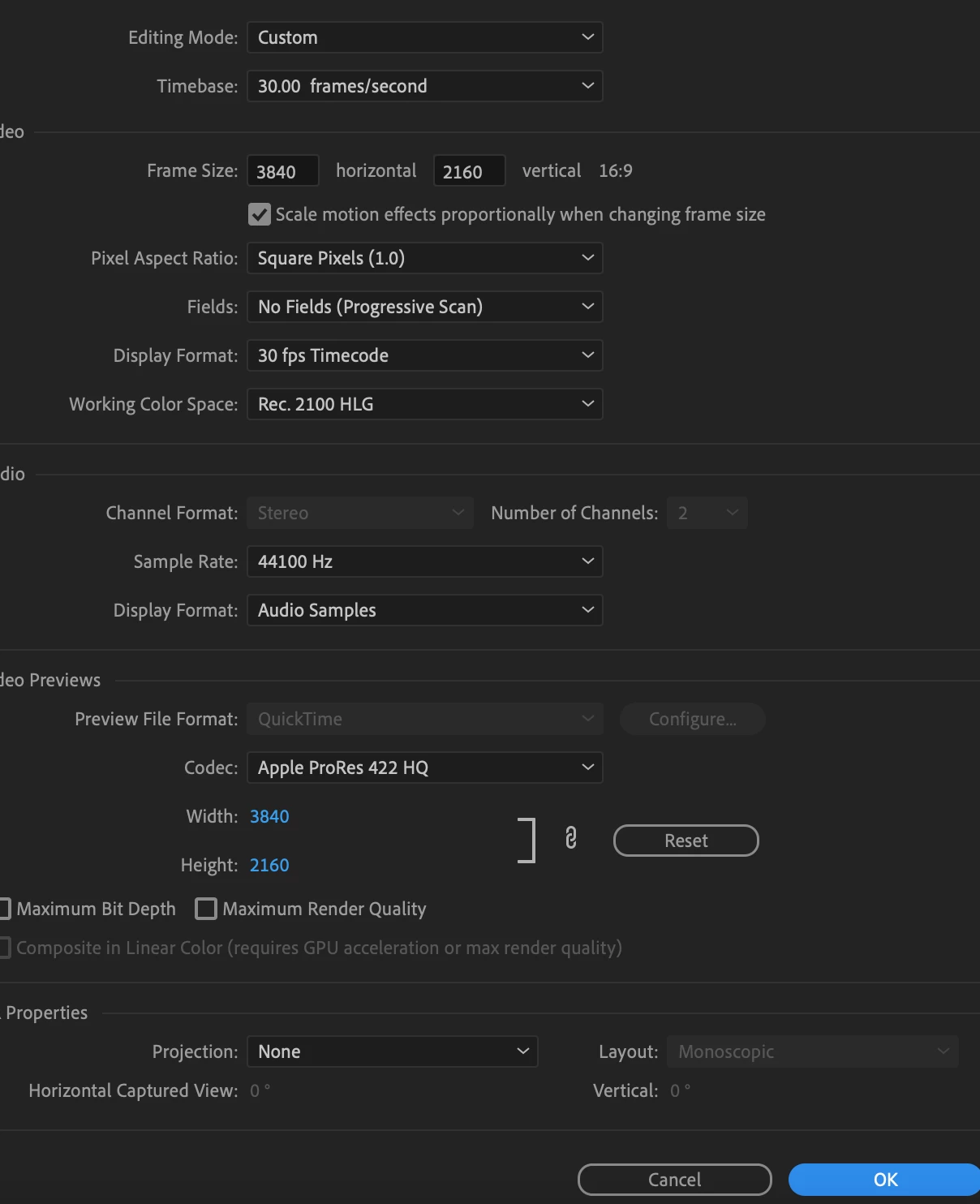
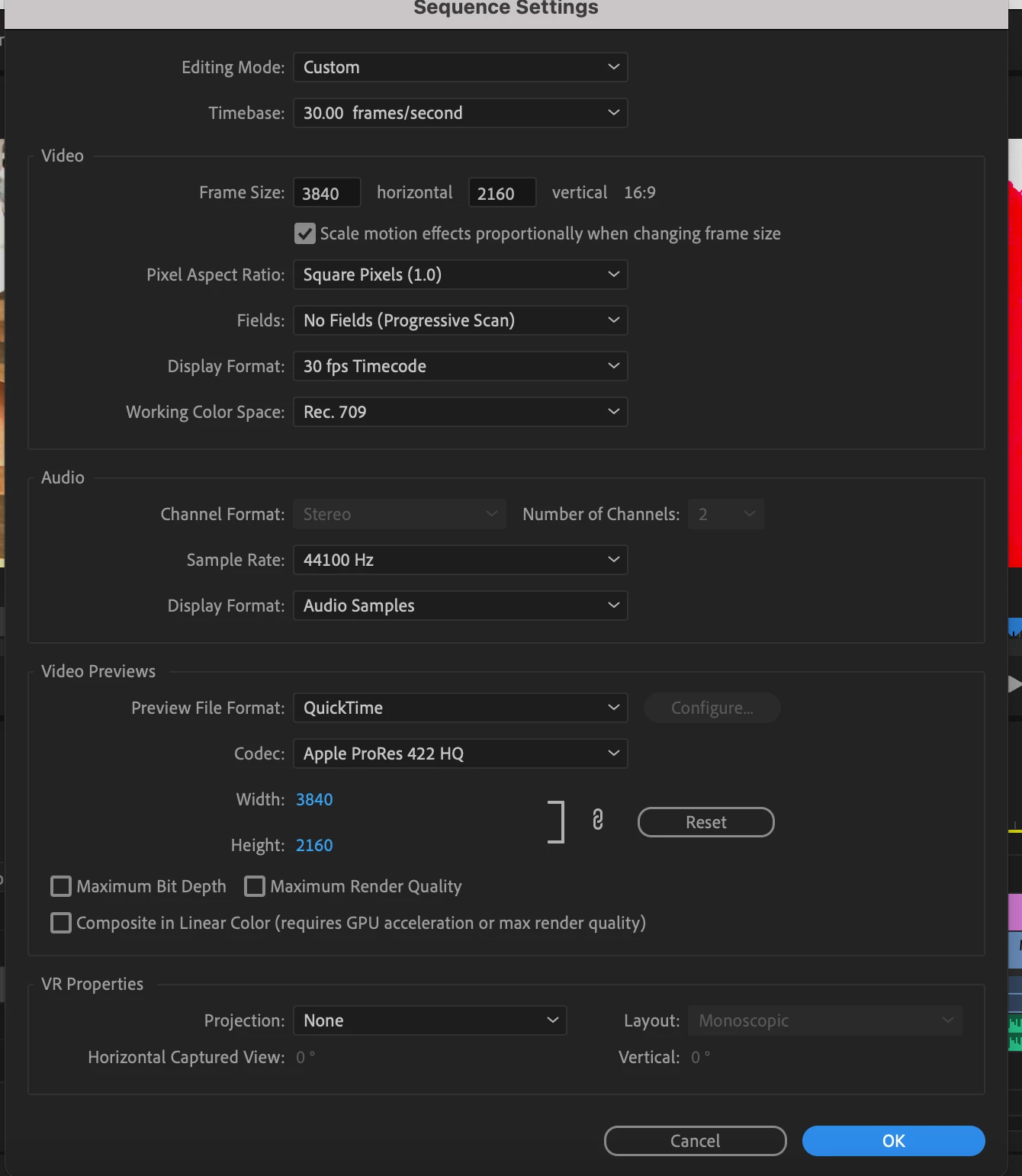
I had this problem before, changed the settings and fixed it, but now with those same settings I'm having the same problem. When I export the video it's extremely saturated. The second photo are the settings I have. When I change the settings to the third photo, it's saturated both in preview and when exported. 
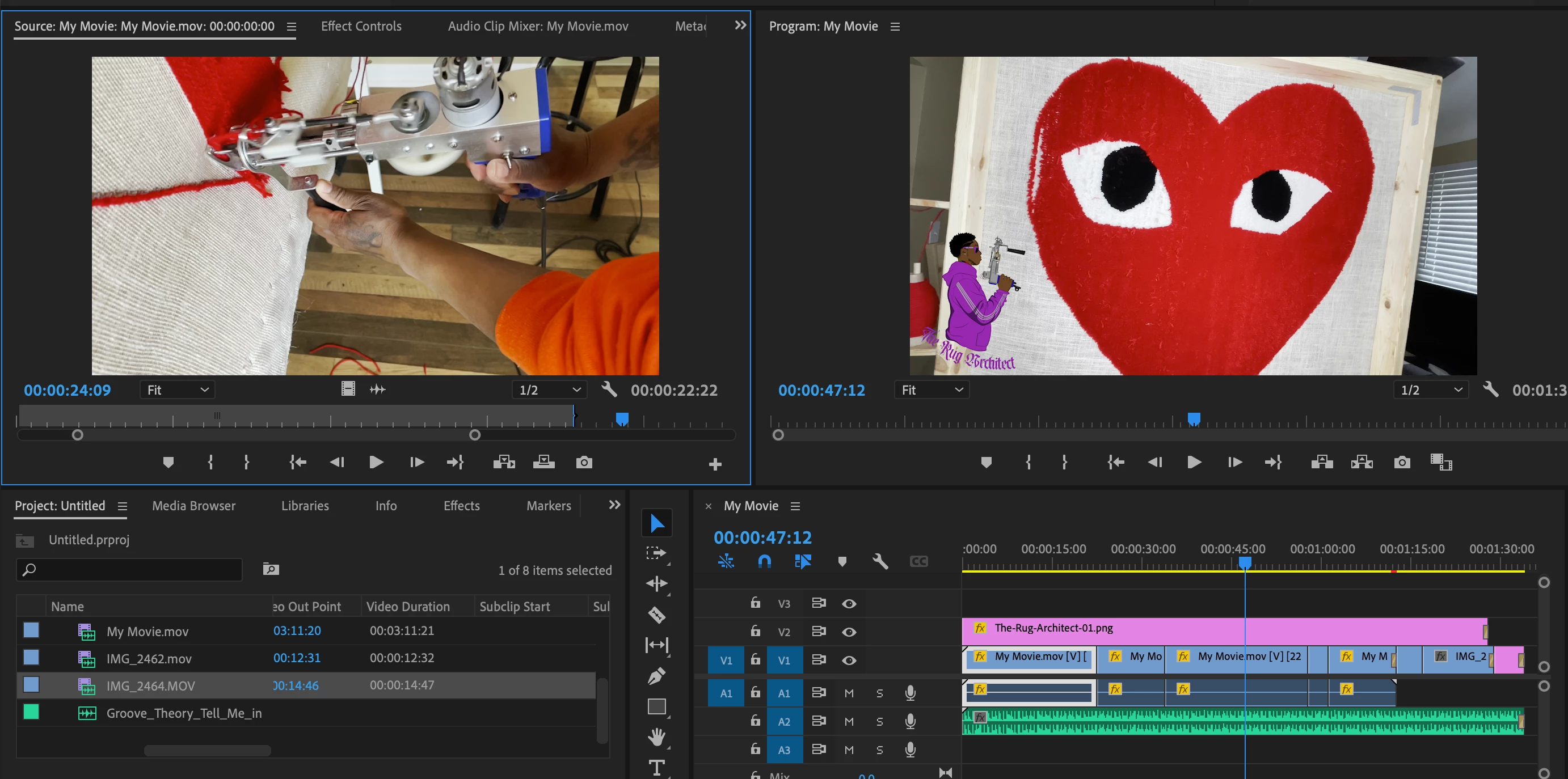
 

Screen Shot 2022-03-28 at 4.02.39 PM.pngScreen Shot 2022-03-28 at 4.17.02 PM.pngScreen Shot 2022-03-28 at 4.17.57 PM.png


TOPICS
Export , Performance
2.9K
Translate
Report
Community guidelines
Be kind and respectful, give credit to the original source of content, and search for duplicates before posting. Learn more
community guidelines

correct answers 1 Correct answer

LEGEND , Mar 28, 2022 Mar 28, 2022

It looks like Premiere is seeing the clip as an HLG ... HDR clip. Have you gone to the bins, right-click/Modify/Interpret Footage, and tried the Override to Rec.709 option?


Neil

Translate
LEGEND ,
Mar 28, 2022 Mar 28, 2022

It looks like Premiere is seeing the clip as an HLG ... HDR clip. Have you gone to the bins, right-click/Modify/Interpret Footage, and tried the Override to Rec.709 option?


Neil

Translate
Report
Community guidelines
Be kind and respectful, give credit to the original source of content, and search for duplicates before posting. Learn more
community guidelines
Participant ,
Mar 28, 2022 Mar 28, 2022

Thank you. That solved it.

Translate
Report
Community guidelines
Be kind and respectful, give credit to the original source of content, and search for duplicates before posting. Learn more
community guidelines
Community Beginner ,
May 07, 2023 May 07, 2023
LATEST

Sorry, what are the bins?

Translate
Report
Community guidelines
Be kind and respectful, give credit to the original source of content, and search for duplicates before posting. Learn more
community guidelines