Participant
November 29, 2023
Question

Premiere Pro Won't Show the Image; It's Marked in Red in the Sequence

  • November 29, 2023
  • 1 reply
  • 145 views

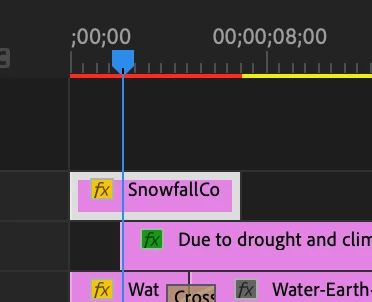
I'm just trying to create a short video clip of my latest listing, but Premiere Pro just refuses to display the photo that I want to edit. And when I try to play it in the sequence, its presence in the sequence is marked in red while the pictures in yellow are perfectly fine.

I don't know what to do. Any advice would be appreciated! Thank you.


Sam


This topic has been closed for replies.

1 reply

Kevin-Monahan
Community Manager
Community Manager
November 29, 2023

Hi @samf32864925,

Thanks for the notes. What is the format of the photo? Have you tried .psd, .jpg, or .png? Or is this another format? How big is the frame size? Let us know. Hope we can help. Sorry for the issue.


Thanks,
Kevin

Kevin Monahan - Sr. Community and Engagement Strategist – Adobe Pro Video and Audio