
Participant
June 26, 2020
Answered

PREMIERE WON'T LAUNCH ON MAC - Public Folder Access Requested

  • June 26, 2020
  • 1 reply
  • 3800 views

SOMEONE HELP PLEASE.


I just updated Premiere a few days ago to the newest version 14.3 and these are the issues that come up when I try to launch (see first photo). When I go into Settings > Security & Privacy > Privacy all I'm seeing is Premiere has full access to my disks. I can't specifically access my "Public" folder. I've tried everything. Anyone else have this issue? I consider myself pretty tech savvy but this is driving me nuts.
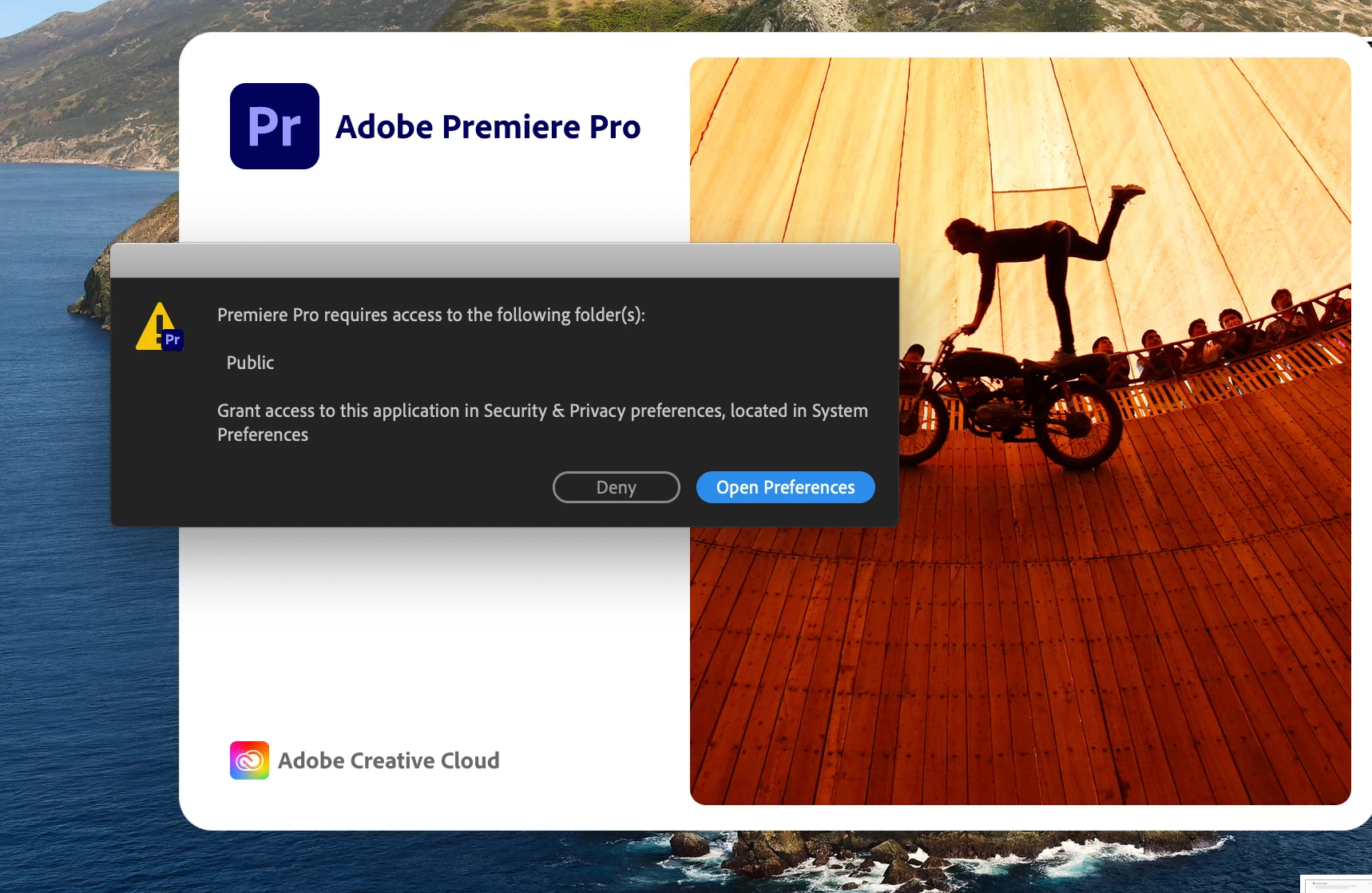
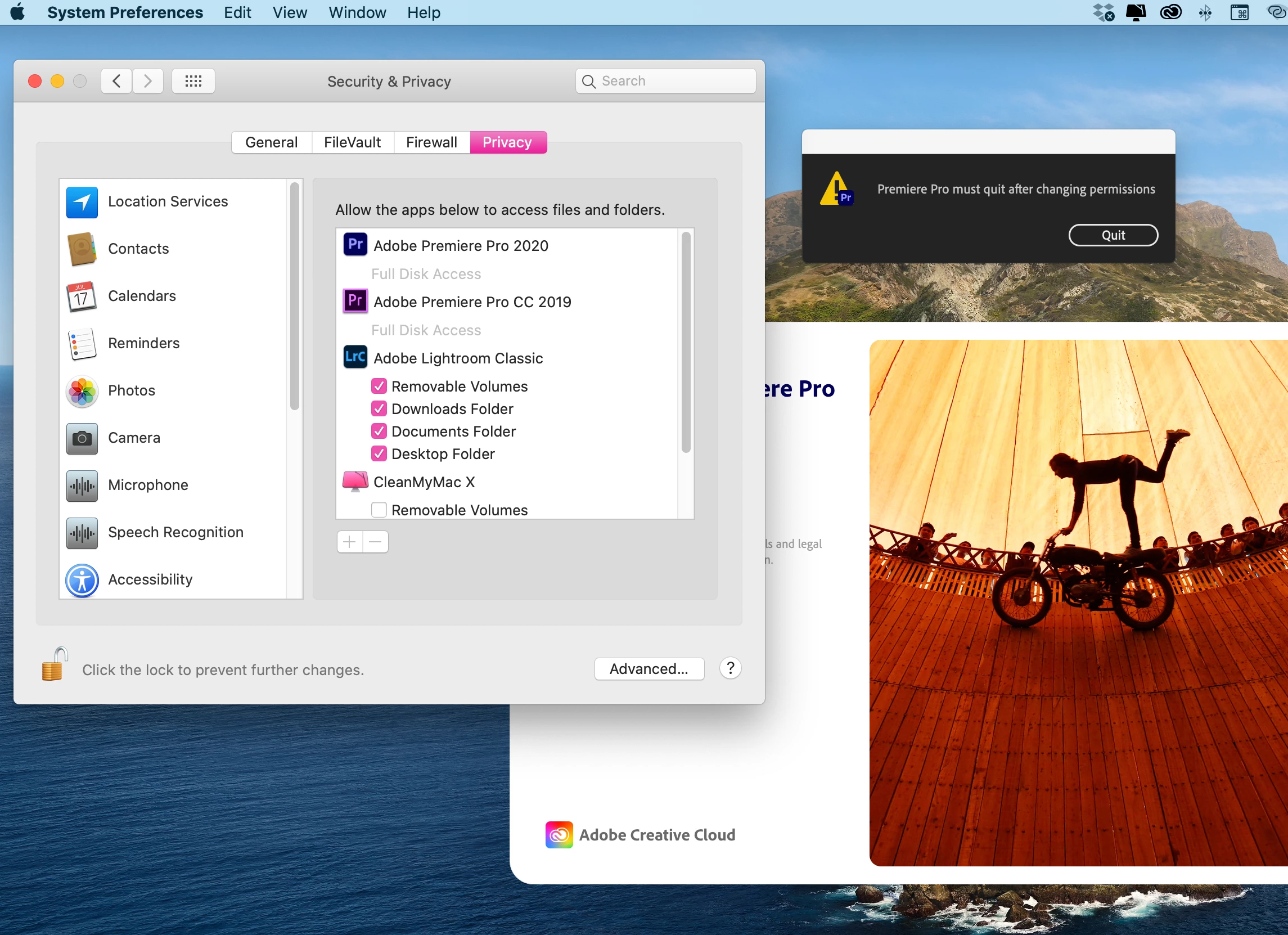
 

Device

macOS Catalina version 10.15.5 (just updated)

MacBook Pro (15-inch, 2016)

Processor 2.7 GHZ Quad-Core Intel Core i7

Memory 16 GB 2133 MHz
 

This topic has been closed for replies.
Correct answer Variel_lee

I've got a same problem and solved it

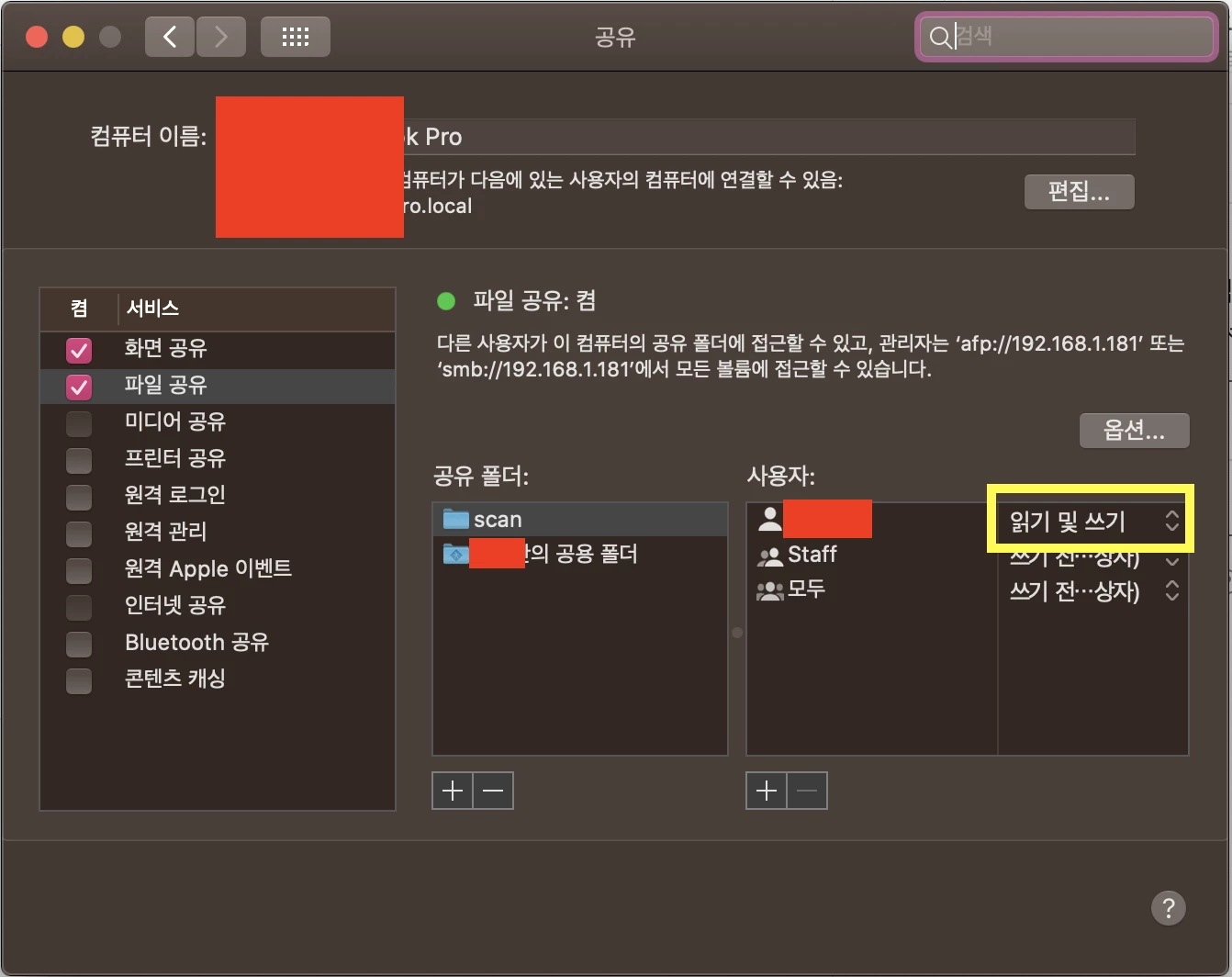
Go to System Preferences > Sharing > File Sharing

and click (someone)'s Public Folder, change your account's access level to Read and Write

(sorry for Korean language settings)

1 reply

Variel_leeCorrect answer
Participant
July 2, 2020

I've got a same problem and solved it

Go to System Preferences > Sharing > File Sharing

and click (someone)'s Public Folder, change your account's access level to Read and Write

(sorry for Korean language settings)

Participant
July 10, 2020

I think this probably will work! But I also just found this thread and did it this way - that one worked as well.


https://community.adobe.com/t5/premiere-pro/premier-pro-requires-access-to-the-following-folder-s-public/td-p/11255661?page=1

Participant
July 10, 2020

Thank you very much for your help!