
Participant
June 26, 2020
Answered

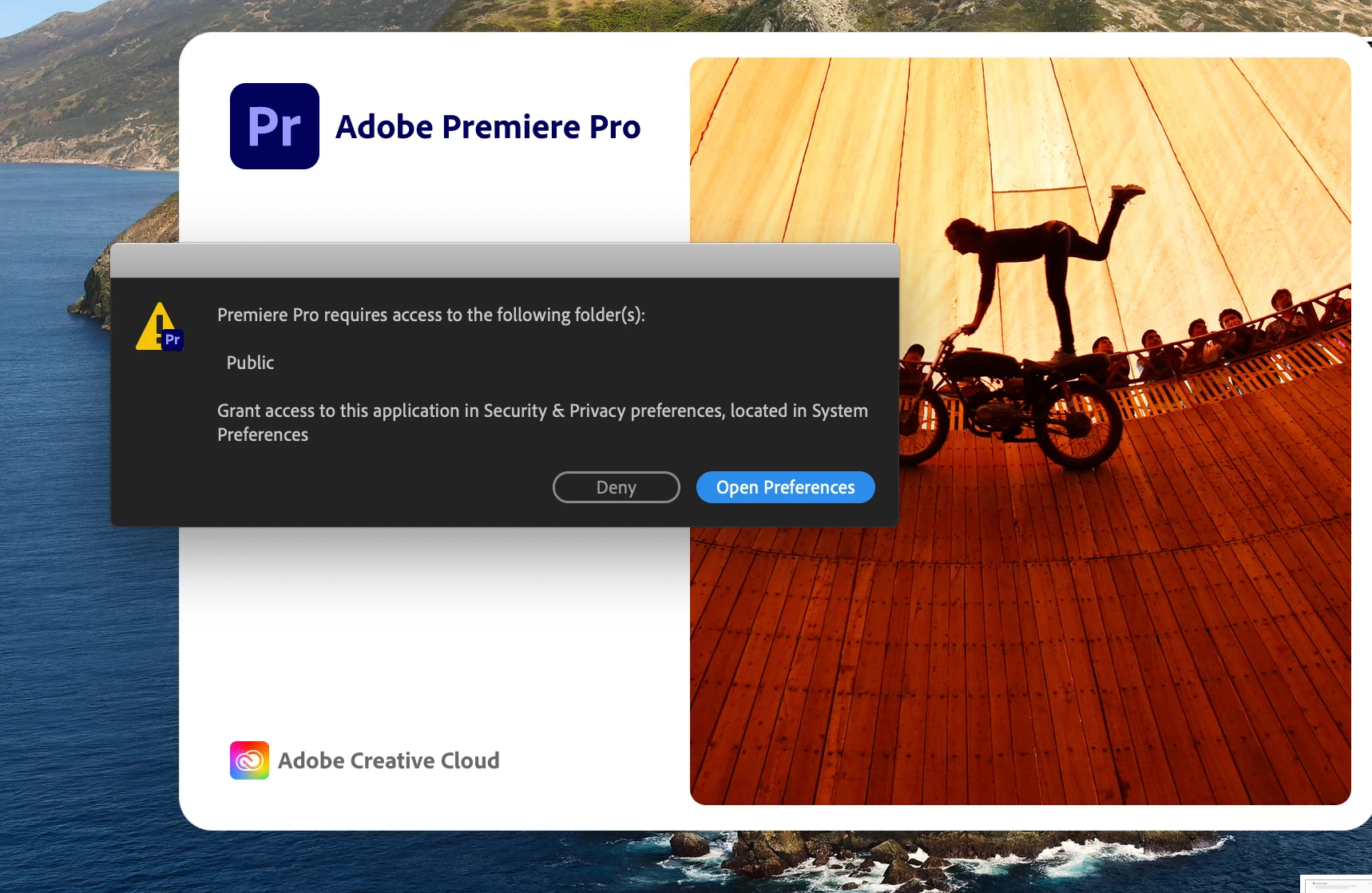
PREMIERE WON'T LAUNCH ON MAC - Public Folder Access Requested

  • June 26, 2020
  • 1 reply
  • 3800 views

SOMEONE HELP PLEASE.


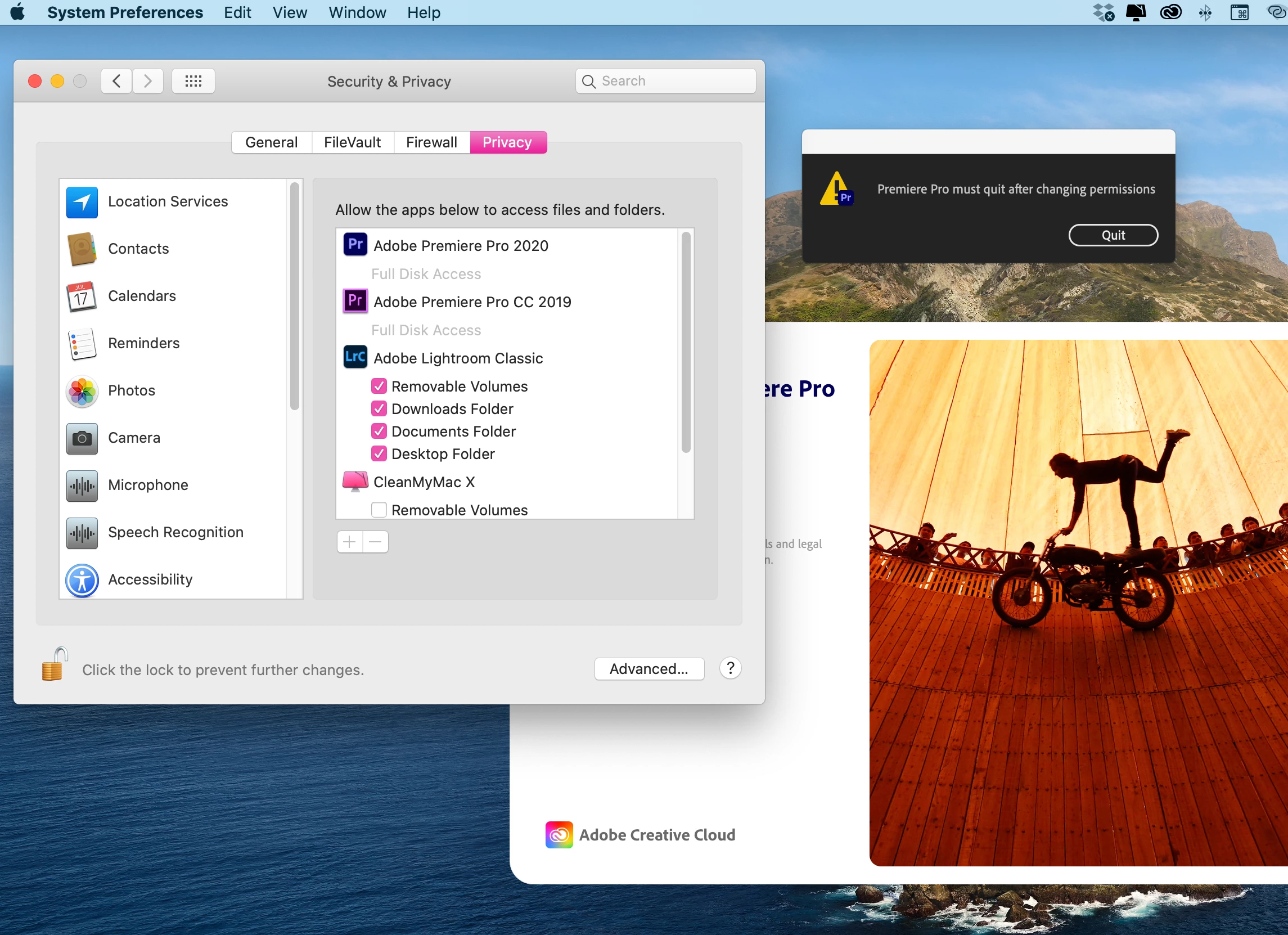
I just updated Premiere a few days ago to the newest version 14.3 and these are the issues that come up when I try to launch (see first photo). When I go into Settings > Security & Privacy > Privacy all I'm seeing is Premiere has full access to my disks. I can't specifically access my "Public" folder. I've tried everything. Anyone else have this issue? I consider myself pretty tech savvy but this is driving me nuts.
 

Device

macOS Catalina version 10.15.5 (just updated)

MacBook Pro (15-inch, 2016)

Processor 2.7 GHZ Quad-Core Intel Core i7

Memory 16 GB 2133 MHz
 

This topic has been closed for replies.
Correct answer Variel_lee

I've got a same problem and solved it

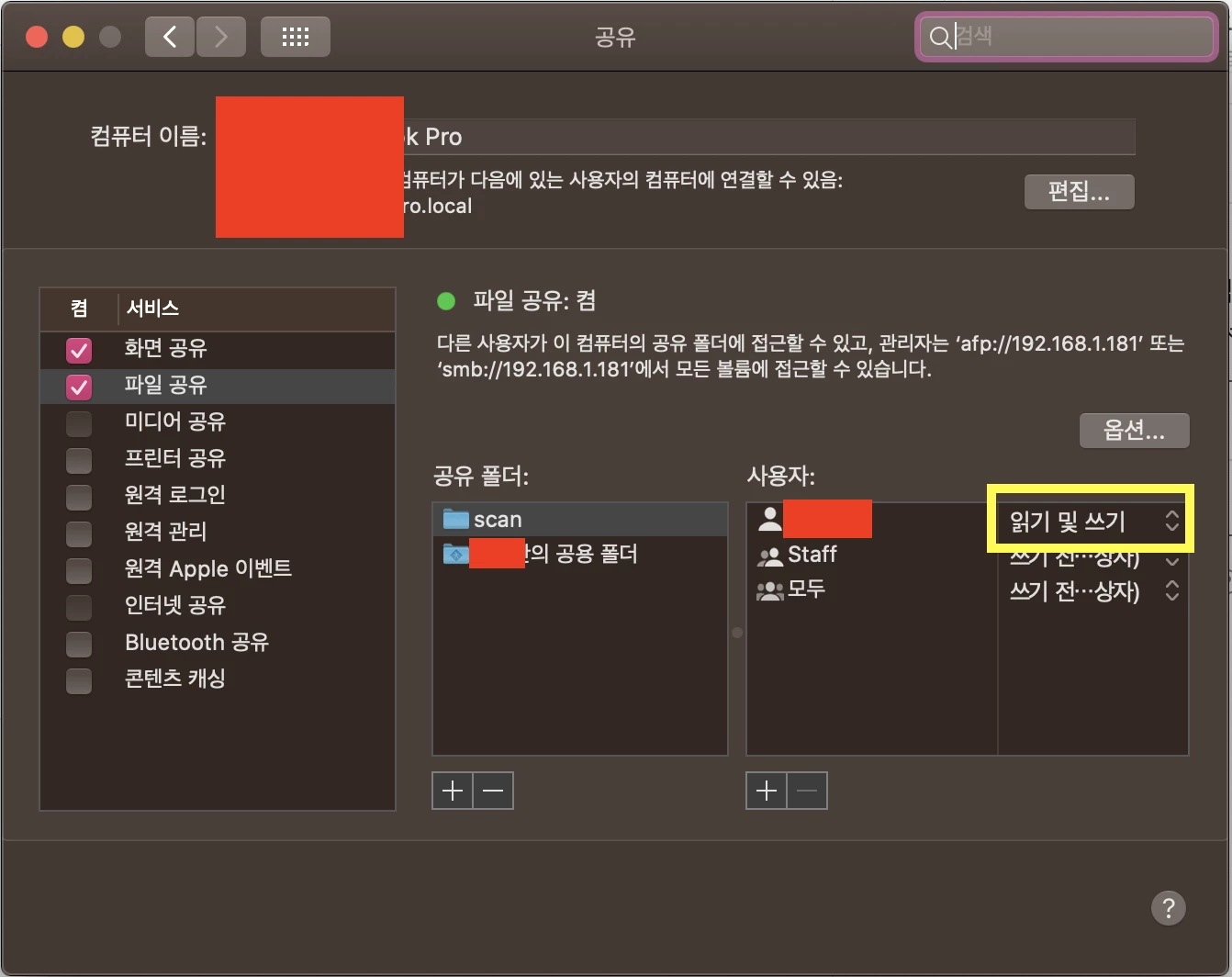
Go to System Preferences > Sharing > File Sharing

and click (someone)'s Public Folder, change your account's access level to Read and Write

(sorry for Korean language settings)

1 reply

Variel_leeCorrect answer
Participant
July 2, 2020

I've got a same problem and solved it

Go to System Preferences > Sharing > File Sharing

and click (someone)'s Public Folder, change your account's access level to Read and Write

(sorry for Korean language settings)

Participant
December 30, 2021

Yes it worked! Thank you very much and have a great year to all...