
Participating Frequently
January 7, 2018
Question

Premiere won't open my proj files

  • January 7, 2018
  • 5 replies
  • 7632 views

If I save my project in .prproj to pick up where I left off later, I can't open that file. But if I look for the last auto-saved file, it loads just fine. I don't get a black screen or an error sign when I try to load the non autosaved file, it just pulls up an empty project:
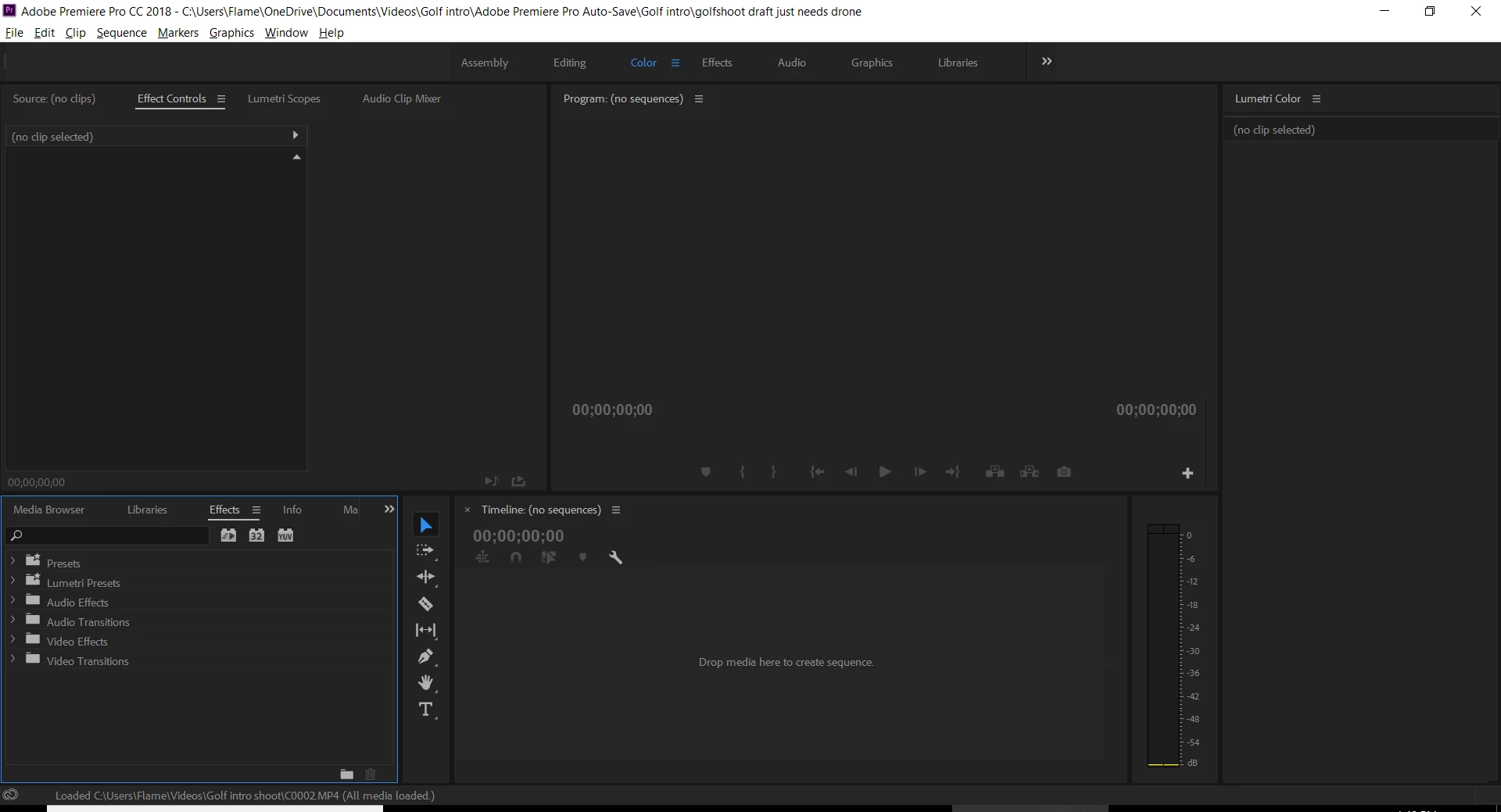
Why won't premiere open my manually saved proj file and only open the auto-saved files?

    This topic has been closed for replies.

    5 replies

    Known Participant
    August 19, 2019

    I have the same problem. Sometimes, when I open my file it just goes to all the relative files and doesn't see the .prproj file. Then I have to open a graphic file to open it!!

    Participating Frequently
    February 14, 2018

    I have just been using autosave files to work on my projects but these files are going to quickly accumulate and take up space in my computer... I tried resetting to saved layout and that didn't fix it... If I open a sequence from my project panel its just an empty timeline. I'm trying to open a project that I had originally saved.

    When I open the originally saved, non-autosaved proj files, it shows the project name in the project panel but nothing shows up in my timeline or my project panel.

    Ann Bens
    Community Expert
    Community Expert
    February 14, 2018

    This is very empty....

    When editing a project make a habit of Save a copy to preferable to another drive.

    If the project gets corrupt with out you knowing the auto saves also get corrupted.

    Participating Frequently
    February 15, 2018

    I just tried flipping through the tabs at the top (where it says assembly, editing, color, effects, etc.) and I found the files I used in my project pop up in my project tab. Is there any way I can put them back into my sequence like how they're supposed to be? With all the correct cuts and edits and everything?

    Peru Bob
    Community Expert
    Community Expert
    January 7, 2018

    Ann Bens
    Community Expert
    Community Expert
    January 7, 2018

    Bob, you wont find any sequence in the Effect Controls.

    You need the Project window.

    Peru Bob
    Community Expert
    Community Expert
    January 7, 2018

    Ah, yes.

    Well, try it in the Project Window.

    Legend
    January 7, 2018

    That's not necessarily an empty project you're showing us.  What's in the Project tab?

    Participating Frequently
    January 10, 2018

    I went to Windows > Projects > file name and it brought up the projects window in my workspace. In there were the different clips and stuff that I was thinking of using in my timeline. Some I used, most I didn't. And none of them are colorbalanced or any kind of alterations are made to them. Still not able to open manually saved files... Just been working on auto-saved files

    Legend
    January 10, 2018

    What exactly happens when you try and open the project file?

    Ann Bens
    Community Expert
    Community Expert
    January 7, 2018

    Your project is buried in an autosave folder, but it does not look like a proper project as the title does not show the extention. prproj.

    Try trashing preferences and plugin cache by holding down shift + alt while opening premiere.