
pressing NumEnter after input Timestamp executes "Lift & Overwrite Selection" unexpectedly
Adobe Premiere Pro
Version 25.0.0 (Build 61)
Windows 11 Pro (build 22631.4460)
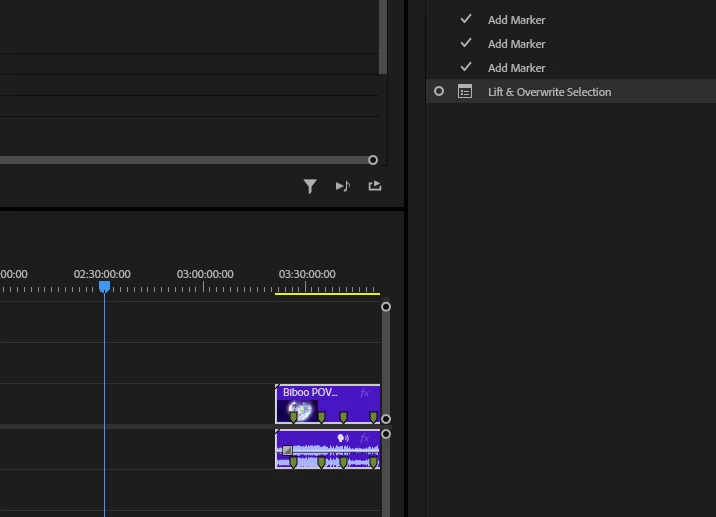
My NumEnter key has the command "Lift & Overwrite Selection" on it and i can't remove it.
I use my number pad to enter timestamp locations VERY frequently. Ever since the new update it now has the "Lift & Overwrite Selection" command on it and it happens 9 times out of 10 when i use the NumEnter.
Very easy to reproduce:
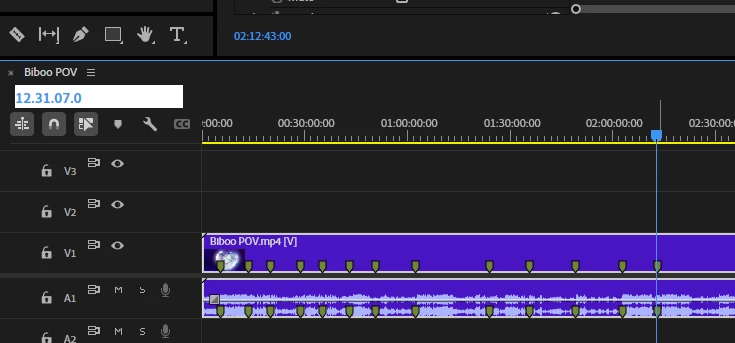
1. Select Video on timeline (make sure the segment is highlighted)
2. Enter time stamp number (e.g. 1.16.04.32)
3. Press NumEnter
As mentioned before it used to move the Blue line to that time on the timeline but now it LIFTS the SEGMENT and then MOVES THE ENTIRE SEGMENT TO THE TIME ENTERED.
...It was working so well for years and this just happened since the update. I thought it would get fixed by now but here we are.
This helps in my editing because 10-keying in the timestamp instead of using the keyboard is much faster and helps with productivity.
Please help. Thank you in advance.
 AdChoices