
Participant
August 12, 2021
Answered

Preview distorted after render for each clip

  • August 12, 2021
  • 1 reply
  • 3158 views

Hello,
I am experiencing this weird effect and I have no idea what to do about it, googled like crazy but I can't find any solutions.
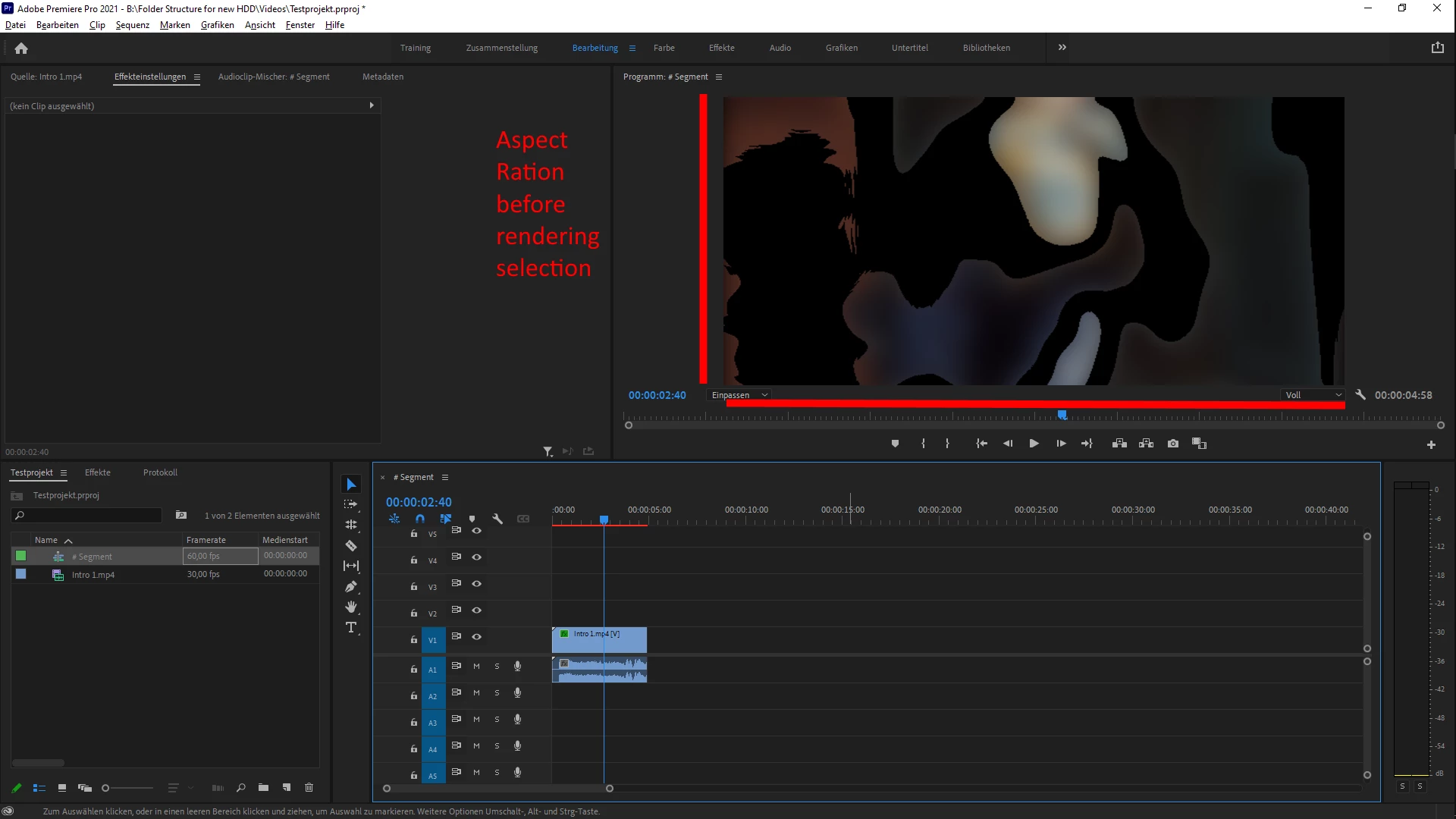
So whenever I import and edit a clip, everything looks smooth, fine, all good, see here.
However, once I render the selection the image gets distorted, it looks crushed and loses its aspect ratio. This happens for each clip with varying degrees of distortion.
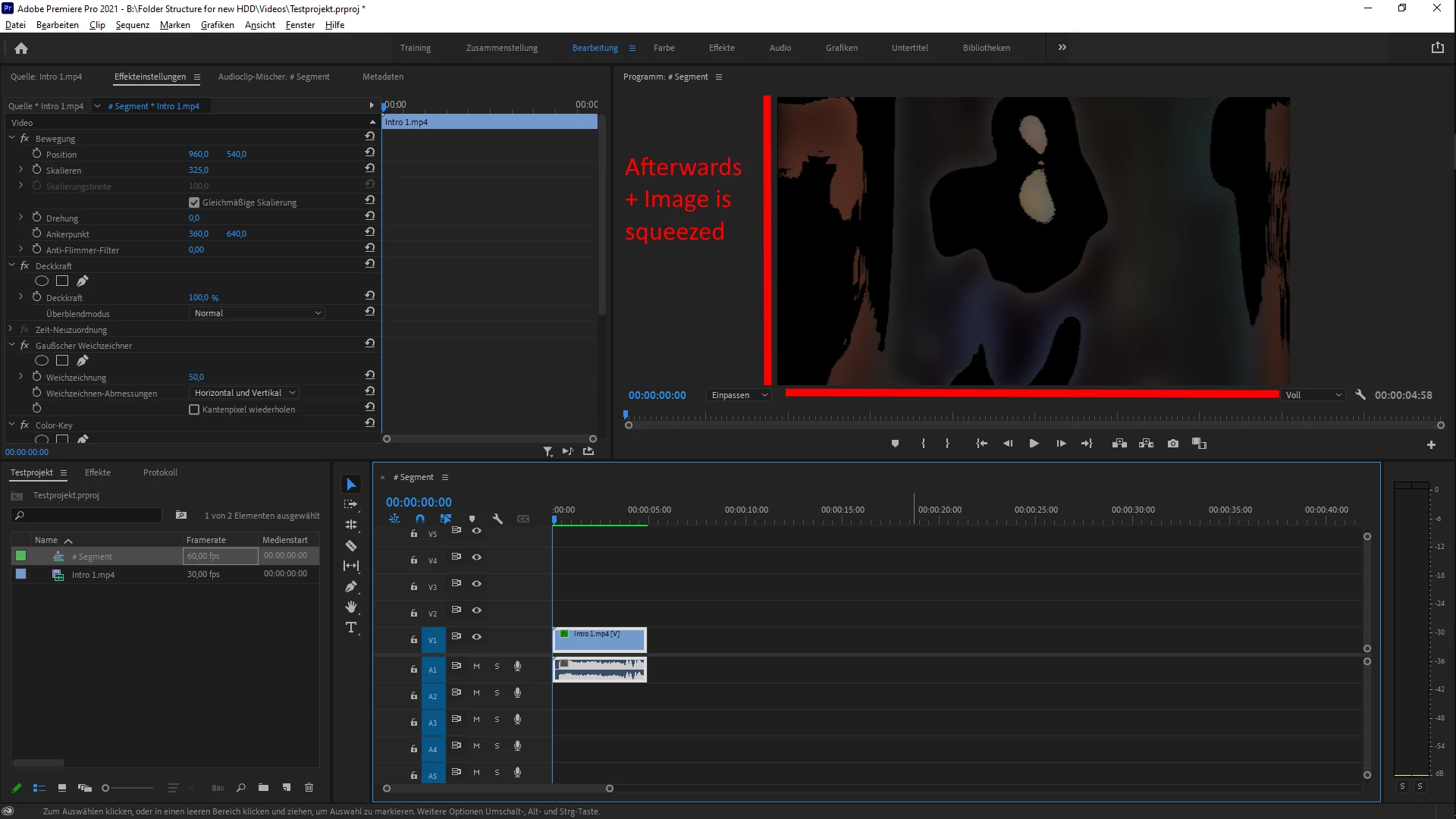
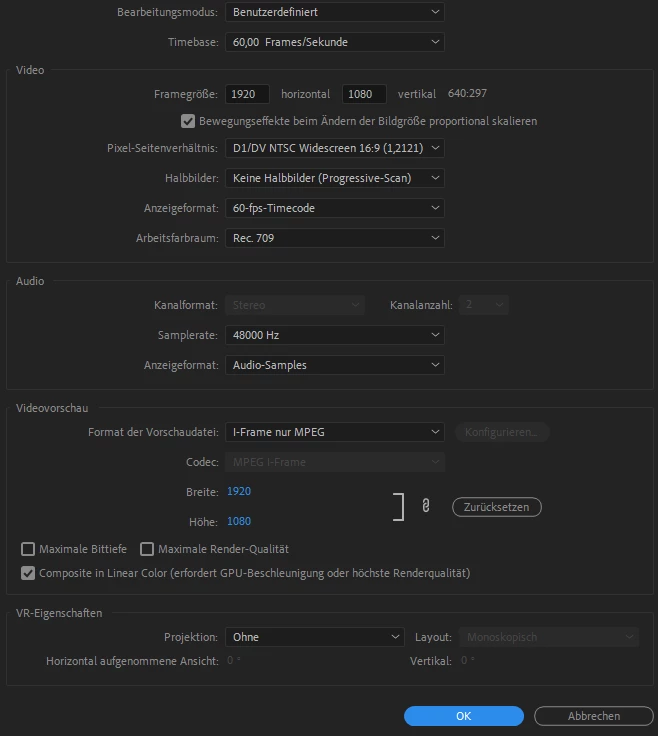
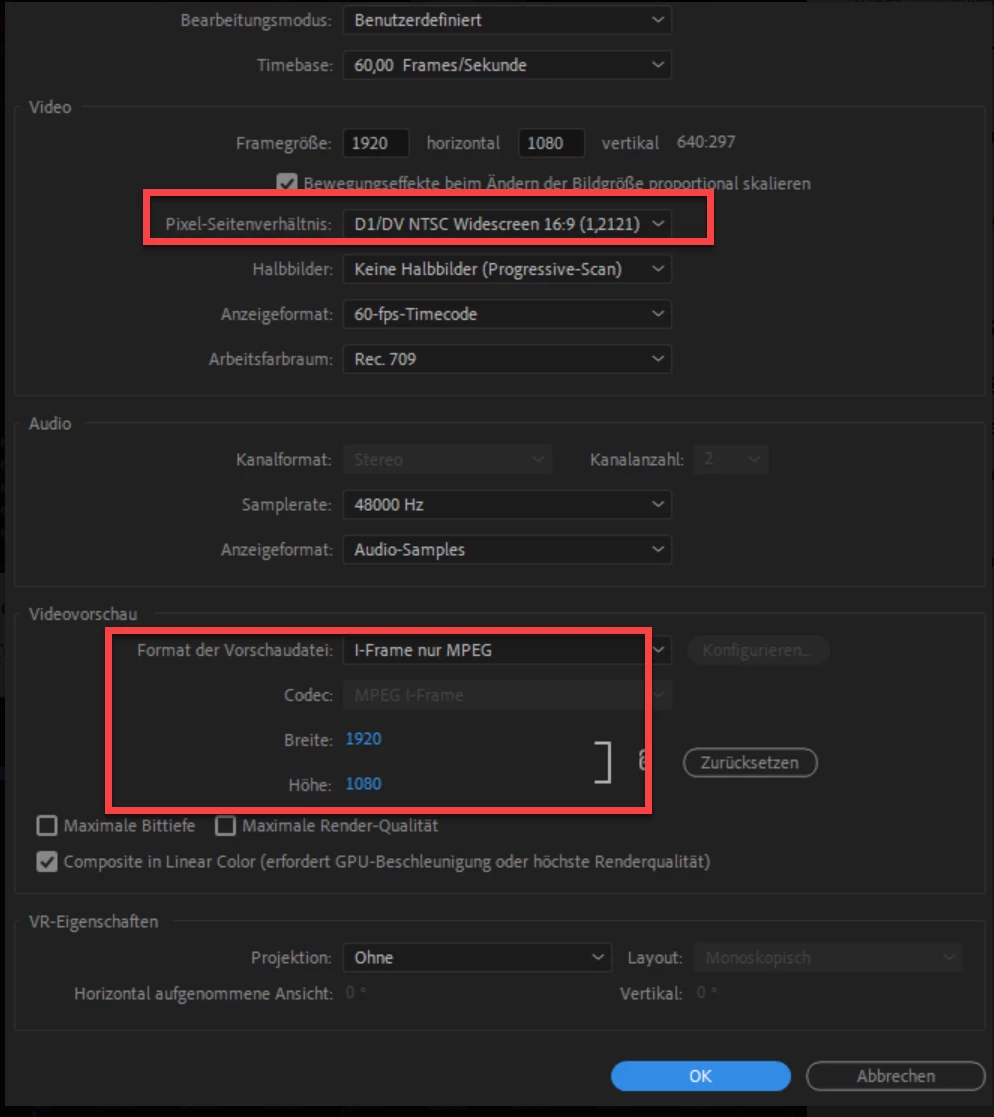
Now I was theorizing that this is because I use PAR 1,2121 and the source footage is all sorts of different formats. 
However, when I actually export the full video it renders the way the preview looked when I edited and before I rendered the selection. 
Is there any way to render the selection and keep the individual clips from distorting? What's the cause of all this? Glad if anyone can help! My sequence settings are below, lemme know if there is anything else you need.
This topic has been closed for replies.
Correct answer Ann Bens

This is why. HD is never 1.2 (SD non square pixels) but rather 1.0 (square pixels).

And why is timeline 60 fps and clip 30 fps?


https://helpx.adobe.com/nl/premiere-pro/using/aspect-ratios.html

1 reply

Ann Bens
Community Expert
Ann BensCommunity ExpertCorrect answer
Community Expert
August 12, 2021

This is why. HD is never 1.2 (SD non square pixels) but rather 1.0 (square pixels).

And why is timeline 60 fps and clip 30 fps?


https://helpx.adobe.com/nl/premiere-pro/using/aspect-ratios.html

JamarlieAuthor
Participant
August 12, 2021

Ahhh, so I should switch it to 1.0 then? Guess I'll have to find a different way to letterbox my videos then. Thanks though!

That was just a test sequence to demonstrate, I usually put out videos in 60fps, because I take a lot of different footage in.

Ann Bens
Community Expert
Community Expert
August 12, 2021

If you want letterboxing use an overlay (e.g. png or EGP) or set height and width of sequence to letterbox or use crop effect on AL.