21896248
Participant
March 18, 2018
Answered

Preview video is pink-green

  • March 18, 2018
  • 5 replies
  • 8729 views

Preview window shows video with artefacts like this (green and pink stripes and shapes):
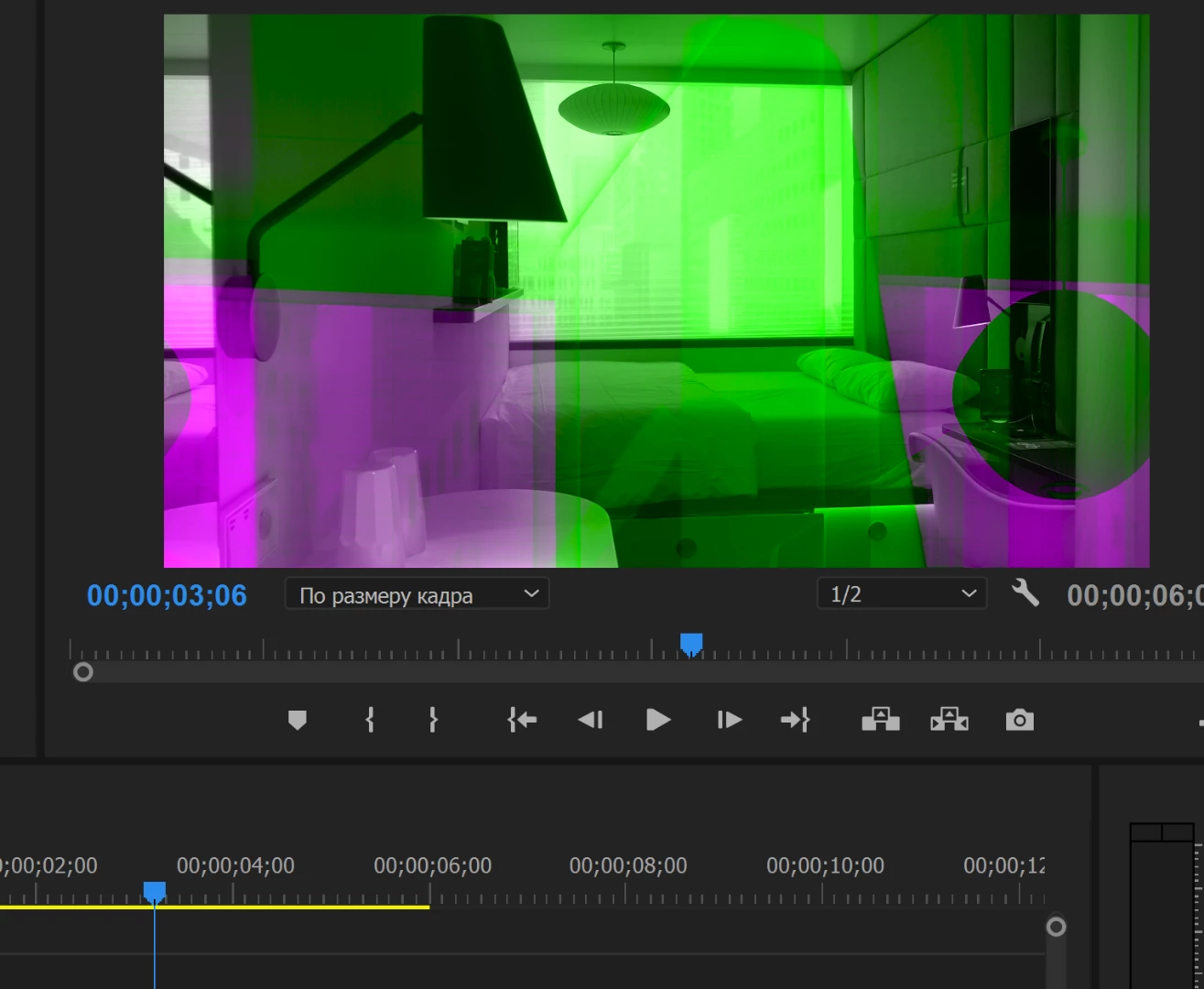
Maybe someone has got an idea what could be the problem?

Thank you in advance.

    This topic has been closed for replies.
    Correct answer Vidya Sagar

    Hi 21896248, felixl98870291,

    Sorry for the issue. Here is a thread with the same issue: Green and Pink Video in Premiere Pro 12.0.1 (Build 69)

    User resolved the issue by installing a different version of Intel driver from this page: Support for Intel® HD Graphics 530

    Please try the step & let us know the status.

    Thanks,

    Vidya

    5 replies

    Participant
    April 16, 2024

    I seem to be having this same exact issue but with after effects 


    21896248
    21896248Author
    Participant
    March 19, 2018

    Thank you very much. Your answer helped me to solve the problem. I just installed an older version of the driver for the Intel graphic.

    Vidya Sagar
    Adobe Employee
    Adobe Employee
    March 19, 2018

    Hi 21896248,

    Glad it worked. Thanks for letting us know the status. The issue is under investigation, we shall let you know the status here.

    Thanks,

    Vidya.

    Participant
    June 13, 2020

    That was 2018, any update yet??   2020 now.

    Vidya Sagar
    Adobe Employee
    Vidya SagarCorrect answer
    Adobe Employee
    March 19, 2018

    Hi 21896248, felixl98870291,

    Sorry for the issue. Here is a thread with the same issue: Green and Pink Video in Premiere Pro 12.0.1 (Build 69)

    User resolved the issue by installing a different version of Intel driver from this page: Support for Intel® HD Graphics 530

    Please try the step & let us know the status.

    Thanks,

    Vidya

    Participant
    March 20, 2018

    This didn't work for me premiere pro didn't even start up after rolling back the driver.

    Goggzilla
    Participant
    March 25, 2018

    Just fixed this issue on my Dad's PC by going into File>Project Settings> General. Then changing the top drop down menu to Software rendering rather than GPU.

    Hope this helps

    Participant
    March 19, 2018

    I have the exact same problem! I don't know how to fix it but I do think I know what is causing the issue. I looked back at my update history and I found that on the 18th of march my Intel display driver was updated. This coincides with when I started to have the problem. I have tried reinstalling these drivers but I have had no success. Hopefully they release a patch soon or that someone on these forums knows whats going on.

    John T Smith
    Community Expert
    Community Expert
    March 18, 2018

    More information needed for someone to help... please click below and provide the requested information

    -Troubleshooting https://forums.adobe.com/thread/2261475

    -Premiere Pro Video Editing Information FAQ http://forums.adobe.com/message/4200840

    Do not count on Windows to be fully up to date when it comes to device drivers

    Go to the vendor site to be sure you have an updated driver for your graphic adapter

    •nVidia Driver Downloads http://www.nvidia.com/Download/index.aspx?lang=en-us

    •ATI Driver Autodetect http://support.amd.com/en-us/download/auto-detect-tool

    There are also intermittent reports that the newest driver is not always the best driver due to driver bugs or compatibility issues, so you MAY need to try an earlier driver version