Thanks for tagging me @R Neil Haugen. Bien sur!
If you’re experiencing issues with your Motion Graphics templates created in an English version of After Effects not working as expected in a French version of Premiere Pro, the problem likely lies with how expressions are set up within the templates. Here's why this happens and how to resolve it:
Why the sssue occurs:
After Effects uses expressions to control various aspects of animations and effects within Motion Graphics templates. These expressions can reference properties using two different methods: parameter names and indexes.
- Parameter names are language-specific labels for parameters inside of effects. For example, "Color"in English inside the Fill effect becomes "Couleur" in French.
- Indexes are numerical identifiers that remain consistent across all language versions.
When a template created in the English version of After Effects is opened in a French version of Premiere Pro, expressions referencing properties by their parameter names won't be recognized because the names differ between languages. This mismatch causes the templates to malfunction or not work at all.
How to fix the issue:
To ensure compatibility across different language versions of After Effects and Premiere Pro, it's essential to use indexes instead of parameter names in your expressions. Here’s how to do it:
1. Open the After Effects project (you can also open the project from the template via "Open Project..." in After Effects)
2. Modify expressions to use indexes:
Locate the expressions within your template.
Replace references to properties using parameter names with their corresponding index numbers. For example, instead of using
thisComp.layer("Shape Layer 2").effect("Fill")("Color")
you would use
thisComp.layer("Shape Layer 2").effect("Fill")(3).
There is a nice little trick to do this automatically. When you use the pickwhip to reference controls, hold down opt/alt key. This will create an index-based expression for you!
3. Save and export the template:
Once all expressions are updated, save your project and export the Motion Graphics template again.
Additionally, there is a plugin called Universalizer which can fix up projects that don't use indexes in expressions. This tool automatically converts the expressions, ensuring your templates work seamlessly across different language versions. It's not free, but it can be a life saver 🙂 https://aescripts.com/expressionuniversalizer/
Using Adobe Stock:
If you get your templates from Adobe Stock, we ensure that they are set up to work across different languages. This guarantees that you won’t encounter these compatibility issues! I assume people hitting this issue did not get their templates from Adobe but third party offerings?
Hope this helps!
Annika

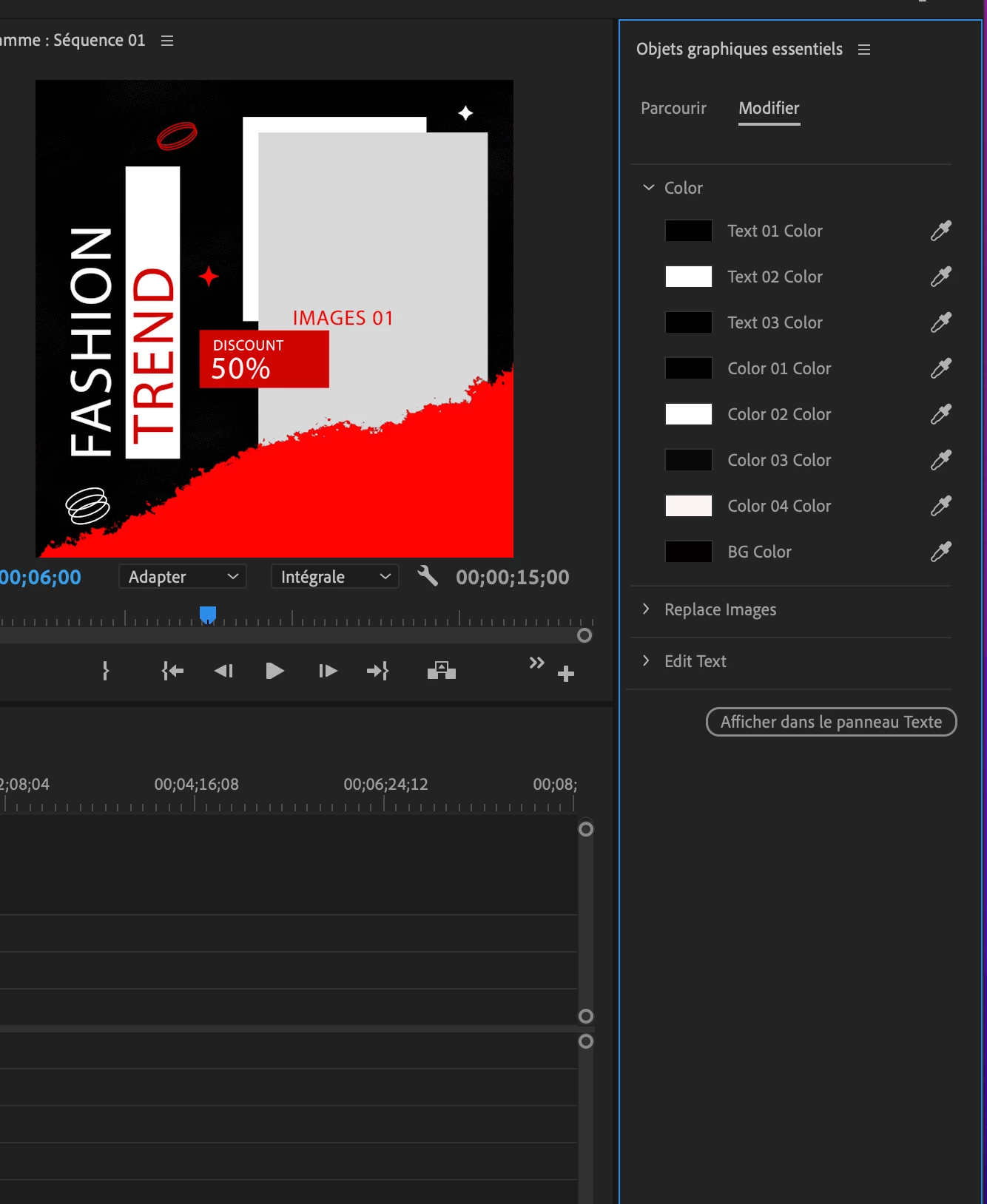 . sur la photo normalement, tout doit etre en noir et blanc mais il y a toujours du rouge.
 AdChoices