
Participant
June 5, 2020
Answered

Problem exporting jpeg/stills from Premiere (image squashed/stretched).

  • June 5, 2020
  • 2 replies
  • 5957 views

Hello,


I'm having trouble exporting jpgs or any stills from premiere pro cc 2020. I've updated to the newest version and changed to several different sequence settings to no avail.
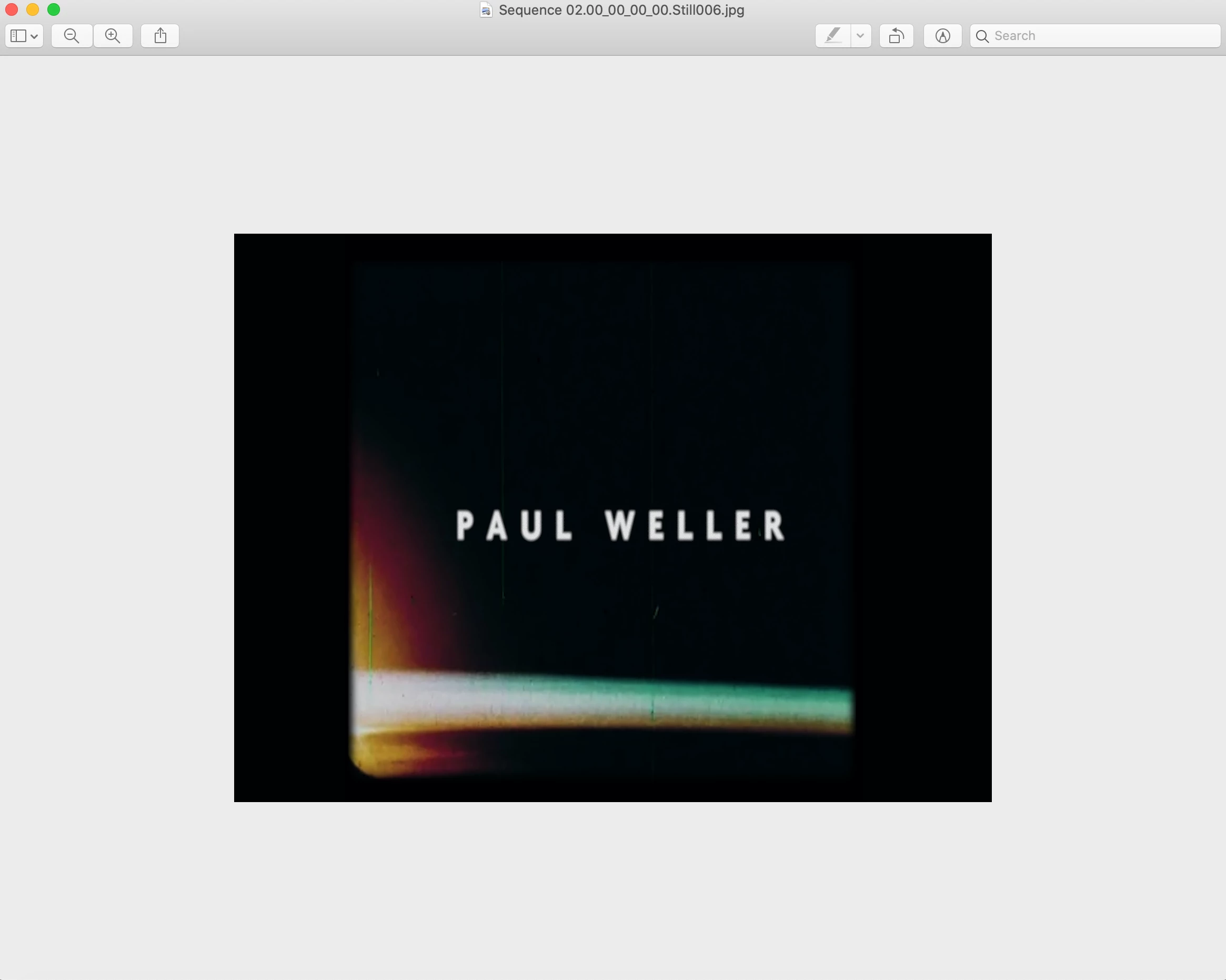


The image is exported squashed to a different ratio (see photo above).


These are my sequence settings:
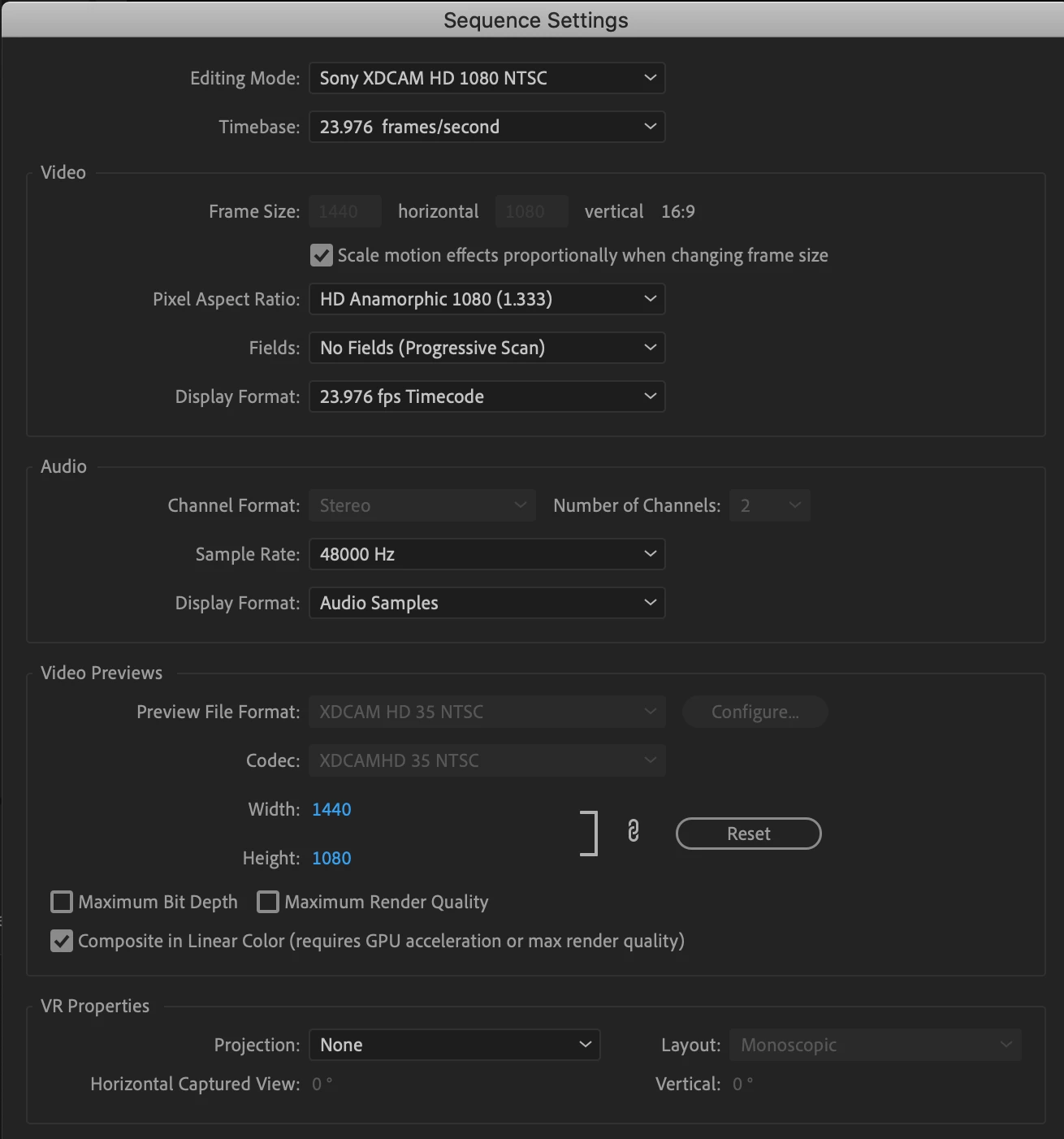


It looks fine with-in the project but is squashed when export to my mac.
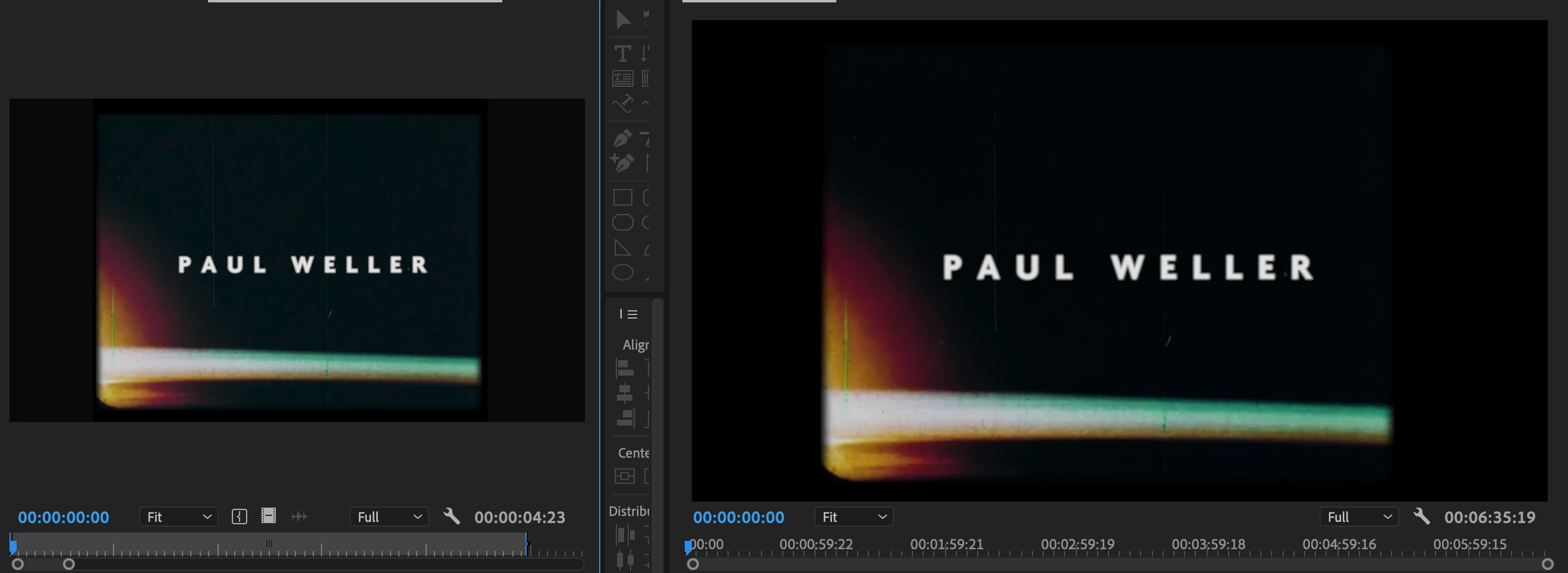


Any ideas on how to fix this?


I can find any separate output settings for exporting still images.

Working on a tight deadline so any help would be very appreciated. 


Cheers 

Jordan 

This topic has been closed for replies.
Correct answer R Neil Haugen

Have you tried changing the PAR to 1.0 in Premiere's Sequence settings?


Neil

2 replies

Ann Bens
Community Expert
Community Expert
June 5, 2020

Export as 1920x1080 par 1.0.

R Neil Haugen
Legend
June 5, 2020

Why are you using an anamorphic sequence setting? That changes the aspect ratio of any media on that sequence.


Neil

Everyone's mileage always varies ...
Participant
November 9, 2020

Mine defaulted to anamorphic 1080 (1.333). I am having a similar problem. When I "Match Source" on everything, I get squished image exports. Yet, when I put that squished image result into premiere, it interprets the image correctly and looks correct within premiere. If anyone has any suggestions, I'd love to hear them. I've been Googling this for days. :0

R Neil Haugen
R Neil HaugenCorrect answer
Legend
November 9, 2020

Have you tried changing the PAR to 1.0 in Premiere's Sequence settings?


Neil

Everyone's mileage always varies ...