
PROBLEM: Highly Saturated Color Monitor
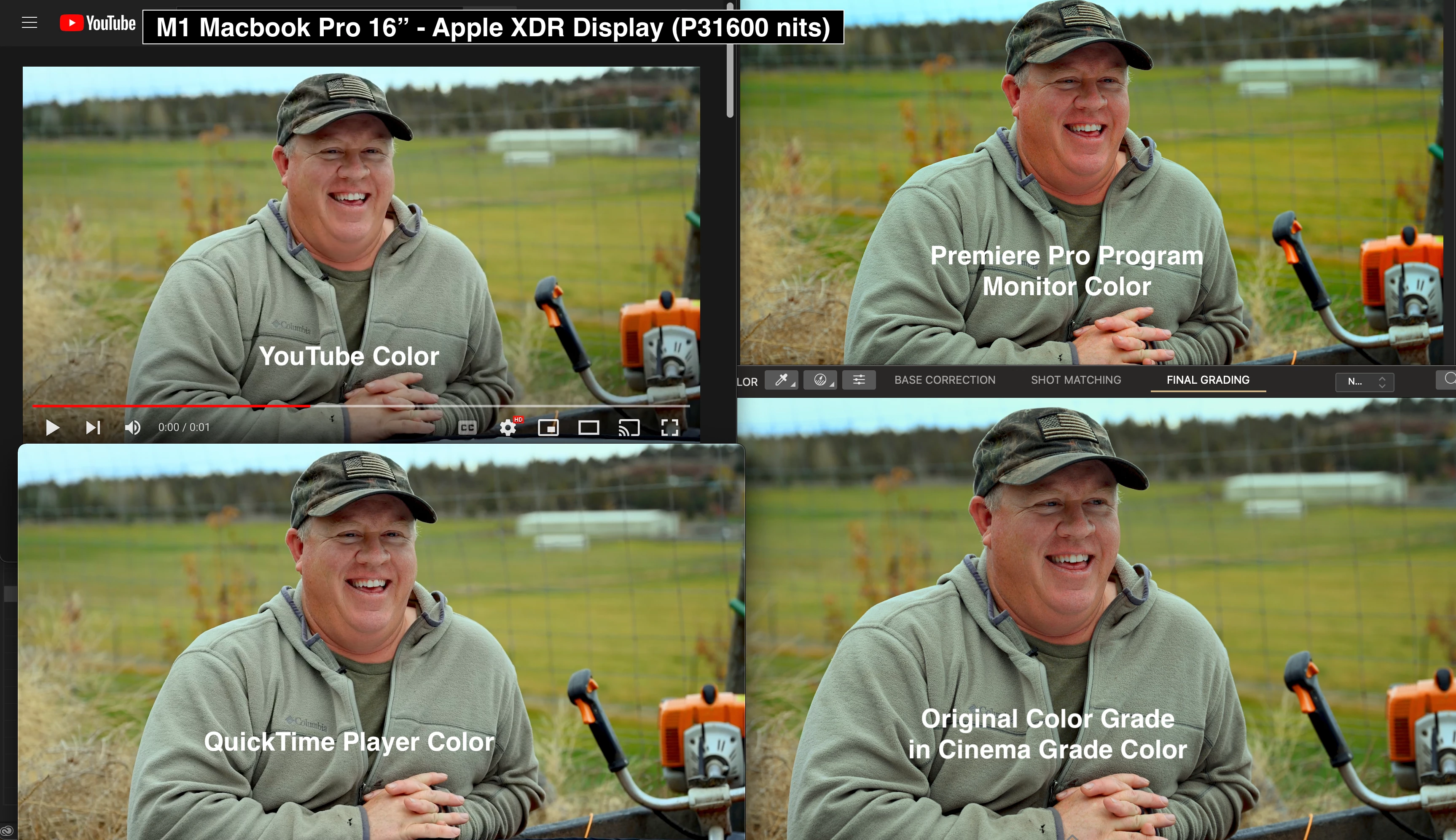
I'm grading footage in Cenima Grade, but in Premiere Pro's Program Monitor it looks highly saturated. Upon export the footage looks about the same in QuickTime as it did in Cenima Grade. When I reimport the exported graded footage back into Premiere, it still looks highly saturated. I uploaded the footage to YouTube and to Frame.io and the result is the same or similar to Cenima Grade. All sequences and footage are Rec. 709 color space. When I opened the exported colorgraded footage back in Premiere's program monitor, it also looks overly Saturated.
I've been diging through forms and can't find an answer. I've always had problems with Premiere's Program Monitor displaying more saturation than the export for which I found Adobe's export LUT guide (which makes no sense that I'd have to had a LUT on export to make it look like it's suposed to to start with...). But this situation is even more extreem. What is wrong with Premiere Pro? It's times like this that make me want to ditch Premiere Pro....but there's just so many features that I love. Why can't they get basic things like this right?
I'm working on an M1 Macbook Pro 16" with an XDR Display. Color Space is the native "Apple XDR Display (P3 1600 nits)".
I've heard that Premiere Pro's Program Monitor is set to broadcast standard. Does anyone know if there's ever a time that the footage would be displayed as saturated as it looks in Premiere? If Premiere is set to Broadcast Sandard, if it's erred on TV will it look that saturated?
Help would be greatly appreciated. I've included a screenshot that shows what I'm talking about.
 AdChoices