
Problem importing screen recordings, then video
So, this is the problem.
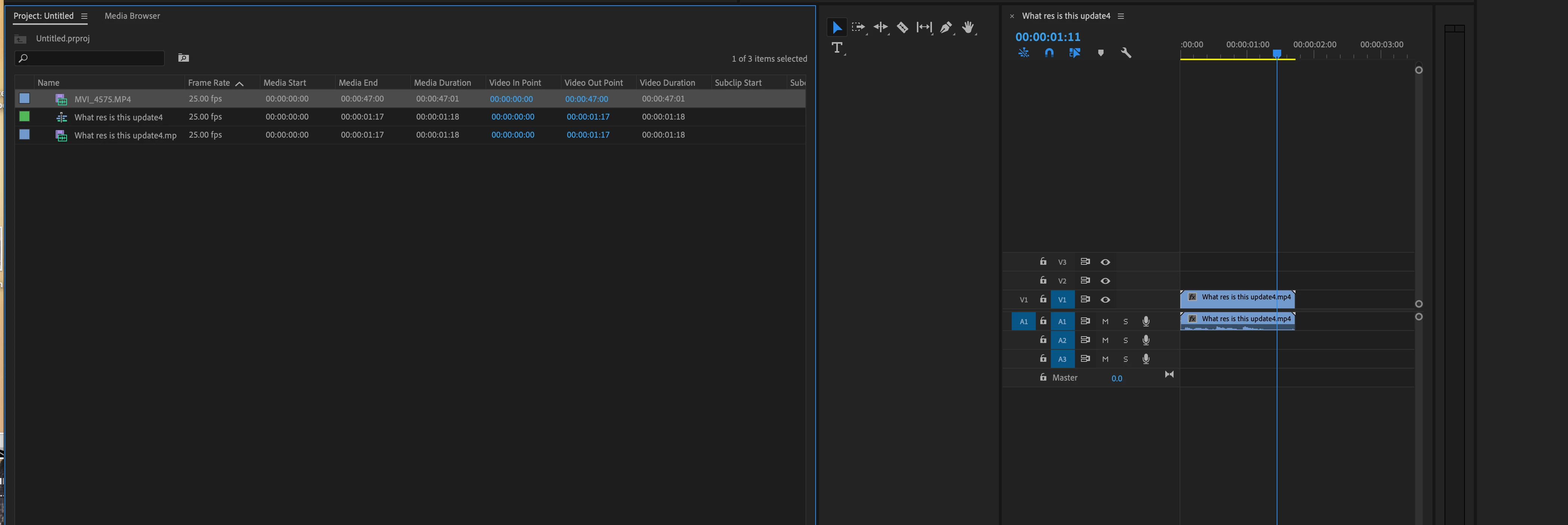
If I import a video (MP4)I've taken on my into the media browser (1080p 25fps) everything works fine. But if I then import a screen recording which has been encoded to match (1080p 25fps) (MP4) then it shows in the browser as audio only.
BUT.
If I first import the screen recording, then it happens the other way around - the screen recording works fine but then the video shows as audio only.
Clearly, whatever I import first to the media browser is setting the tone for future imports but this is driving me absolutely mad. I don't know what to do to get these two videos to work together.
I've tried emptying caches, converting codecs from.mov to MP4 using handbrake and I just can't get it to work.
Another thing I just noticed was that the screen capture seems to import as audio but when I slide it into the timeline, it creates the video but then the other video I imported shows as audio only.
Does anyone have any ideas?
As a reference, I tried the same thing in imovie to test and both videos just work fine.
Thanks.
 AdChoices