
Problem playing an 8 audio channels video on Premiere Mac using an aggregate 8 channels audio device
I'm using Premiere Pro v15 on macOS Mojave and/or Catalina. I have a six channels audio device and I created an aggregate 8 channels audio device using the Audio Midi Setup tool on the Mac (Built-in left/right speakers + my 6 audio channels device). I also have an 8 audio tracks movie. When I play this movie with QuickTime player and when the default audio output of the Mac is set to the 8 channels agregate device, each audio track is played on one of the 8 different speakers.
If I import this 8 audio tracks movie in Premiere and try to play this imported sequence, the first two audio tracks are played on the internal speakers, the remaining 6 audio channels content seems to be mixed with the first two channels and is also played on the internal speakers. I found no way to assign those 6 channels to the aggregate audio device like QuickTime player does.
Found a few post about multichannel audio playback but for exporting a video with multitrack content not for testing with a real multichannel audio device directly from Premiere
Any ideas will be appreciated.
What I did before importing :
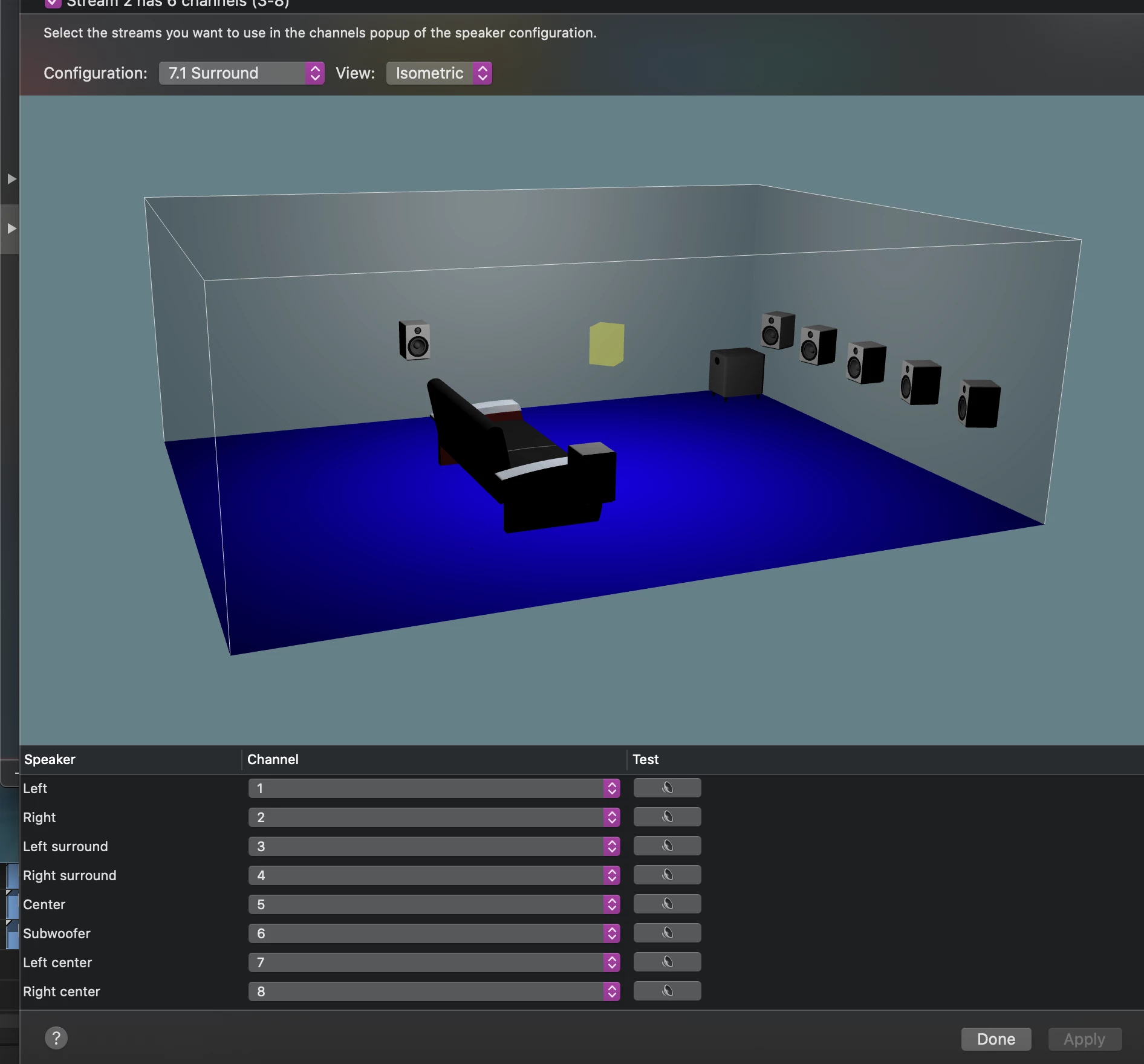
- Create the aggregate device
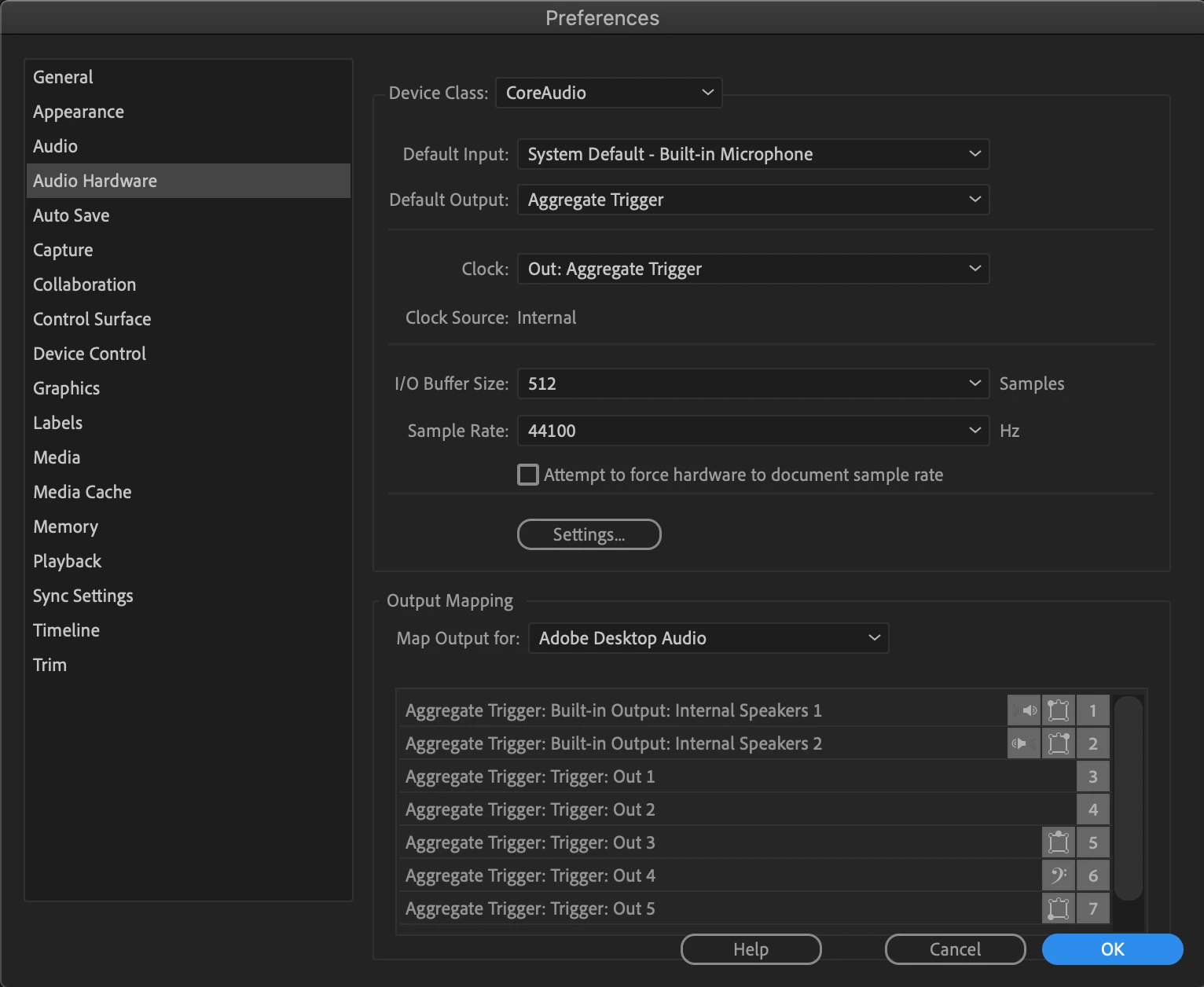
- Change "default output" Audio Hardware to the 8 channels aggregate device
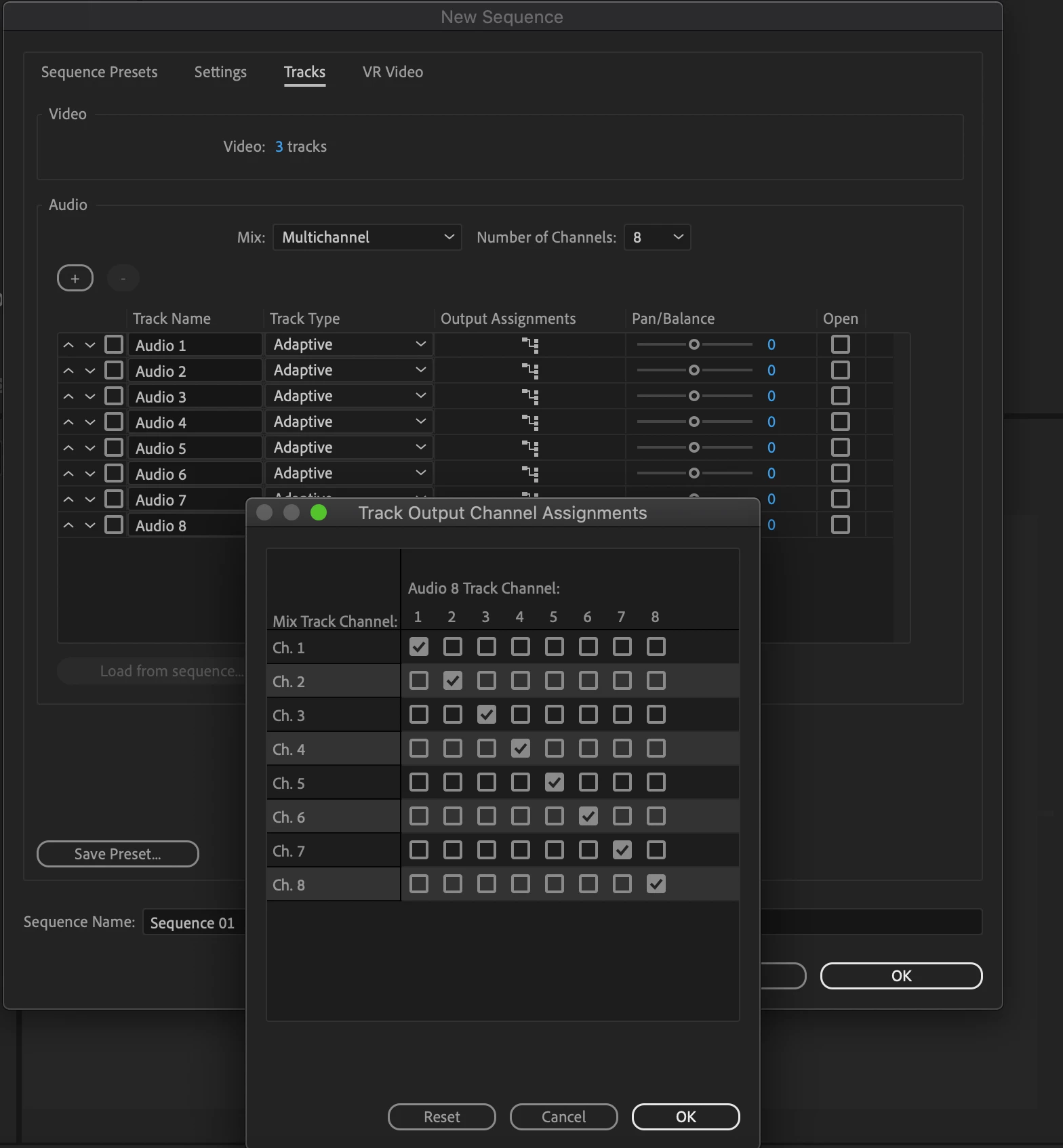
- Create a sequence with 8 adaptative audio channels
- Import the movie and specify to keep existing sequence settings
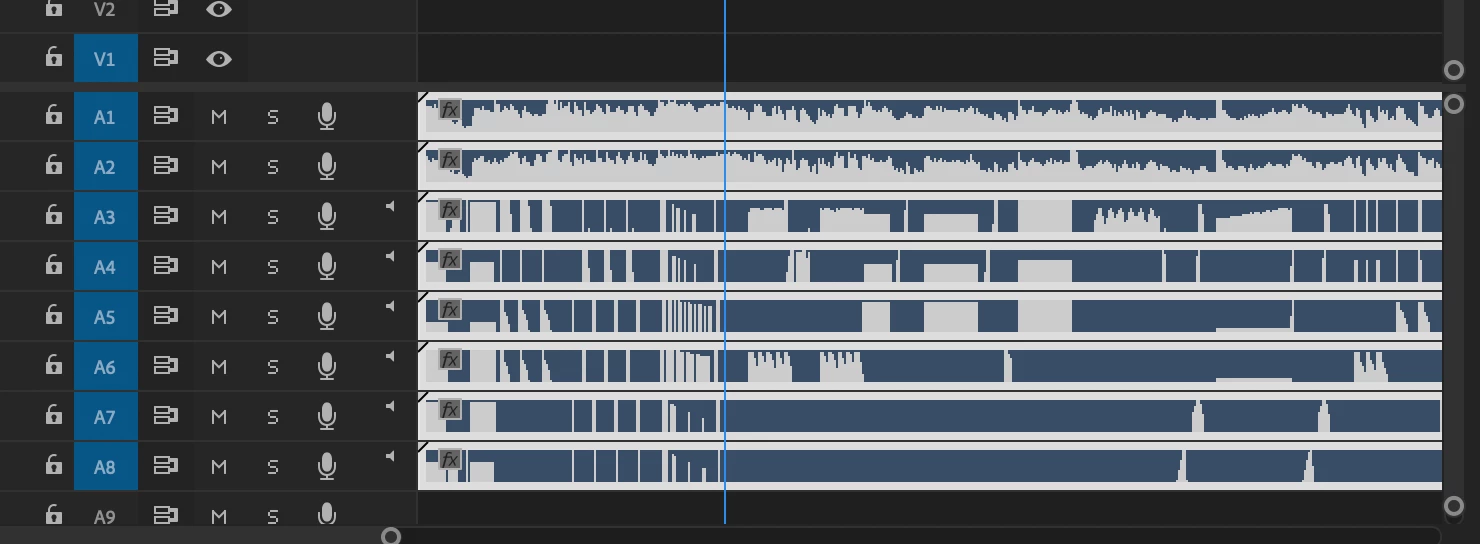
- Try to play the sequence
 AdChoices