Answered
Problem with essential graphics captions
Hello everyone,
I've created a caption inside premiere pro, but the subtitles in cut off on the video viewer. Please advice how to fix this?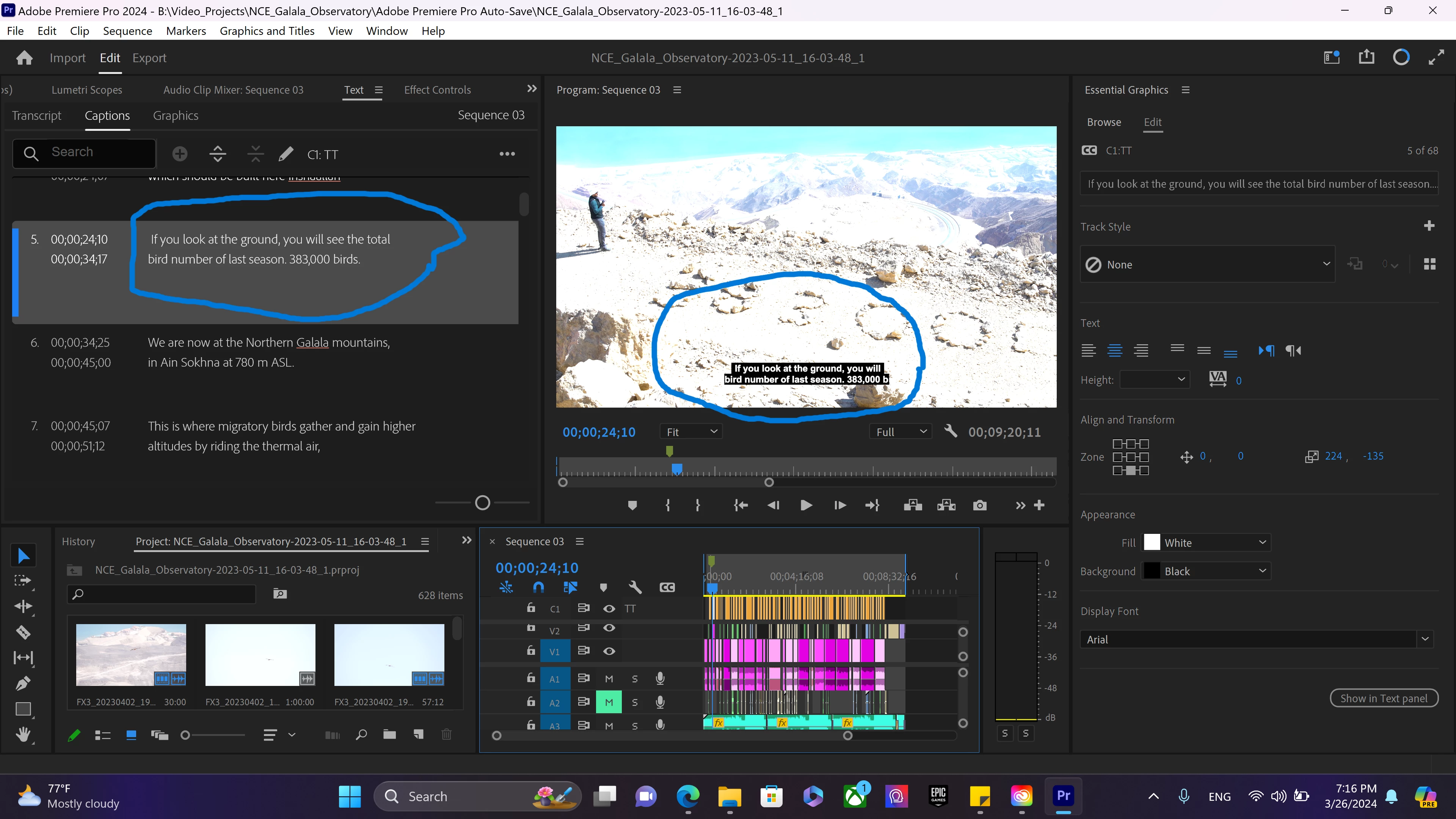

Hello everyone,
I've created a caption inside premiere pro, but the subtitles in cut off on the video viewer. Please advice how to fix this?
Hi @omarmanjouneh,
Your captions track is set to Teletext. Captions are different from subtitles and have specific rules depending on the caption type. They have a hard cutoff of 40 characters per line, which is why your text is truncated.
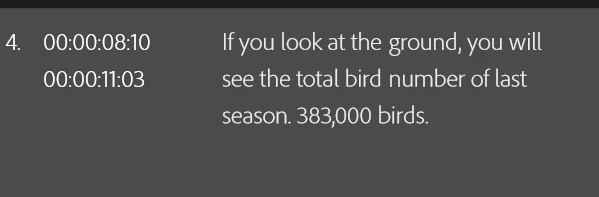
If you must be using Teletext captions, add in hard line breaks to the text in the Text panel. I was able to make it work like this:
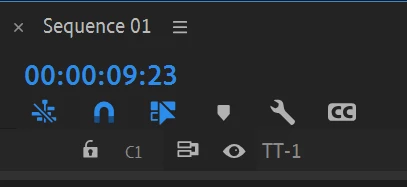
If you don't need to be using Teletext captions, I recommend changing the format to Subtitle, which will have the most options available to you. Right click on the TT-1, select Track Settings, and change the Format to Subtitle.
Cheers,
Theresa
Already have an account? Login
Enter your E-mail address. We'll send you an e-mail with instructions to reset your password.
 AdChoices