
Problema Resolução de Tela \ Screen Resolution Issue
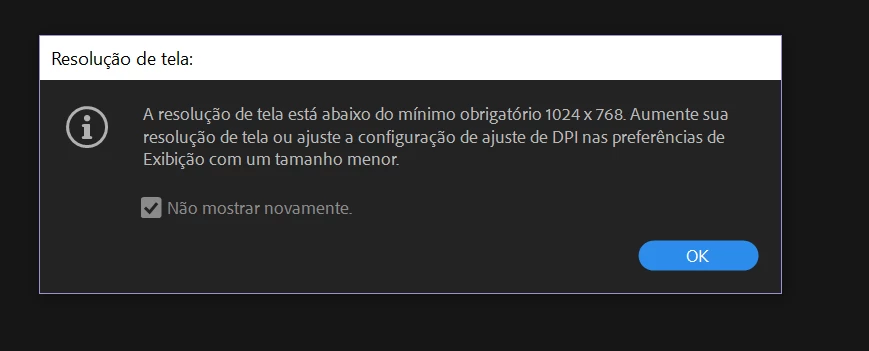
Ao abrir o Adobe Premier, recebo uma mensagem que diz: "Sua resolução de tela está abaixo da configuração de escala de 1024x768 mínima requerida na preferência de exibição para um tamanho menor ".
Verifiquei minhas preferências e a resolução do meu laptop está configurada em 1920x1080.
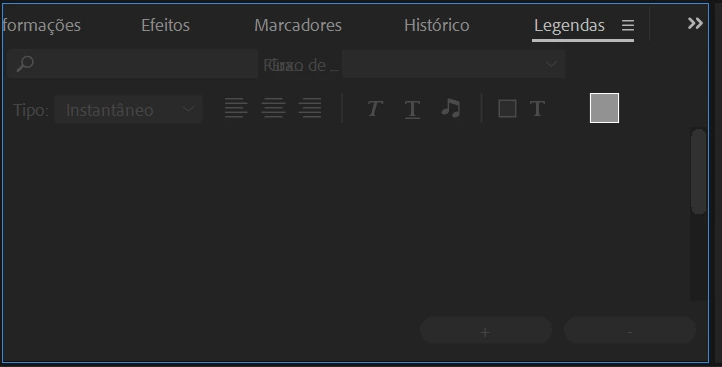
Além disso, ao ignorar a mensagem, consigo abrir o app porém várias funções ficam inativas, como a legenda, não consigo inserir.
"When I open Adobe Premier, I get a message that says: "Your resolution is available below the minimum 1024x768 scale setting required in display preference for a smaller size."
The settings and resolution of my laptop are set to 1920x1080.
Also, when I ignore a message, I can open the application, but the features are inactive, like a caption, I can not insert."
 AdChoices