

Brandon Loshe
Legend
November 18, 2019
Question

Problems with BCC Lens Flare and Dip to White on Exported Video

  • November 18, 2019
  • 2 replies
  • 583 views

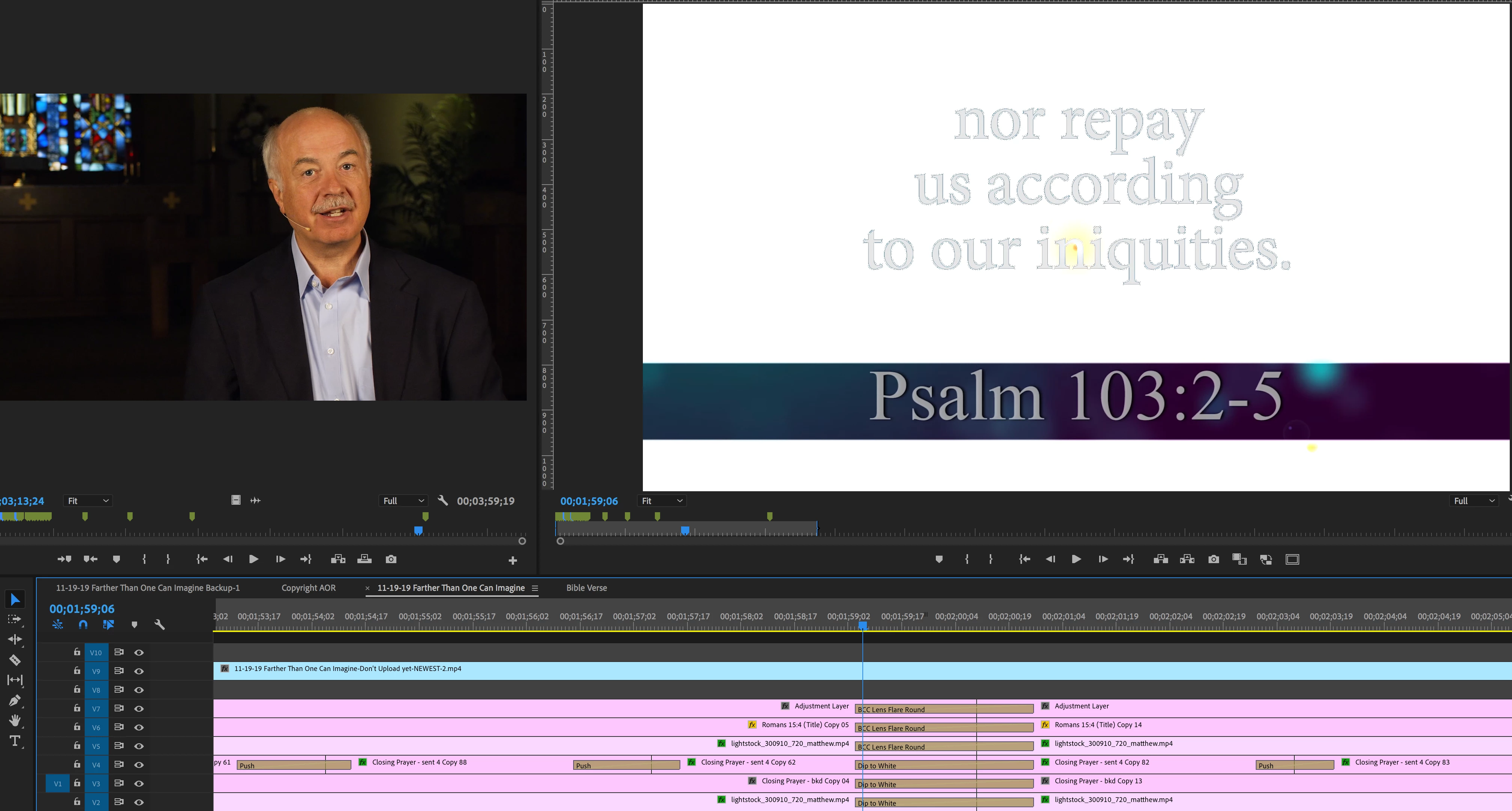
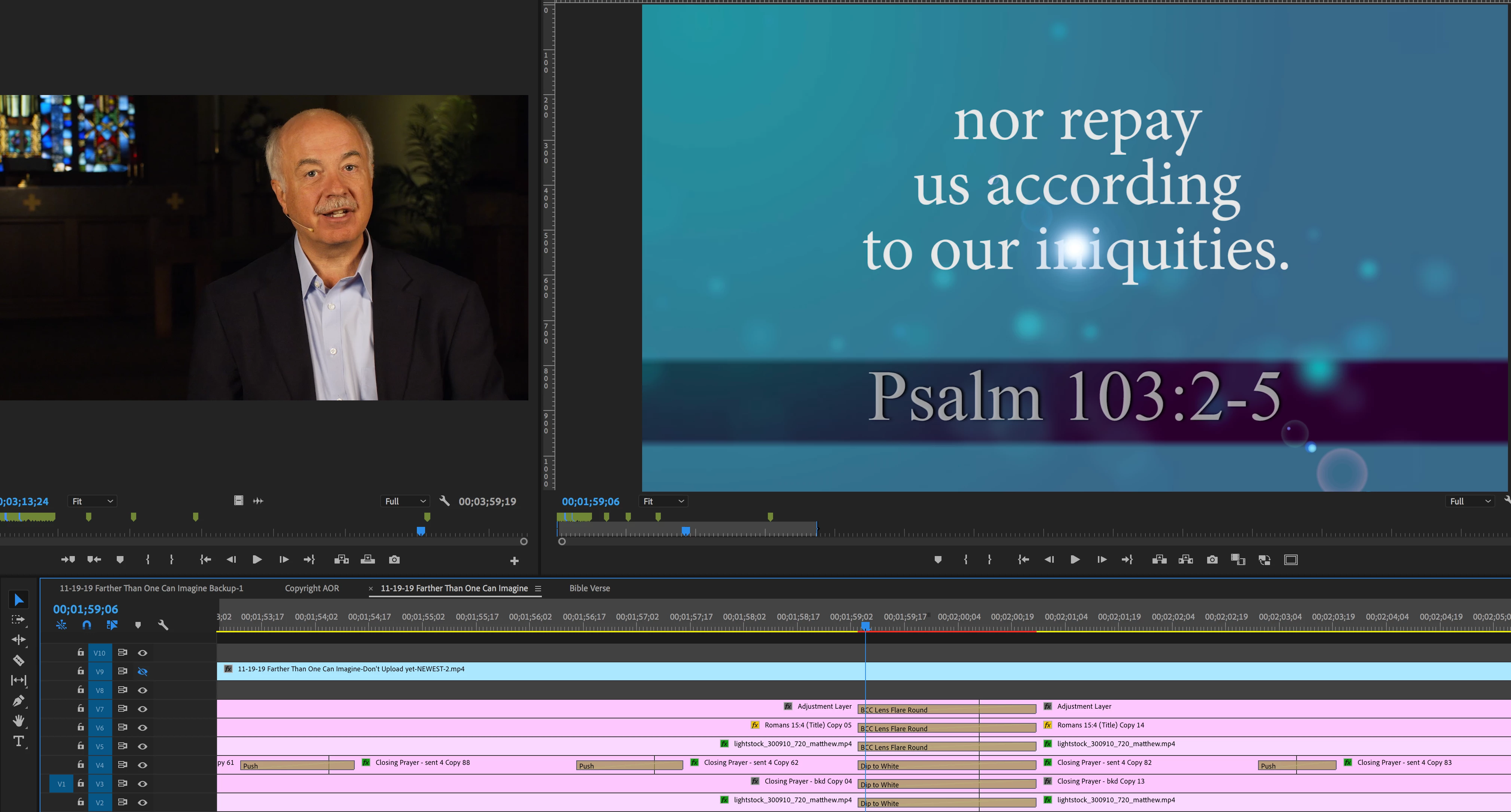
I'm using a combination of BCC Lens Flare and Dip to White transitions that look fine in my Premeire sequence before exporting. But when I export, whether through AME or PrPro, the lower layers just cut to a totally white screen instead of transitioning gradually. Screenshots are below. Since I use Dip to White two other times in the same video that export correctly, I assume that the issue is something with having so many transitions going on at once making PrPro/AME grumpy. But I don't know what else to try to get the final video to reflect what my sequence looks like.


So far what I've tried:

-Exporting in Premiere Pro instead of Media Encoder

-Unchecking "Composite in Linear Color" in Sequence Settings

-Trying various Render options in Project Settings

-"Delete Unused" media cache in Preferences

-Export to .mov instead of .mp4

-Resetting (trashing) my preferences


Here are a few more details about my computer and PrPro version:

macOS High Sierra (Version 10.13.6)

Premiere Pro Version 13.1.2 (Build 9)

-FYI It doesn't look like my Boris FX transition package is supported in the 2020 version of Premiere Pro.


Any other ideas, fixes, or workarounds for me to try?


INCORRECT Transition (I imported the .mp4 that I just exported only as reference):
 

CORRECT Transition (.mp4 layer turned off):
 

Thanks

This topic has been closed for replies.

2 replies

Brandon Loshe
Legend
November 18, 2019

Hi Kevin,


Thanks for your response. Well, nesting the sequences was an idea I had, too. But when when I nest the sequences, the transitions don't look quite right since one transition is now only applied to a nested sequences instead of being doubled up three times. I prefer how the transition looks being doubled up three times.


I did come up with a workaround, though. I can export just the three layers that have Dip to White transitions on them, and it looks exactly the way I want. I can also export just the three layers with BCC Lens Flare Round, and that looks exactly the way I want. So I just exported the bottom three Dip to White layers at high quality, imported that new video file into the project, and put that on top of those three layers. It works, but I feel like I'm baking part of my pizza twice. Not sure if there is another idea that you have that doesn't involve me having to export a video and import that same video into the project or something else.

Kevin-Monahan
Community Manager
Community Manager
November 18, 2019

Brandon,

Trim off 15 frames from the clip, nest, and then trim the nest itself. Add the effect to the clip inside the nest. Add the transition to the nest. 


Does it work now?


Transitions sometimes need to be in a higher render order in the render order pipeline than a video effect, so they must be processed after the video effect that is applied to the clip. The way I found to change render order is to use nesting.


If nesting did not work, let me know. You might also want to file an issue with Boris FX.

Thank You,
Kevin

Kevin Monahan - Sr. Community and Engagement Strategist – Adobe Pro Video and Audio
Brandon Loshe
Legend
November 18, 2019

[my reply is moved to the response below]