
Problems with track matte key
I want to use this circle as a mask for this footage on the track below it. I’ve used the Track Matte Key effect many times to create similar looks, and this step-by-step process has always worked:
1. Create a shape to use as a mask and position it on the track above the video.
2. Apply the effect to the video.
3. Select the track where the shape is located.
However, for some reason, this method doesn’t work anymore, the size of the mask is too small and I don't know how to adjust it so that the size of the mask is exactly the size of the shape . What am i doing wrong?
Please note, I did not change any parameters in the effect control tab and I also did not change any parameters in this new properties tab that replaced the essential graphics tab
I just added this clip to my sequence which is 1920x1080 30fps and created the ellipse following the steps: graphics and titles > new layer > ellipse. And once again I'm not referring to the size of the video in the bottom track, my problem here is with the size of the mask which for some reason doesn't follow the size of the shape in the top track
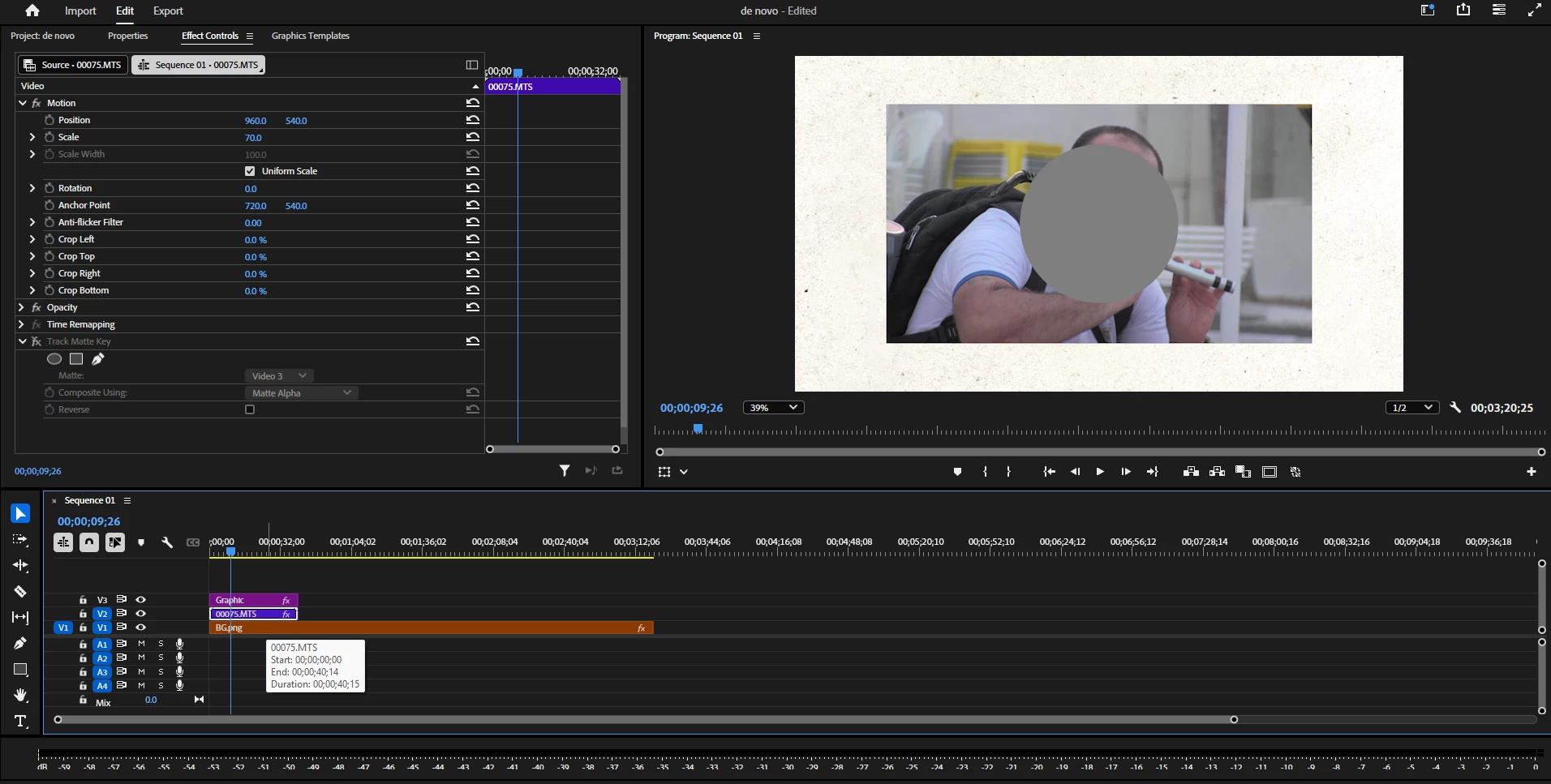
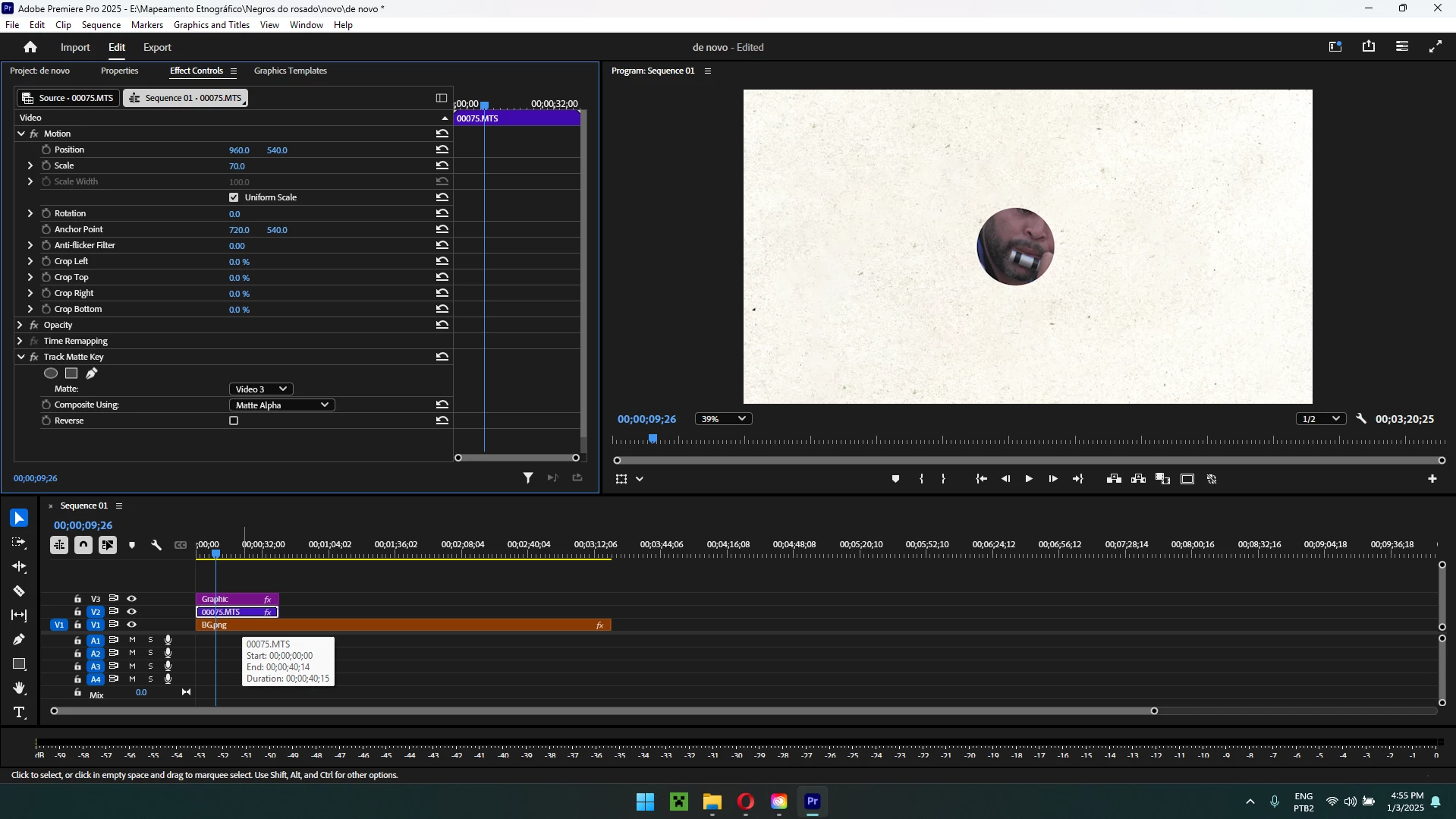
Sorry if I'm being too detailed, but I haven't known how to solve this problem for a week.
 AdChoices