New Participant
October 28, 2019
Question

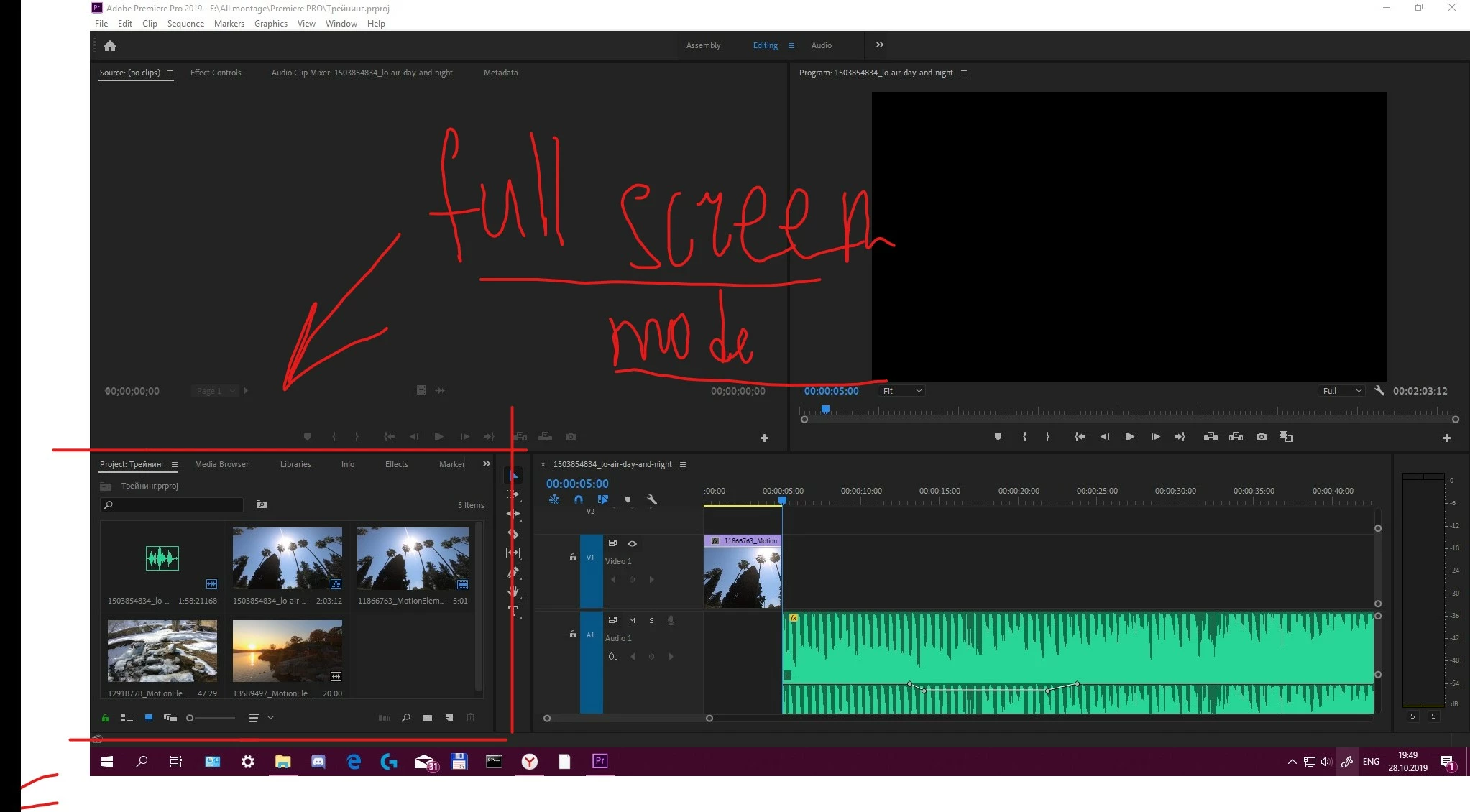
Project panel in full screen

  • October 28, 2019
  • 1 reply
  • 1751 views

In the 2019 version of the premiere i can’t open the project panel in full screen, before this was done on the tilde(`) key. 
    This topic has been closed for replies.

    1 reply

    Peru Bob
    Braniac
    October 28, 2019

    Try highlighting the Project Panel first.


    If that doesn't work, try resetting the preferences:
    https://community.adobe.com/t5/Premiere-Pro/FAQ-How-to-reset-trash-preferences-in-Premiere-Pro/td-p/8236158

    If that doesn't work, try resetting the Workspaces:
    Reset a workspace
    Reset the current workspace to return to its original, saved layout of panels.
    1. Do one of the following:
    • Click the Workspace menu icon and select Reset to Saved Layout.
    • Choose Window > Workspace > Reset to Saved Layout.
    from here:
    https://helpx.adobe.com/premiere-pro/using/workspaces.html

    If that doesn’t work, try updating or rolling back your graphics driver directly from the video card manufacturer’s site.

    vvsoldierAuthor
    New Participant
    October 30, 2019

    Thank you, but nothing helped, can you tell me the name of the bind in the keyboard shortcuts?
