
Answered
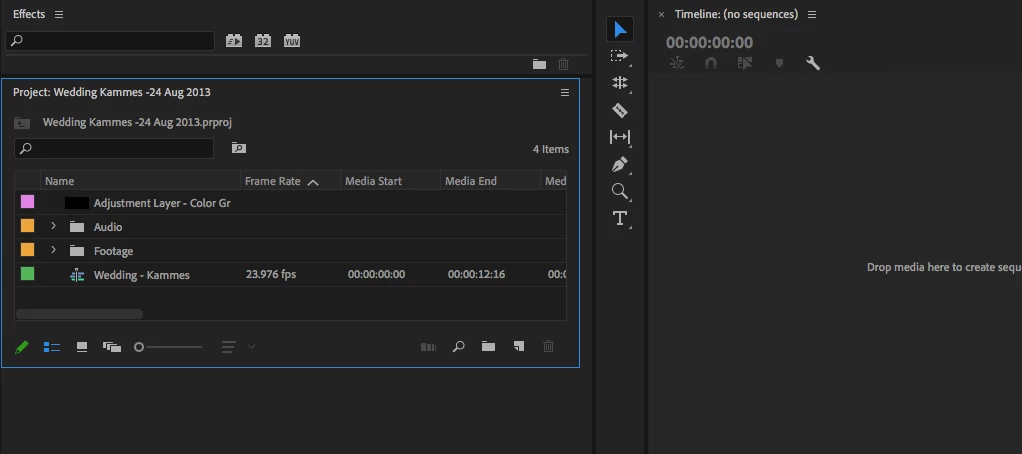
Project Pannel is a mess.
Hello all,
I'm new to Premiere Pro and have been following an instructor through an online, pre-recorded class. My project pannel does NOT have the doubble arrows in the uppper right next to the stacks icon, and I canNOT figure out how to put the doubble arrow there. It doesn't matter if I make the project pannel larger or smaller, the double arrows are MIA. Also I do not know why the Effects are above the project pannel and not in the drop down arrow. I've rest my workspace and that hasn't worked either. Please advise! Thank you.
 AdChoices