
Properties panel not displaying options
- November 7, 2024
- 4 replies
- 4379 views
Hello,
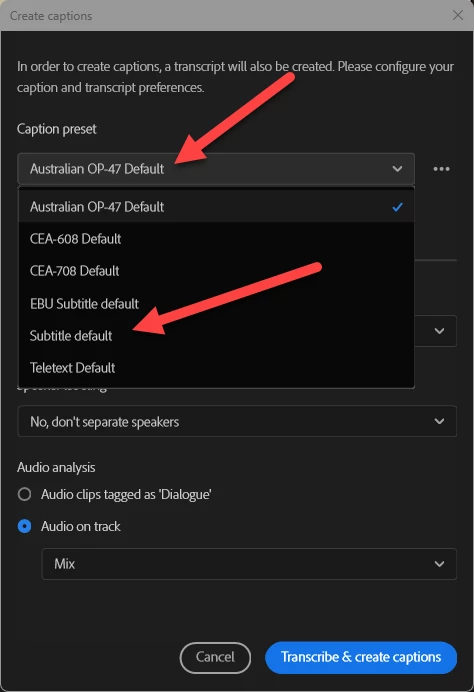
Hoping someone can help me. I'm trying to caption my project in Premiere Pro 2025 (Windows 11), I've watched multiple 'how to' videos about the new Properties panel and tried some of the other work arounds in related conversations (like closing and opening PP while holding the shift key and removing preferences, closing and reopening the Properties panel) but not having much luck. I don't seem to be getting the same features I used to in Essential Graphics. I can do some things but can't change the size of the font, the depth of opacity for the background that sort of thing. When I click on the three dots with a caption (or all captions selected), I only get one option 'Add or edit captions'...if I click on that nothing happens.
Any ideas or advice would be greatly appreciated, thanks!
 AdChoices