
Participant
July 12, 2022
Answered

proxy for 4k footage ruined aspect ratios

  • July 12, 2022
  • 1 reply
  • 609 views

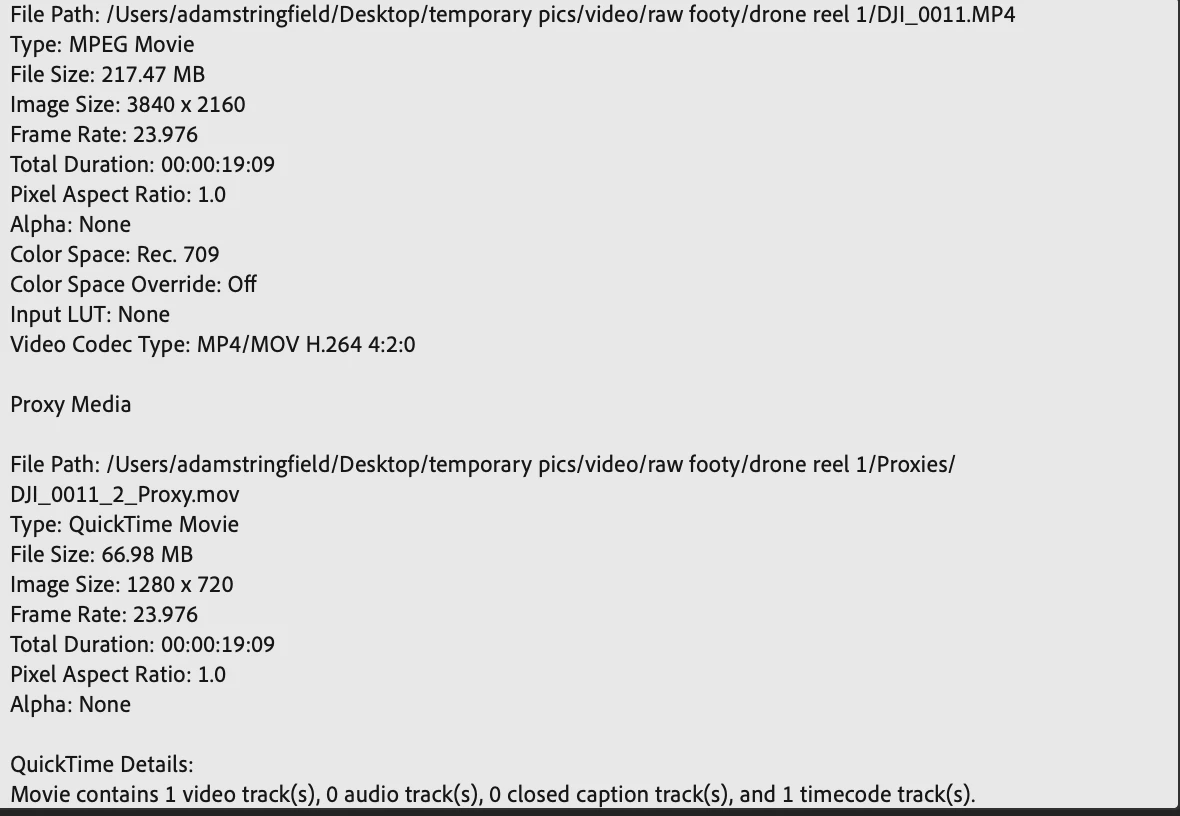
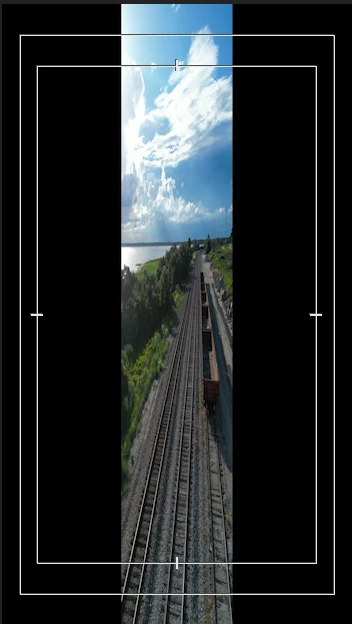
**I'm very new to shooting/editing in 4k** I've shot a series of clips on a DJI mini 3 pro (in portrait mode) and out of camera the clips are 4k 3840 x 2160. So I made a custom proxy and ingest at 1280 x 720. When AME is encoding, the preview box shows my clip perfectly and everything is good. But the second the proxy hits Premiere, the aspect is squeezed in the center with black bars on the side. I've tried the native proxies as well as my own custom preset but all have the same issue. This is my first time working with a proxy so I'm either doing something wrong or Premiere is having an issue with my clips being shot portrait. Attached photos of clip and proxy settings as well as the preview monitor with proxy applied.


any help is much appreciated, I've really hit a wall
This topic has been closed for replies.
Correct answer JeditPro

Try doing a full cache clear before creating the Proxies files. A classic Premiere error is showing old cached files instead of new files. 

https://community.adobe.com/t5/premiere-pro-discussions/faq-how-to-clear-your-media-cache-in-premiere-pro/td-p/11017257


If it still doesn't work, please upload a small sample original video to any server (Google Drive, Dropbox etc) and send us the link so we can download it, test your file and try to solve your problem.

1 reply

Inspiring
July 12, 2022

If you filmed in Portrait Mode, your clips are 2160x3840. The correct proxy ingest preset should be 720x1280.

Participant
July 12, 2022

Thank you for the quick reply, you make a very good point. Whats confusing is both the landscape shots and the portrait shots are both listed as 3840 x 2160 in premiere. I have the ingest and encoding preset set to 720x1280 (and tried reversed) but no matter what it shows in premiere as 1280 x 720.

JeditProCorrect answer
Inspiring
July 13, 2022

Try doing a full cache clear before creating the Proxies files. A classic Premiere error is showing old cached files instead of new files. 

https://community.adobe.com/t5/premiere-pro-discussions/faq-how-to-clear-your-media-cache-in-premiere-pro/td-p/11017257


If it still doesn't work, please upload a small sample original video to any server (Google Drive, Dropbox etc) and send us the link so we can download it, test your file and try to solve your problem.