
Participant
April 7, 2018
Answered

Purple and Green Videos

  • April 7, 2018
  • 10 replies
  • 72418 views

My videos act extremely strangely in Premiere Pro. When I import them into the timeline, they look like this:
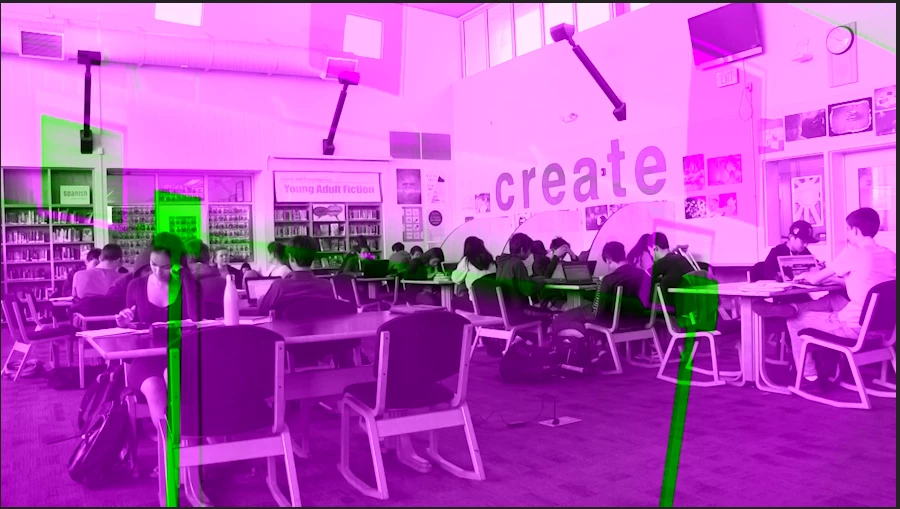
And if there is significant movement, the purple and green shift too.

(here is the original clip, opened in VLC:)
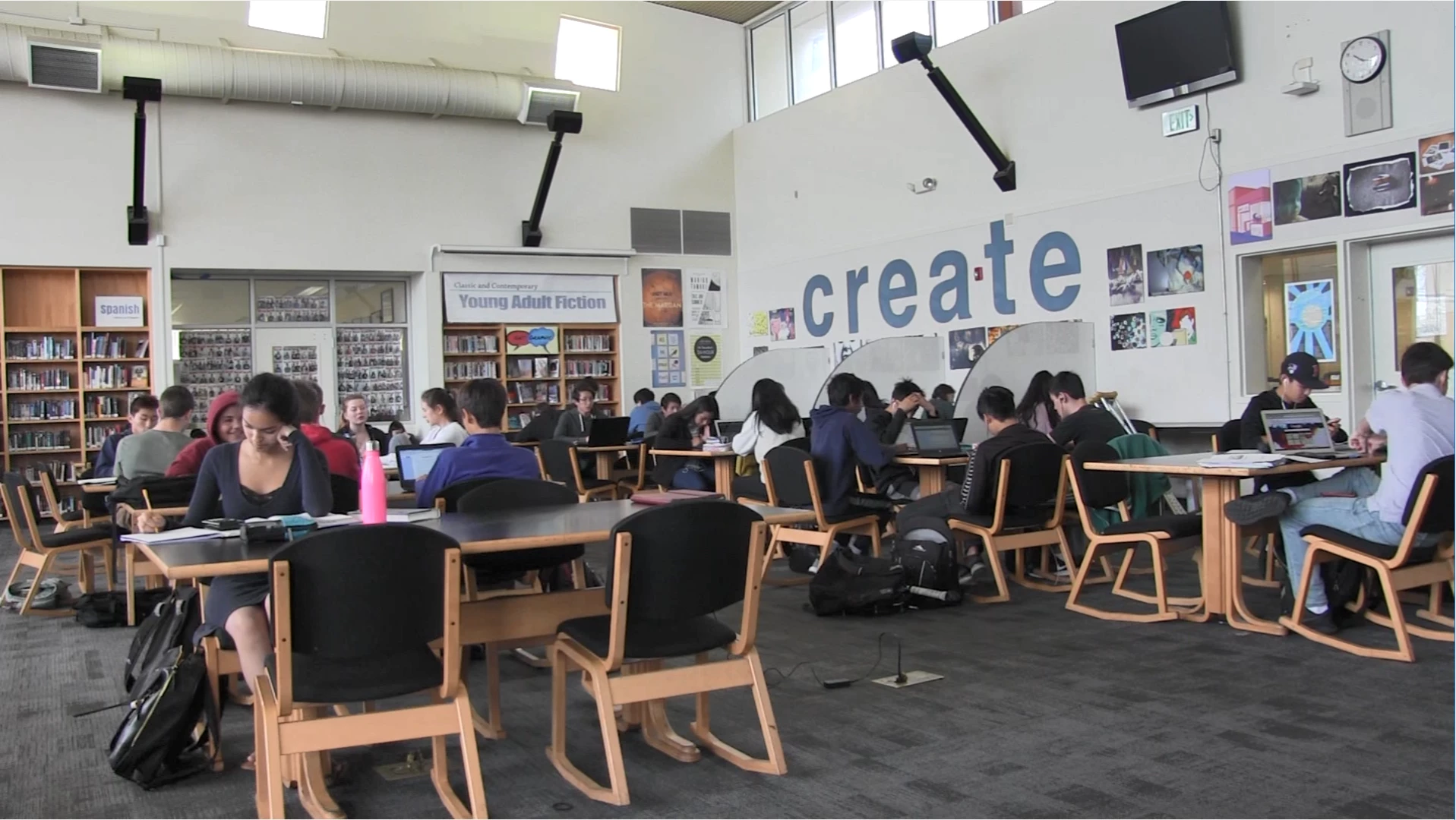
I've also tried it with Sony Vegas Pro 13, and that works too. It's only in Premiere Pro that these weird colors showed up. I've tried reinstalling and that hasn't worked either.

I have used this on one of my other computers and it works too (my computer is a Razer Blade Stealth)

Anyone have any ideas of what's going on?

This topic has been closed for replies.
Correct answer Vinay Dwivedi

Hi Edna,

You don't have to use the workaround just go to below link and install the latest Intel drivers for your Graphics card.

Support for Intel® Graphics Drivers

Don't update automatically but scroll down and choose your card's model number and then download

  • Version: 25.20.100.6326

//Vinay

10 replies

Kevin-Monahan
Community Manager
Community Manager
May 15, 2019

Still having trouble? See this video.

Kevin Monahan - Sr. Community and Engagement Strategist – Adobe Pro Video and Audio
Pedro_duh
Participant
February 3, 2019

This does not work, it updated everything and it's still the same

Participating Frequently
January 24, 2019

If you have an Nvidea card go to Nvidea.com and download the GeForce Experience Software.  GeForce Experience

Re-download your card's software, restart the computer and your drop down will have both Mercury Playback Engine GPU Accelerator CUDA and Open GL. (File/Settings/General)

For my PC, CUDA works better. It runs off of the CUDA Cores on your GPU.

Inspiring
February 2, 2019

This worked for me. Thanks!

Participant
November 8, 2018

I'm using a Nvidia 960M graphics card, and this was happening for me too. I updated my drivers, but the issue persisted. Changing the acceleration from OpenCL to CUDA fixed the issue.

brianb1002
Participant
September 8, 2018

Yep..this fixed my issue!! Thanks for this!!

Participant
August 7, 2018

I LOVE YOU. SERIOUSLY. YOU SAVED MY LIFE. WISH YOU HAVE WEALTH WHEN YOU BREATH IN AND HEALTH WHEN YOU BREATH OUT.

Participant
May 24, 2018

Thanks so much it worked!!

Participant
April 20, 2018

I had the same problem and a person at Adobe Customer service resolved it. When you open your project you go in

FILE / PROJECT SETTING/ GENERAL in  video rendering and playback  in RENDERER  you change:

Mercury Playback Engine GPU Acceleration (OpenCL)

FOR

Mercury Playback Engine Software Only

Hope it will help! Camélia

Participant
May 11, 2018

Thank you so much! Finally, I can edit videos on my new pc! Thank you

alis50189006
Participant
April 10, 2018

I'm having the exact same problems when I import video. I tried uninstalling, and reinstalling.

I've tried older versions, no go.

Is it my video card? I have a pretty decent Intel processor with a built-in video card. I mean, the videos work fine in other players. Is it my version of Windows being bad?

alis50189006
Participant
April 13, 2018

I tried it in After Effects, also same issue, but when I export it, it comes out fine. Also, AE is crashing a lot for me. Maybe it is my Intel built-in video card? Maybe I need to get an actual dedicated video card to take the stress of graphic processing from my processor?

Toni BDHW
Participant
April 7, 2018

kinda having the same problem. Yesterday i made the new update could it be possible that this makes the problem ?

the blue effect in the cover was not made by me... it just came up.
Also with the next picture it randomly just added 6 times the cover picture.


Could it be the that because of the update PNG files do make problems ? I really have no clue... had no big filters or plug in on it.

Ann Bens
Community Expert
Community Expert
April 7, 2018

Known issue.

Revert to previous version or try one of the workarounds:

PNG with Alpha Workarounds | Adobe Community

anaconjaAuthor
Participant
April 8, 2018

Are there any fixes to videos? None of the fixes apply to me.