Participating Frequently
May 11, 2023
Answered

Question about warp stabilizer and CPU overload

  • May 11, 2023
  • 3 replies
  • 3725 views

Hello. I'd like to ask about warp stabilizer.
I'm editing a video I filmed with Sony FX-3.
It's a 4K 60FPS video shot with H265.
For a special reason, I have to use warp stabilizer and set synthesize edges.
However, after a long time of warp stabilizer analysis, I exported it and found that the remaining time was 90 hours.
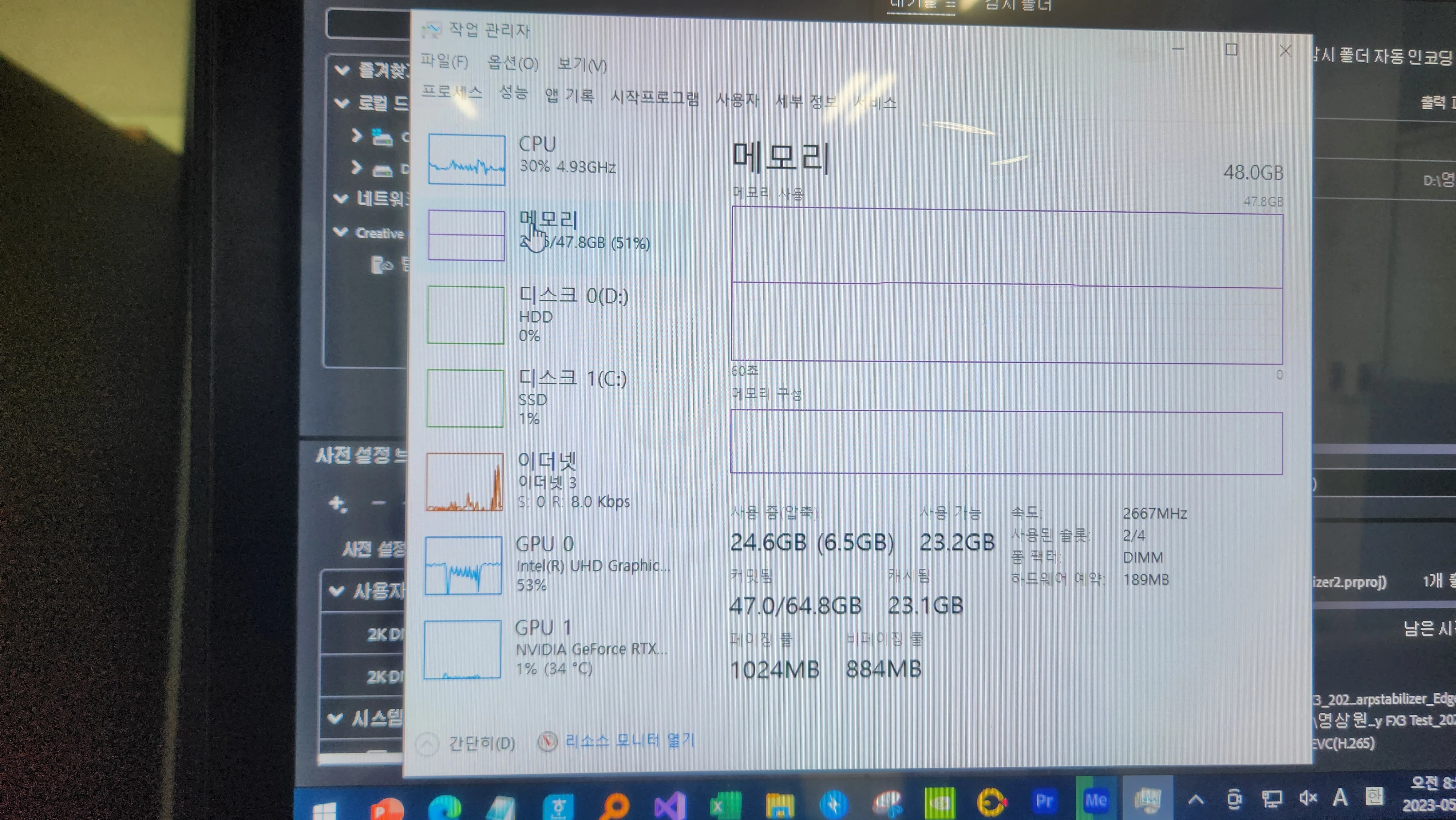
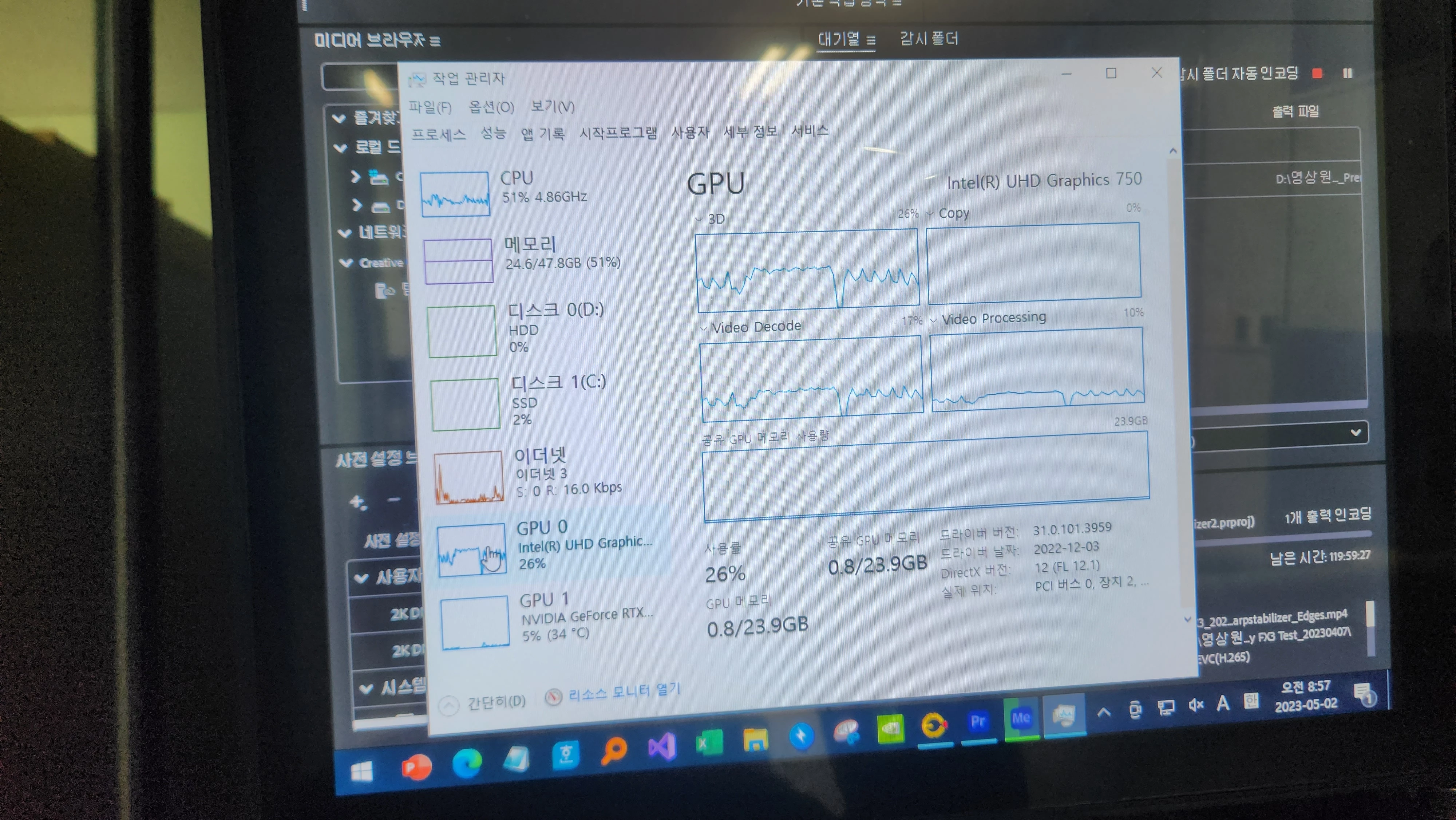
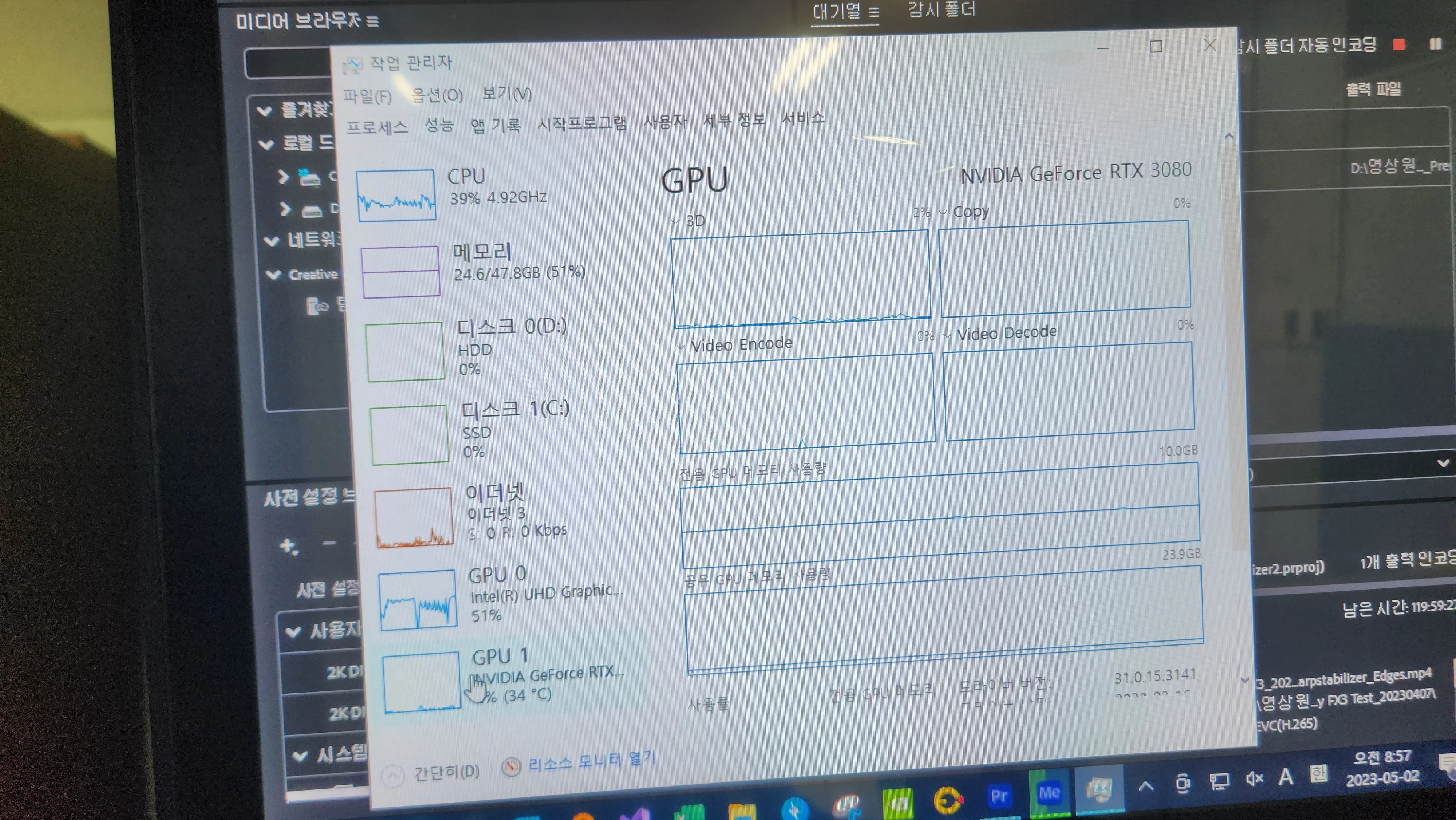
With warp stabilizer, Nvidia GPUs are rarely used, only CPUs and internal GPUs are used.
The original video is 9 minutes and 13 seconds.
It's a crazy time, but I just left the computer on, and I went home.
I came back to the computer about 4 days later and checked, but the encoding didn't finish.
Rather, the remaining time was 120 hours.


Status at the time:
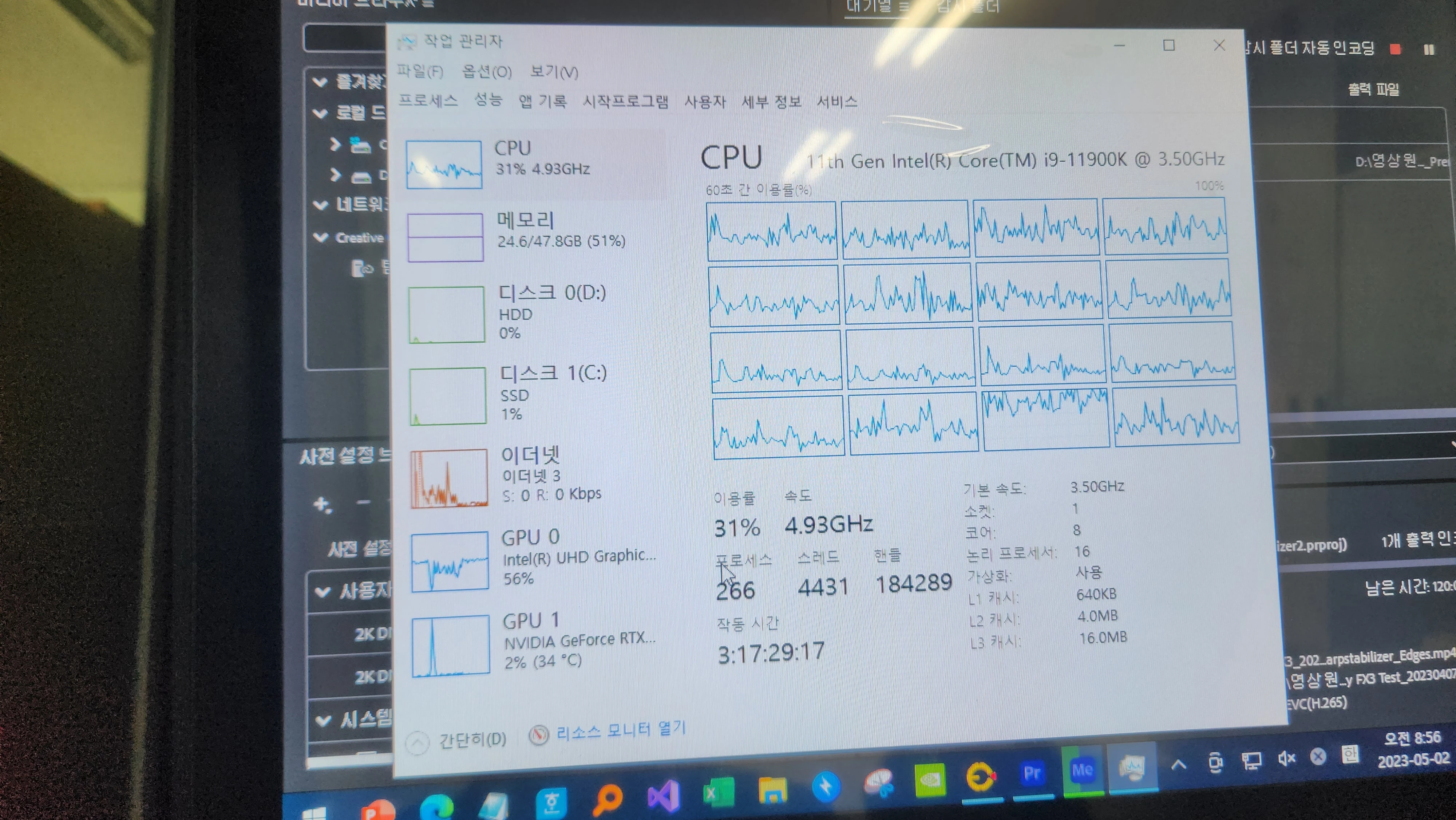

What's the cause of this problem?
I canceled the export because I thought it was hopeless.

But after that, the computer stumbles.
I move the mouse, I play the video, I turn on the Internet, and it looks like it's lagging.
Is it because of the CPU overload? I want to find the cause of this problem and solve it.

Thank you for reading.

Computer specifications that I worked on:
Intel i9-11900K
MSI MAG B560 Torpedo
SAMSUNG 32GB DDR4 3200MHz + SAMSUNG16GB DDR4 2666 MHz
Nvidia RTX 3080
500GB SSD + 4TB HDD
Micronix 1050W 80 plus 230V EU GOLD Full Modular
REDBIT 240

This topic has been closed for replies.
Correct answer MyerPj

I commend you for your perseverance!

"When I tested it like this, the export time was significantly reduced to about 110 hours."

lol,  that's good you said that with a straight face! 🙂


What I was trying to say was extract about 10secs of you main video, a part of it that could really use Warp. Make a ProResLt 10 second clip from your original file and see how it works as a source clip for Warp. You can use something like Shutter Ecoder (free) https://www.shutterencoder.com/en/ to extract bits without re-encoding, and make ProRes from other files... It's really good and fast/quick to use.


3 replies

Stan Jones
Community Expert
Community Expert
May 17, 2023

@Giman Kwon Kudos for being responsive to the suggestions. Warp Stabilizer can be frustrating. As @MyerPj says, it is often slow. I break my clips into smaller pieces, but I am using it to stabilize VERY shaky 4K shots that I am ultimately cropping for HD export.


But @Ishan Y seems on the right track of exploring your system's performance more generally.


To further clarify your issues, I'd look at the "time remaining" estimate in the Effect Controls panel - to the left of the Cancel button in the analyze section of Warp Stabilizer. This is just the "analyze" phase of the process, but it is much longer than the "stabilize" time.


I would also extend @Ishan Y's export test by importing your 9-minute file to the test project, dragging it to the new icon, and exporting that as H.265. And I would also test H.264, but only because I am more familiar with those export times.


Stan


Participating Frequently
May 18, 2023

Thank you for your sincere response.

The "time maintaining" that you mentioned,
("time remaining" estimate in the Effect Controls panel - to the left of the Cancel button in the analyze section of Warp Stabilizer.)
I don't remember exactly, but I think it took about 40 minutes x 2 = 80 minutes.
(I split the nine-minute video in half and made it into two clips. I think the analysis time for WarpStabilizer per split clip was about 40 to 50 minutes.)

And I'm sorry, but I don't understand the last explanation you gave me. If you don't mind, can I ask you again what it means?

Anyway, you mean it's too much to apply WarpStabilizer to 4K videos as a whole as I did.
I hope Warp Stabilizer develops the way I want it to, but it's going to be difficult...
Thank you very much!

Stan Jones
Community Expert
Community Expert
May 18, 2023

Giman,


Sorry; I misunderstood and thought that you were not getting warp stabilizer to finish. And that meant that the long export time might partly be warp stabilizer. I see now that I was wrong.


Your time, 80 minutes for 9 minutes of 4K is okay.


I was suggesting that you test the export issues further. @Ishan Y's experiment with bars and tones worked well. So create a new project, use your actual video file, no warp stabilizer or anything else, and export. How long does it say?


Stan


MyerPj
Community Expert
Community Expert
May 17, 2023

I think Warp Stabilizer is inherently slow. And when you try to use 4K footage with it, it will really slow down, then the worst kind of source file you can use in editing is h.265 followed by h.264. Try transcoding you h.265 file to ProRes or ProRes LT, just do about 10 seconds and then using that file in your sequence try sending it thru Warp. And then try the same bit, about 10 seconds of h.265 thru warp. 


WS only really works for short bits here and there, how long is the clip in the 1 week export time! 🙂

Participating Frequently
May 18, 2023

Thank you for your reply.
First of all, from my understanding, the test method you mentioned is as follows:
1. Convert the video I worked on above (9 minutes of H.265) to ProRes LT (or ProRes).
2. And after that, using the video converted to ProRes LT as the source file, I apply WarpStabilizer on top of it, and export it again.
And see how long it takes to export.
Am I right in my understanding?

I converted the entire 9-minute source file to ProRes LT.
And I tested this ProRes video as a source file.
When I tested it like this, the export time was significantly reduced to about 110 hours.
Exporting to ProRes LT and exporting to H.265 is the same.
But it's still a long time.
As you said, it will be difficult to use Warp Stabilizer often.

Anyway, thank you again and again.

Participating Frequently
May 30, 2023

I commend you for your perseverance!

"When I tested it like this, the export time was significantly reduced to about 110 hours."

lol,  that's good you said that with a straight face! 🙂


What I was trying to say was extract about 10secs of you main video, a part of it that could really use Warp. Make a ProResLt 10 second clip from your original file and see how it works as a source clip for Warp. You can use something like Shutter Ecoder (free) https://www.shutterencoder.com/en/ to extract bits without re-encoding, and make ProRes from other files... It's really good and fast/quick to use.


As you said last time, I did a WarpStabilizer test with a 10-second video converted to ProRes.
When I exported to H265, the remaining time was about an hour and 55 minutes.

I also exported it to H264 or ProRes LT, and the remaining time was about 1 hour and 40 minutes.

Apart from that, I made a 10-second clip with the original video that wasn't converted to ProRes and tested it again.

I exported to H265, H264, and ProRes LT, respectively, and the remaining time was about 2 hours.
Surely it's better to convert the source video to ProRes and then use it.
Thank you. I'll work like this from now on.
(The one thing that's unusual is that, for some reason, CPU utilization doesn't go up to 100%, and it stays around 60%.
Last time, it was 100%.
Even with the original video, the CPU utilization rate is 60%.
I didn't set anything up. That's fascinating.)

Ishan Y
Community Manager
Community Manager
May 11, 2023

Hey Giman,

Welcome to the community. This must be frustrating. Do you have any other effects added to your timeline except Warp Stabilizer? Please share your export settings and your current GPU driver version. We recommend installing the most recent Studio Drivers.


Thanks,

Ishan 

Participating Frequently
May 12, 2023

Hello. Oh, thank you for your reply.
I have no other effect than Warp Stabilizer.
I will take a screenshot of the Warp Stabilizer status that I set up:


With the settings shown in the screenshot above, I only applied Warp Stabilizer and exported it.
You may be curious about the export settings, so I will attach a screenshot of the export status that I worked on:


And the GPU driver version was 31.0.15.3141 as of 2023-03-16. This version is probably the latest version.


Anyway, I want to find the cause of this problem and know the solution. Thank you for your attention.

Ishan Y
Community Manager
Community Manager
May 12, 2023

Thanks for sharing the details. Do you only see this issue with this specific file type? Have you tried other 4k files from a different camera to check if you still see the problem? Also, please try setting the format to Quicktime and Preset to Preset to Prores 422 LT, and let us know if you see a similar export time.