

Oak Brook Productions
Inspiring
July 24, 2018
Question

Quicktime XDCAM rewrapped to .mov showing offline media in some clips

  • July 24, 2018
  • 4 replies
  • 3573 views

Currently using Mac Trashcan with OS10.12.6,
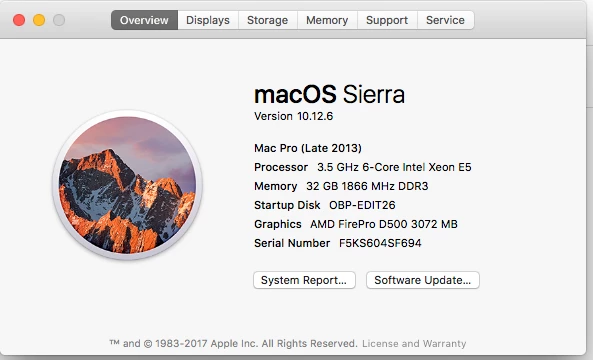
Premiere "Pro" 12.1.2...but this issue has been occurring since the 12.1 release...

Just to give you background, I have been editing our show ("Chicago's Best, on WGN/Ch. 9 in Chicago) for 8 years now, cutting well over 250 half-hour shows. We've gone through FCP6, FCP7, and now the various iterations of PProCC.

Previous to conversion to an all Adobe workflow this year, we would import and re-wrap the MXF files generated by our Sony F350 and EX-3 cameras (via Sony's XDCAM Transfer program), creating Quicktime movies for edit. This was not a problem at all...UNTIL the dreaded 12.1.x "update".

When creating the master timeline, we have a tease segment which uses clips from previous shows, and I need to open the older projects to create a "clean and dry" version of the old segment for that tease. I'm having a hell of a time getting 12.1.x to properly open PPro projects created in earlier versions of PPro.

Frankly, I'm not sure why this is happening at all. Let me show you why I'm confused with some screengrabs to illustrate my issue.

Since the blasphemy that is the 12.1.x update, here's what I get upon opening projects containing QT XDCAM media:
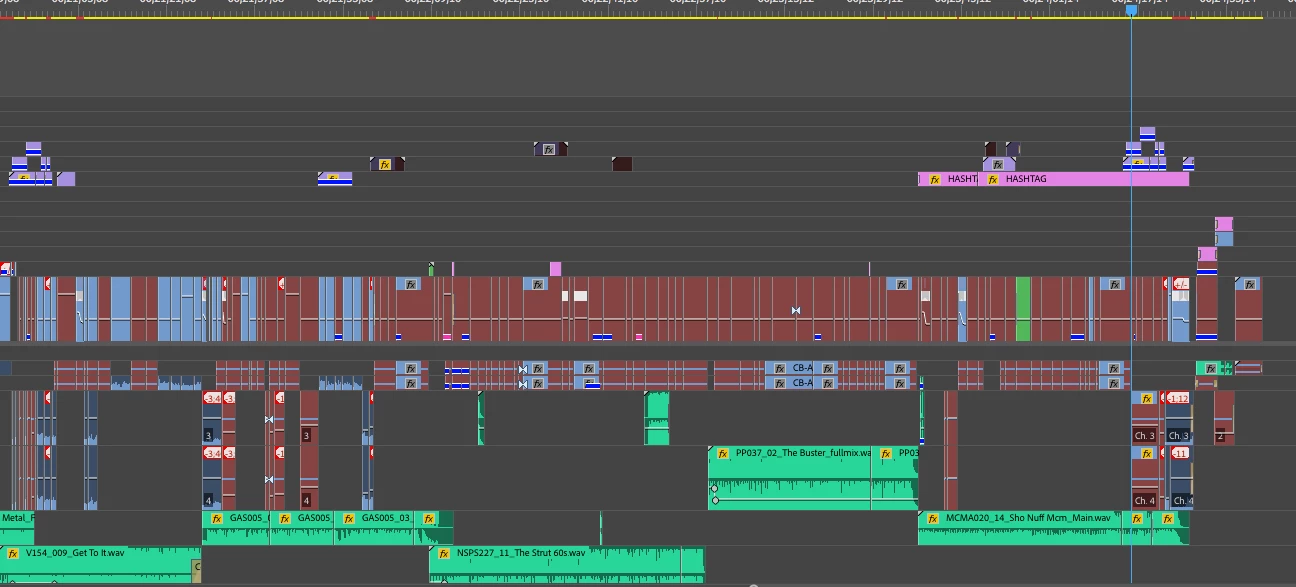
This is the timeline for the segment I need to export...you'll note that many (but NOT ALL) of the clips are offline. Let's zoom in a bit to examine the clips more closely:
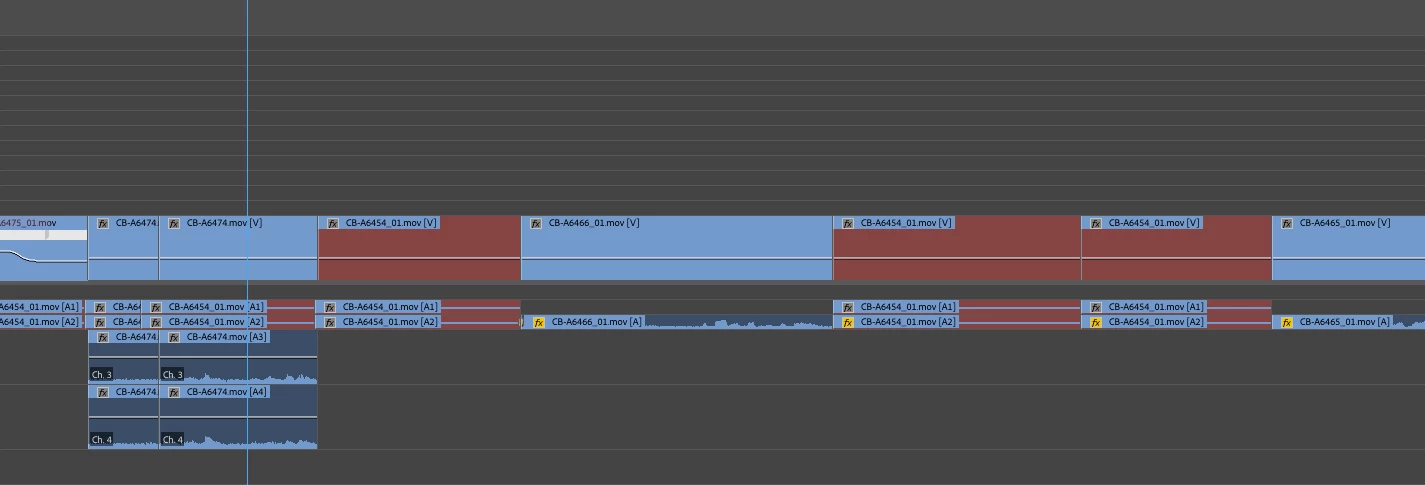
No big deal, right; PPro has strong re-linking tools, I'll simply Link them:
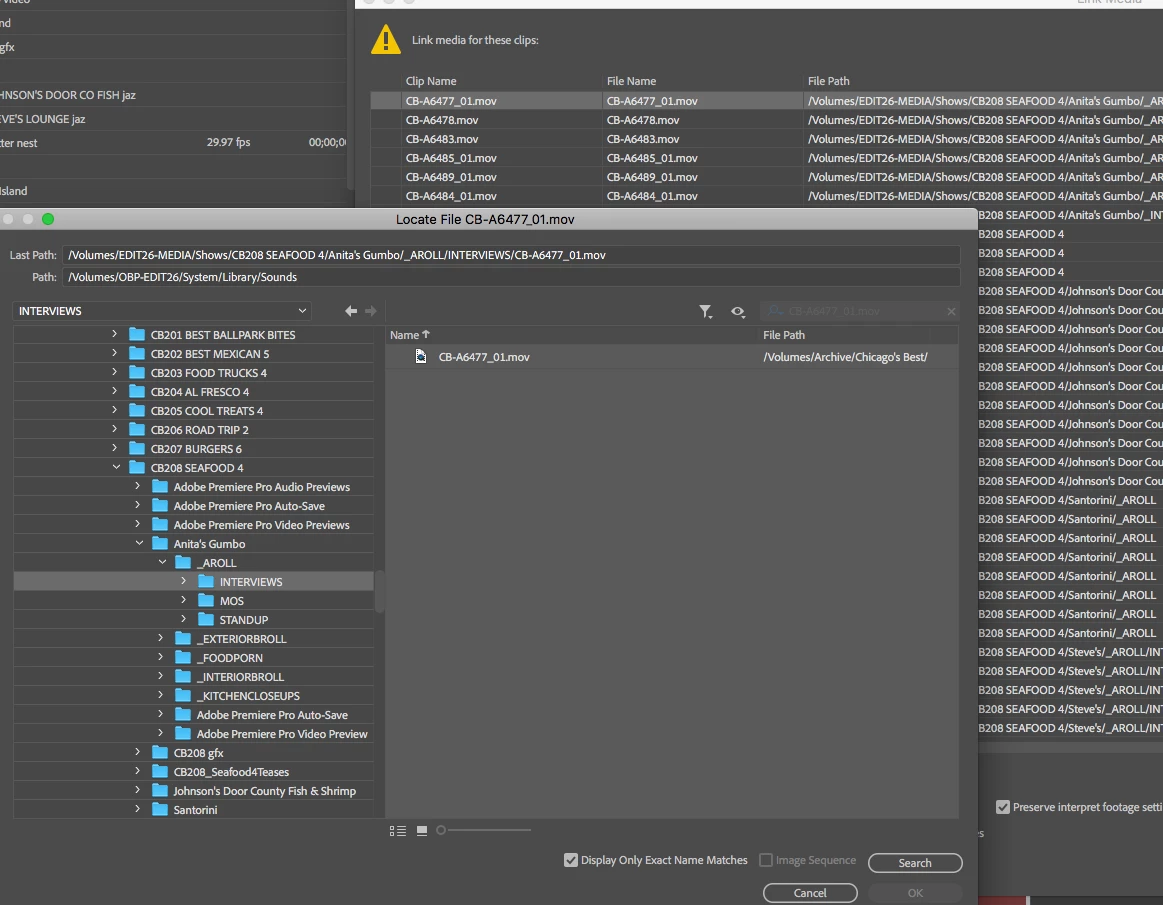
So I "Link Media"...and yup, that file is there...only when I select it, I get this infernal message:
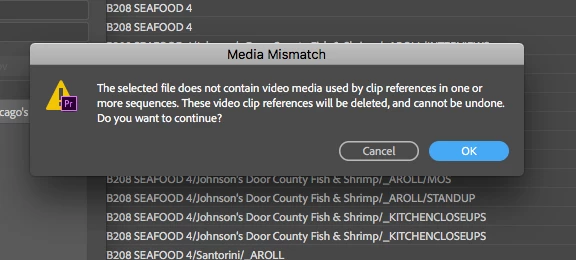
UH-OH!!!  For some reason, and quite randomly to my best guess, PPro thinks that that file I want to relink DOESN'T HAVE VIDEO! Now, look at the timeline again...you'll see that some clips are linked and some aren't. THERE'S NO DIFFERENCE, TECHNICALLY, BETWEEN ANY OF THOSE CLIPS! The clips that link properly, and the clips that don't, were ingested via XDCAM Transfer using the same settings. Yet PPro sees some difference here.

Here's what out VideoSpec utility says about the "unlinkable" file, and a file that links OK. First, the "unlinkable"":
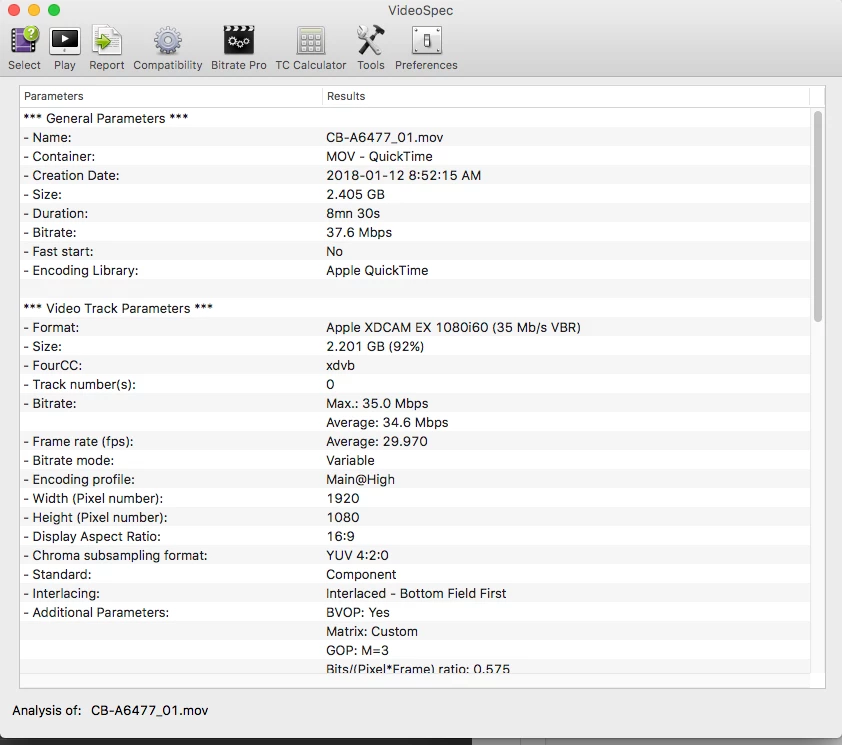
...and this, which opened and linked just peachy-keen fine:
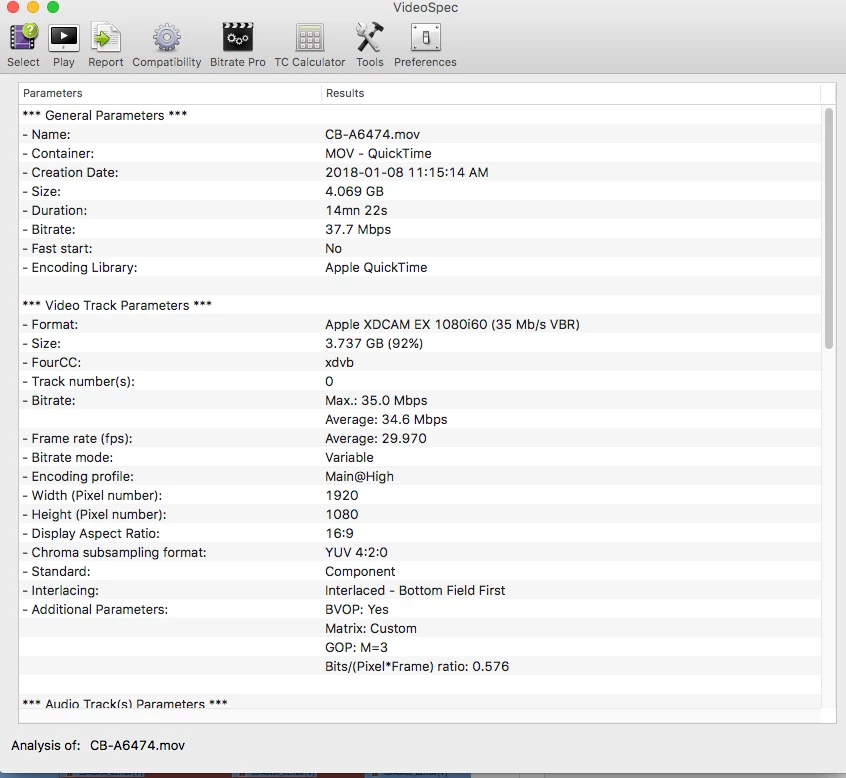
Except for the Creation Date, and a tiny difference in the "Bits/(Pixel*Frame) ratio",, they're identical. But not to PPro.

Of course, I have a workaround, and that's to open up the unlinkable clips in QT, save them back to the same location...and THEN, Premiere will admit that yes, they DO have video, and I CAN Link them. And while this is fine...for one segment...I have, literally, THOUSANDS of files with this  potential problem.

This is a stupid way to run and "upgrade" an editing program. Anyone else have this trouble? Anyone else got a fix?

Moderator note: changed title to reflect issue more closely

This topic has been closed for replies.

4 replies

Oak Brook Productions
Inspiring
October 29, 2018

Hi all, back again with my monthly problem...

Same issue...needed to open a late-2016 vintage project and make a clean and dry version of a segment...and guess what, over half of the old QT media shows the problems I've written about above.

OF COURSE, that means that half of the QT media IS working properly...so what would cause some, but not all, of the QT-XDCAM media to work? Enquiring minds want to know...but Adobe has no clue, I guess.

In the mean time, my workaround is as follows:

-locate media folder for segment I want to re-link;

-drag folders into AME;

-export as MXF files (AME has no problem recognizing the QT XDCAM media...a big HMMMMMMMM here!)

-Re-link (or as you AdobeHeads say, "Link Media", one file at a time.

And this is progress?

Oak Brook Productions
Inspiring
November 6, 2018

HEY! Weekly update on this vexing issue...

Today, I opened up a project originally created in one of the 2017 versions (the final project save date is Nov 7, 2017).

After giving it it's new 2018 name, and reconnecting elements which have moved, the project opened...for the most part.

As I've explained above, I need to create "clean and dry" versions (no music/no graphics) of segments for teases in current shows.

When this project was created, we were taking .mxf XDCAM files from the Sony 350 and ingesting them via Sony's "XDCAM Transfer" utility, creating Quicktime movies using the XDCAM-EX 60i codec. Apparently the QT XDCAM codec is no longer supported somewhere within the labyrinth which is PPro code...but MUST be supported as well, as files sometimes open properly, and sometimes do not.

In this case, I was rather lucky...here's a snapshot of the timeline section I need to export; you'll note that only one file (so far) has failed to re-link:

Of course, as you might expect, this situation is a bit tenuous...PPro opens and seems to display most of the other QT XDCAM files...but also crashes when you look at it crosseyed, indicating that something's still rotten in the state of Denmark (or PPro 2018, choose your metaphor).

And STILL, no help from Adobe. Perhaps if I swore a lot someone would notice...

Participant
December 7, 2018

Hi Oak Brook - sorry, can't see your human name,

Looking at the size of your clips in your Videospec screenshots, I have a suspicion about what the difference is between the clips that work and those that don't. Which might help Adobe fix this bug.

XDCAM EX clips that are longer than 14 minutes (4GB) have multiple mp4 files. You may know this already, but let me write this up for anyone looking to fix this issue:

XDCAM EX cameras record clips onto a FAT32 formatted SxS card, with a file size limit of 4GB. So when the camera's recording a single clip that's longer than 4GB, it splits that single clip up into multiple 'spanned' mp4 sub-files with a max size of 4GB each, and then stores them together in the folder for each clip. They're separate files, but they play consecutively as one clip - representing a single piece of video from when the camera operator pressed record to when they pressed stop.

I suspect that the clips that aren't working are those that are longer than 4GB (14 mins),  so the camera recorded them as multiple mp4 'spanned' sub-files.

And I suspect that the clips that are working fine are those clips shorter than 14 mins/4GB - which the camera recorded as single mp4s.

If that's right, then my guess is that when XDCAM Transfer rewraps the multiple mp4 files into a single QT, it's dumping them in there consecutively but not properly writing something into the QT wrapper to say that these are a continuous video stream.

So Premiere - which is picky about Quicktime (especially these days now it doesn't just outsource everything to Quicktime Player) gets confused about what it should do with these multiple video streams it finds inside the wrapper without proper instructions, and so it just freaks out and pretends there's no video there at all.

Whereas if there's just a single mp4 getting rewrapped, Premiere doesn't mind so much - it finds a single video stream inside the wrapper and so it figures that it can just play it.

And when you open a non-working file and resave it with QT or MPEG Streamclip, they resave it properly with more info in the wrapper. That helps Premiere to know what to do. So this fixes what XDCAM Transfer failed to do properly.

That's a guess - but if I'm right, then you'll probably find that all your duff clips are over 4GB. Not that this helps you immediately, but it lets Adobe know what they should fix, so that Premiere's not so picky about these clips. As you said, it never was before.

It might be a wider issue, because if it's affecting these EX files, it might also be affecting other XDCAM HD422 clips with multiple MXFs that have been rewrapped to QT by XDCAM Transfer or Browser or Catalyst. And possibly also Canon XF clips with multiple 'spanned' subfiles for each clip that have been wrapped to QT by Canon/FCP utilities.

I know Adobe is deprecating Quicktime and its legacy formats a bit, but there are a LOT of these type of files around in Broadcast archives, and they need to remain playable or they end up in the horror you're in now. Otherwise everyone will just have to use Avid & FCP to edit them.

Let me know what you find - interested to know.
Ru Howe
Kevin J. Monahan Jr.
Community Manager
Community Manager
July 24, 2018

Hi obpadobecc,

Sorry for the frustration.

  • Of course, I have a workaround, and that's to open up the unlinkable clips in QT, save them back to the same location...and THEN, Premiere will admit that yes, they DO have video, and I CAN Link them.

Can't you just move them to a new directory, or change the media files folder name? That's what most people do to work around the issue. If that doesn't work, delete media cache and try again. You also might try updating macOS.

Thanks,

Kevin

Kevin Monahan - Sr. Community and Engagement Strategist – Adobe Pro Video and Audio
mikejaz2
Inspiring
July 25, 2018

I've deleted the Media Cache plenty. Has no effect that I can see.

And I'm a contractor in the facility where this nonsense is taking place, and they have a multitude of Mac stations, so upgrading to High Sierra isn't my decision (and would it really have an effect on this problem?)

We have a very tightly formatted media folder structure, so I'm not renaming on a permanent basis.  I'll try simply moving the files into a dummy folder and see if they relink.

And like i mentioned, opening then saving them out of Quicktime Player magically makes most of them work (though I do recall that only being successful some of the time in a previous bout with this disease).

Legend
July 24, 2018
Oak Brook Productions
Inspiring
July 24, 2018

Oh yes,, one more thing...with the 12.1.2 release, Adobe notes that it has fixed a bug dealing with "Some QuickTime-wrapped XDCAMHD 422 files are offline on Mac OSX 10.11".

I guess that doesn't extend to XDCAM EX 1080i60 files on OSX 10.12,, now does it?

Kevin J. Monahan Jr.
Community Manager
Community Manager
July 25, 2018

Hi obpadobecc,

If you could provide a sample file of one of those that it not importing, could you upload it somewhere I can download it to test with? Please let me know.

Thanks,
Kevin

Kevin Monahan - Sr. Community and Engagement Strategist – Adobe Pro Video and Audio
Oak Brook Productions
Inspiring
August 15, 2018

Hi Kevin,

Here are two files, hope you can see them.

This is one of the files that gave us the mismatch error:

CB_A6216_01.mov

https://drive.google.com/open?id=1PZynbctacH7GNzJx0cup30paymfML4PW

This one worked, it re-linked and connected properly:

CB_A6206_01.mov

https://drive.google.com/open?id=1IJNXvD4QsvKclv835rrDN0YkU7Lk3-ep 


And here's the workaround I've found for this problem...I used MPEG Streamclip to batch save the media files to a new destination: here's a pic of what the folder structure is:

The "RE-SAVED MEDIA" are the new copies of the media files. When I Offlined the sequence, then Linked to the Re-saved folder...a miracle!:

So for now, I can perform this kluge to make 2017 projects, using QT media, work properly in 2018.

Let us know what else you need to diagnose this illness.