
Copy link to clipboard
Copied
Hello all,
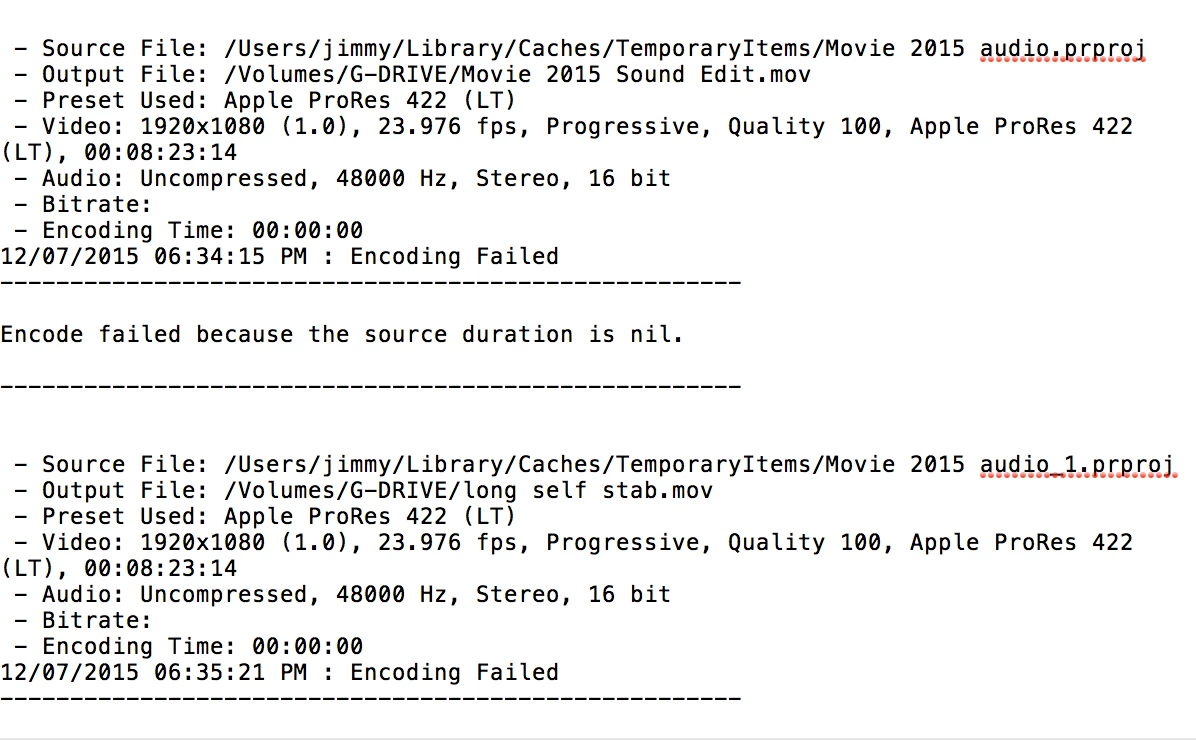
I am all of a sudden unable to export from a Premiere project. If I export from Media Encoder, my usual preferred method, it stops and says "failed" about 10 minutes in. When I click "failed", I get this error message in my textedit:
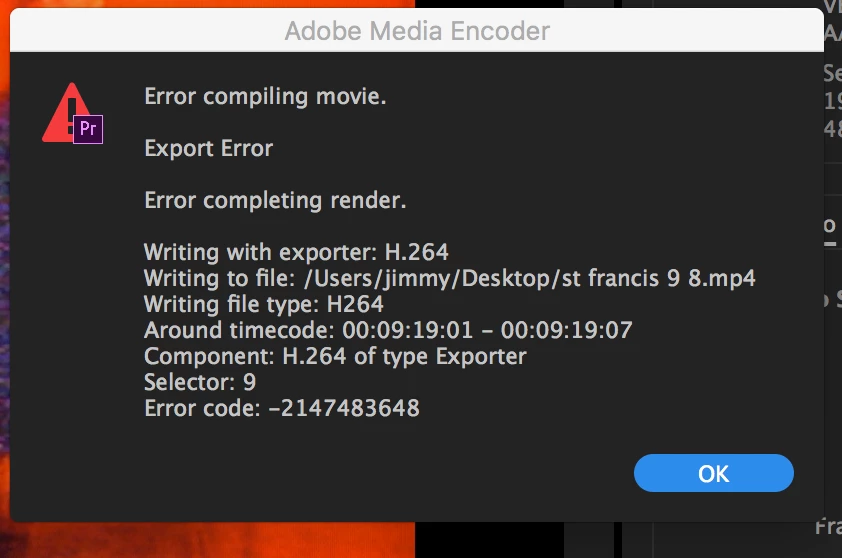
When I try to export from Premiere, I get this pop up error message:
The media in the project is all transcoded to ProRes 422 (LT), and I am exporting H264 files with the Vimeo 1080p HD preset (as I have always done). I have never seen these exporting errors before, and have exported iterations of this project countless times. It has been about two months since I had last opened the project. All of my other projects (most of which are also transcoded to ProRes 422 LT codec before editing, but not all) export just fine.
I am suspicious of the "source file" line in the Media Encoder error message, which is from a cache folder and is just a folder that contains audio? What is the source file? What should my source file be? Could this have changed without my knowing it?
I am completely baffled, any help is greatly appreciated as I am under a quickly approaching deadline.
thank you.
Copy link to clipboard
Copied
Around timecode: that is the spot in the timeline you need to fix.
Corrupt clip, transition, effect, can be anything.
Copy link to clipboard
Copied
Thank you! Do you have any advice for troubleshooting what might be wrong with this brief moment? It consists of a ProRes encoded video clip on one track, and a jpg image fading in over it on another track. The media has never changed location, does not appear to be corrupted in any way, and, as I've exported this very sequence countless times before, has never given me any issue. One thing I can think of is that I've updated Premiere and Media Encoder since last successfully exporting. It is the most up to date version. Could it be that this new version no longer supports jpg files?
Copy link to clipboard
Copied
Seems to be supported still...

Copy link to clipboard
Copied
Well fix that, resave, convert or keyframes that go corrupt or ......
Copy link to clipboard
Copied
Sorry, I don't understand. Going to try exporting with that jpg deleted I guess? Keyframes can go "corrupt"?
Copy link to clipboard
Copied
I am completely confused. Now when I export just that section, I get the same error message only for a part of the timecode that was not included in the section I exported and is just a simple, ProRes video file, uncorrupted, with no overlays or anything.
Copy link to clipboard
Copied
I exported fro 9:06:06 to 14:18:12 and got this error message

18:54:17. Nowhere near where I exported. A totally normal, ProRes, uncorrupted clip which has never given me any trouble until today. What is going on?
Copy link to clipboard
Copied
Similarly, when I export from 14:19;12 to 21:01:12, I get this 
again not within the bracket that I exported. What could be going on?
Get ready! An upgraded Adobe Community experience is coming in January.
Learn more