Participant
October 26, 2017
Answered

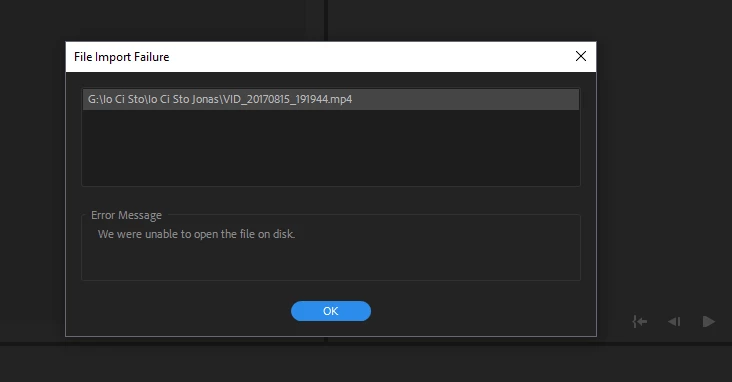
"Error message. We were unable to open the file on disk"
  • October 26, 2017
  • 7 replies
  • 167015 views

    Correct answer Aruckus

    I brought my corrupted mp3's into VLC media converter and reoutput them as MP3s again, and it worked! 

    7 replies

    Participant
    March 21, 2023

    I have the same issue with Windows 11 Pro.  Tried to install Graphics Toolkit and Media Features Pack, but no use.  I guess latest updates corrupted my Premiere.  Adoe should have tested well before deploying updates.

    Legend
    March 21, 2023

    It's unrealistic to expect Adobe to test Premiere on all the possible permutations of hardware and other factors...  I started out many years ago on an early avid when avid sold a turnkey system including all the hardware and software and still when there were updates, problems occured on some systems...    If you want some help figuring out what's going on, Please tell us your system specs: OS version, Premiere version, amount of RAM, Hardware specs including graphics card...

    Participant
    March 21, 2023

    When Premiere was working fine till 2 weeks back and suddenly not, I am sure it is Adobe's failure to test updates.  


    Anyhow, here are the details:


    Windows 11 Pro  Version 22H2

    System:  64-bit operating system, x64-based processor

    Processor:  11th Gen Intel(R) Core(TM) i9-11900 @ 2.50GHz 2.50 GHz

    Adoe Premiere Pro Version 23.2.0

    RAM:  64 GB

    Graphics Card:  NVIDIA(R) GeForce RTX(TM) 3060 12GB GDDR6


    Participant
    February 8, 2022

    Had this issue when trying to import a file from OneDrive on Mac, after this recent horrendous change/overhaul to the way OneDrive works on the Mac (now similarly to the Google Drive client, which is equally shockingly bad).


    The solution was the 'always keep this file on this device' and then copy the file to my Desktop > then Premiere could import the files. Weirdly, even though OneDrive had now marked files to be kept on this device, and the tick icon was shown in the OneDrive folder, PrPro still threw up the 'unable to open the file on the disk' error.


    Copying to Desktop is not ideal or even a long-term solution, but it worked for me as a quick fix. Hopefully that helps anyone who stumbles across this thread with similar OneDrive issues, in the face of the latest update from Microsoft...

    Participating Frequently
    June 13, 2022

    this does not appear to work either.

    Legend
    June 13, 2022

    I think you're new to this thread.  Tell us exactly what's happening, what kind of files you're trying to import and where they are stored.  If they're via a network or a cloud based solution, try downloading them to a local drive directly connected to the computer.

    AruckusCorrect answer
    Participant
    October 18, 2021

    I brought my corrupted mp3's into VLC media converter and reoutput them as MP3s again, and it worked! 

    Participant
    October 21, 2021

    this was the only thing that worked for me, so thank you!!!

    Participant
    August 23, 2021

    My client had the same problem, turned out it was because she was using files that were still in a .zip file. She unzipped them, stored them in a local folder, closed Premiere, Restarted the PC and it worked.

    Participant
    September 24, 2020

    what do you do for macs?

    Legend
    September 24, 2020

    I'm assuming you're seeing this when you are trying to import the file in to premiere

    It's possible there's some corruption on your harddisk.  Use diskutility: diskfirstaid to analyze and repair the drive

    If that doesn't solve the problem

    use mediainfo and see if it can tell you the specs of the file

    https://mediaarea.net/en/MediaInfo/Download

    In particular tell us the codec, pixeldimensions, frame rate and if it's constant or variable frame rate.

    You might see if handbrake can open the file

    https://handbrake.fr
    If so, convert it with the quality slider set to maximum and make sure it's set to constant frame rate.


    Participant
    November 1, 2017

    Participant
    September 2, 2023

    My Windows 10 Home doesn't have a "Media Feature Pack", even if I download it from the Microsoft website it doesn't work. Anyone how to fix this problem?

    Inspiring
    October 26, 2017

    most likely corrupted file, try to re-download the file if you still have it. I never could fix this thing, happened very rarely but it did, and i remember once re-downloading the file from the cards and it worked, but only one time.
