
paytonq82448160
Participant
January 5, 2024
Question

"Modern Magazine Media Replacement" Template Unable to Change Placeholder Graphics

  • January 5, 2024
  • 1 reply
  • 638 views

Hello! I'm hoping someone has a good answer for this problem I'm having with a MOGRT template PURCHASED from Adobe Stock (file:FILE #:  651131949)  I was able to successfully install and begin to use the template.  I replaced the images, removed the text, but I'm finding that my images (full pages) are being covered by a graphic or mask?


The image below shows the problem - I changed the 'page background' to the pink/magenta colors so you can see the issue relative to the actual pages/images I want to use.  It seems like there's a mask installed in the template?   How can it be removed?
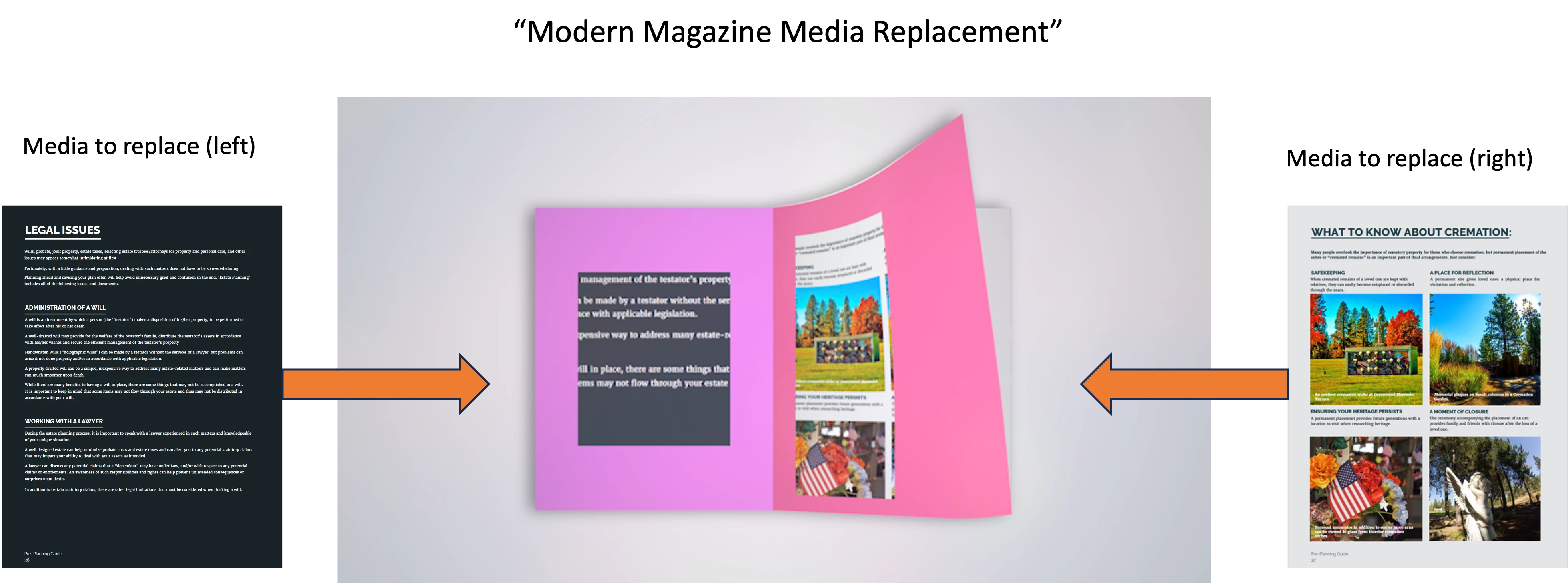
 

I tried removing, reinstalling, and messed with every option in the properties that I could see. Nothing seems to work. There is not help file or instructions, so I'm hoping its something stupid I am forgetting.


Adobe REALLY needs to allow us to review and rank their templates, especially for motion graphics.


Anyone have any ideas how this can be fixed?

This topic has been closed for replies.

1 reply

Theresa Rostek
Community Manager
Community Manager
January 5, 2024

Hi @paytonq82448160,


Sorry you're experiencing frustration with this template. I see that there was a difference in your expectation that the Media Replacement would be full page and not the smaller images as shown in the preview video.


You're correct in suspecting mattes being used in the After Effects file to create this effect. If you're AE savvy, you can open the mogrt in AE and navigate to the Page 01, Page 02, etc. precomps and remove the mattes/text and re-export the mogrt.


If this doesn't work for you and you'd rather request a refund, please use the chat pod at the lower right hand corner of https://helpx.adobe.com/contact.html.


Best,

Theresa

paytonq82448160
Participant
January 5, 2024

Thank you Theresa!  Yeah, I guess I began to realize that these default masks are part of the 'template', which would be fine if they described that somewhere.  There is no way at all to determine this before purchase. Annoying.   

I will give it a try in AE, I've never edited a MOGRT file in AE so that will be something new and interesting.....

Kevin-Monahan
Community Manager
Community Manager
January 6, 2024

Thank you! Well, editing the template in AE wasn't too difficult and I was able to remove the masks and get the template to work the way I wanted it. 


While no one likes chasing their tail trying to figure this out, at least I learned something new today!  


Thanks for letting the community know, @paytonq82448160. Nice going!


Thanks,
Kevin

Kevin Monahan - Sr. Community and Engagement Strategist – Adobe Pro Video and Audio