

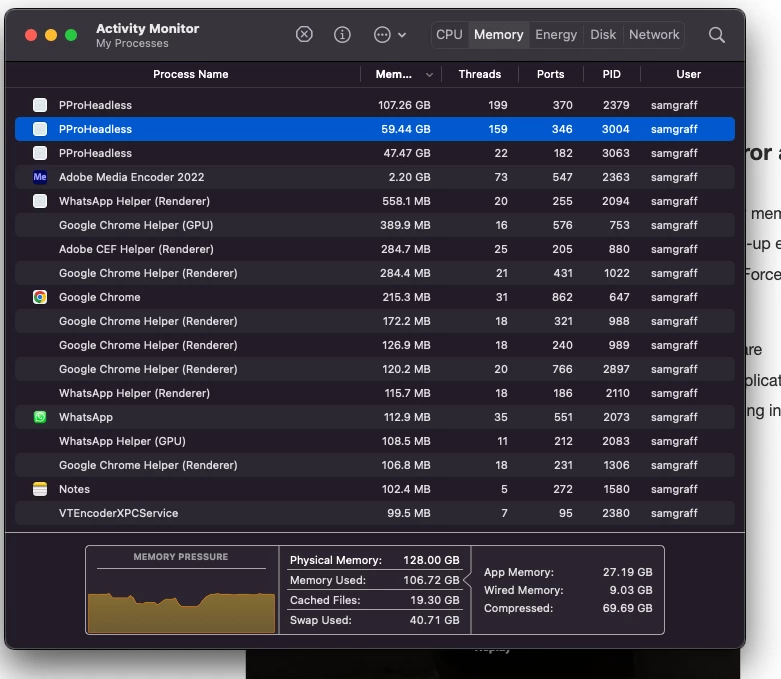
"PproHeadless" is using OVER 160 GB - "Your system has run out of application memory" .. Force Quit
My brand new Mac Studio is having issues when I run Premiere Pro and Media Encoder at the same time. Premiere Pro quits on me, and I'm prompted with Force Quit and the message, "Your system has run out of application memory. "To avoid problems with your computer, quit any applications you are not using."
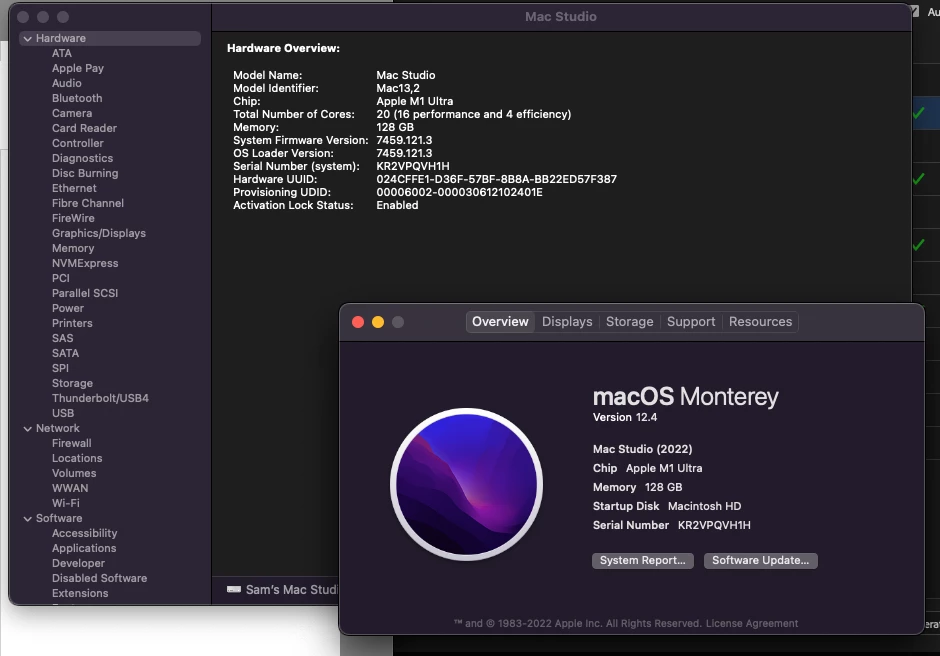
This is odd given my computer specs:
-Mac Studio, M1 Ultra, 20 Cores (16 performance and 4 efficiency) 128GB
I opened activity monitor and saw that "PproHeadless" is open and running twice, and using 107 GB and also 58 GB. What is it??? It's clearly a part of premiere (Applications/Adobe Premiere Pro 2022/Adobe Premiere Pro 2022.app/Contents/PProHeadless.app/Contents/MacOS/PProHeadless), but why is it taking up so much memory?? I never had any issues like this with my 2013 Mac Pro tower, and I was JUST editing the same project on that computer before this one arrived.
What should I do to fix this???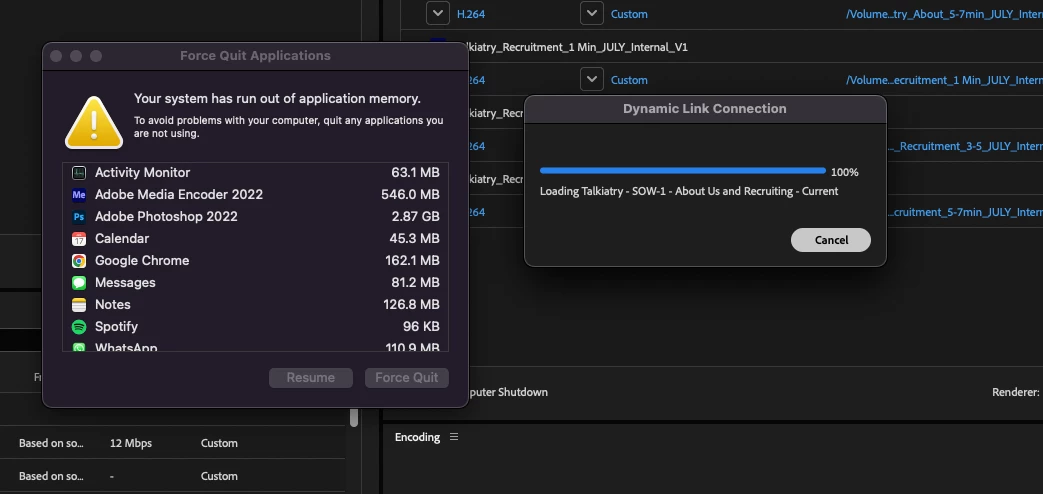
 AdChoices