
robobo69
Participant
June 21, 2024
Answered

"Restore Default Patch" command in Premiere?

  • June 21, 2024
  • 1 reply
  • 400 views

Hi,

Avid has a great command called "Restore Default Patch".
If your source tracks are targeting the wrong target tracks, 
this command will restore the patch so A1 will point to A1, A2 to A2, A3 to A3, etc..
Does this command exist in Premiere?
This topic has been closed for replies.
Correct answer mattchristensen

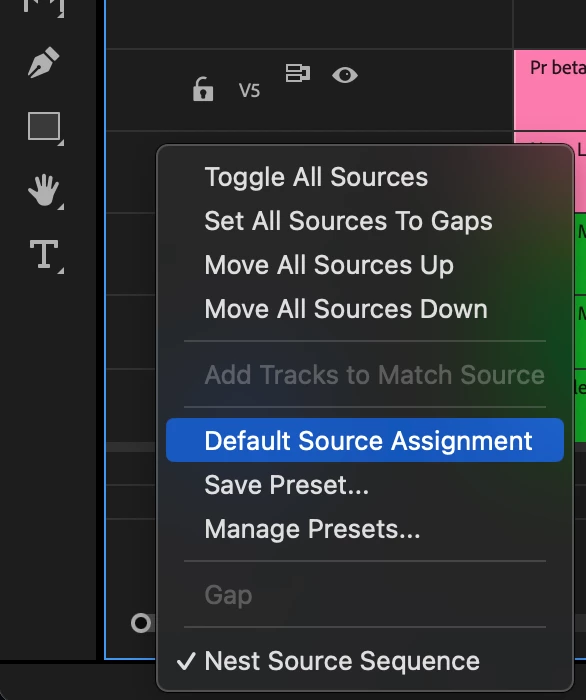
Right click on the Source side (left side) of the track headers and choose "Default Source Assignment". You can also assign a keyboard shortcut to the command.

1 reply

mattchristensen
mattchristensenCorrect answer
Legend
June 21, 2024

Right click on the Source side (left side) of the track headers and choose "Default Source Assignment". You can also assign a keyboard shortcut to the command.