Participant
August 1, 2023
Answered

Razor Tool Bug

  • August 1, 2023
  • 3 replies
  • 722 views

Been having this problem for quite some time now and I haven't found a solution yet.


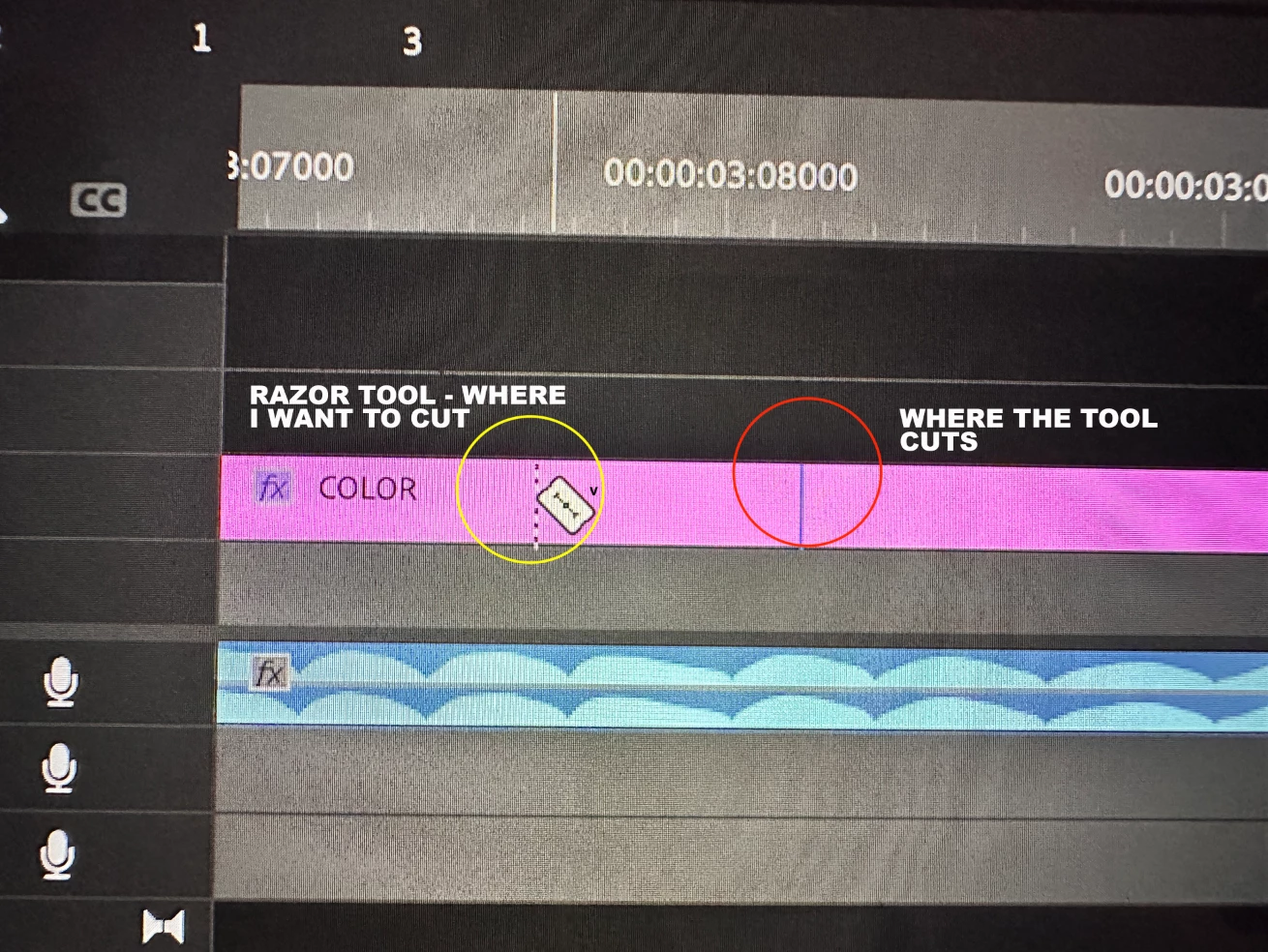
The Razol Tool of Premiere Pro doesn't cut accurately:

This topic has been closed for replies.
Correct answer R Neil Haugen

Your sequence is set to audio units. You can cut audio tracks there, but not a video clip.


Video frames cannot be "partials", they have to be a full frame length. So for a 24fps, with actual 24fps media (not 23.976), each frame is 1/24th of a second of timeline space. No more, no less.


So you can't cut part of a frame off.

3 replies

R Neil Haugen
Legend
August 1, 2023

You have to match closest you can.


Note, you can detach the audio from the video, match multiple audio tracks, then slide them to best appearance you can manage with tge video.


This type of thing is done all the time. Have you ever noticed it done to some music vid or TV show? Probably  ... not.

Everyone's mileage always varies ...
R Neil Haugen
R Neil HaugenCorrect answer
Legend
August 1, 2023

Your sequence is set to audio units. You can cut audio tracks there, but not a video clip.


Video frames cannot be "partials", they have to be a full frame length. So for a 24fps, with actual 24fps media (not 23.976), each frame is 1/24th of a second of timeline space. No more, no less.


So you can't cut part of a frame off.

Everyone's mileage always varies ...
rgp111Author
Participant
August 1, 2023

Thank you for answering!


What workarounds can I do with this issue? I'm trying to match certain clips on audio's beat.

Jeff Bugbee
Community Expert
Community Expert
August 1, 2023

Odd, I haven't seen this bug before. Mac or PC? If on Windows, do you have any Display Scaling turned on? I've seen that affect this sort of thing before.

rgp111Author
Participant
August 1, 2023

I'm using Mac. I'm trying to match certain clips on audio's beat, but unable to do so because of the issue I'm experiencing.