
Participant
November 21, 2024
Question

Re-importing Premiere Project after changes (2025)

  • November 21, 2024
  • 4 replies
  • 933 views

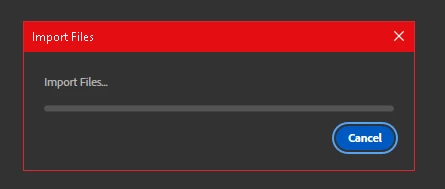
Hi everyone. I'm trying to re-import my project into a new project where I've created a few transitions. I've tried everything I can think of to get it to work, but the import is stuck on "import files." I've tried deleting the cache files, and even recreating the project from scratch. Nothing has worked. If you have any suggestions, I'd be grateful.
4 replies

darbym28695374
Participant
December 18, 2024

I'm trying to consolodate two projects into one by importing one project file into the other. Same issue, stuck on "Importing Files" for 20min and still nothing.

Participant
December 5, 2024

Im having same issue, seems is something about the version. Looks like a software bug, hope adobe could fix asap


Participant
November 27, 2024

K i Have been dealing with this issue as well, a quick fix is to download the oldest version I could find on CC and import it there, save it as a project file then use the media browser to import the sequence—lots of fun steps to do.

Community Expert
November 22, 2024

Are you importing from external drives? Try with local files.

Use the Media Browser panel instead of dragging and dropping files into Premiere. This method often handles complex file structures better.

File Permissions: Ensure you have read and write access to the folder containing your media files.

Path Length: Long or complex file paths can cause issues. Rename the files and simplify folder structures if needed.

Hold Alt/Option (Windows/Mac) while launching Premiere Pro to reset preferences. Be aware this will revert all settings to their defaults.