

CGBESSELLIEU
Inspiring
May 11, 2024
Answered

Rec 2100 HLG Display Issue
  • May 11, 2024
  • 3 replies
  • 11328 views

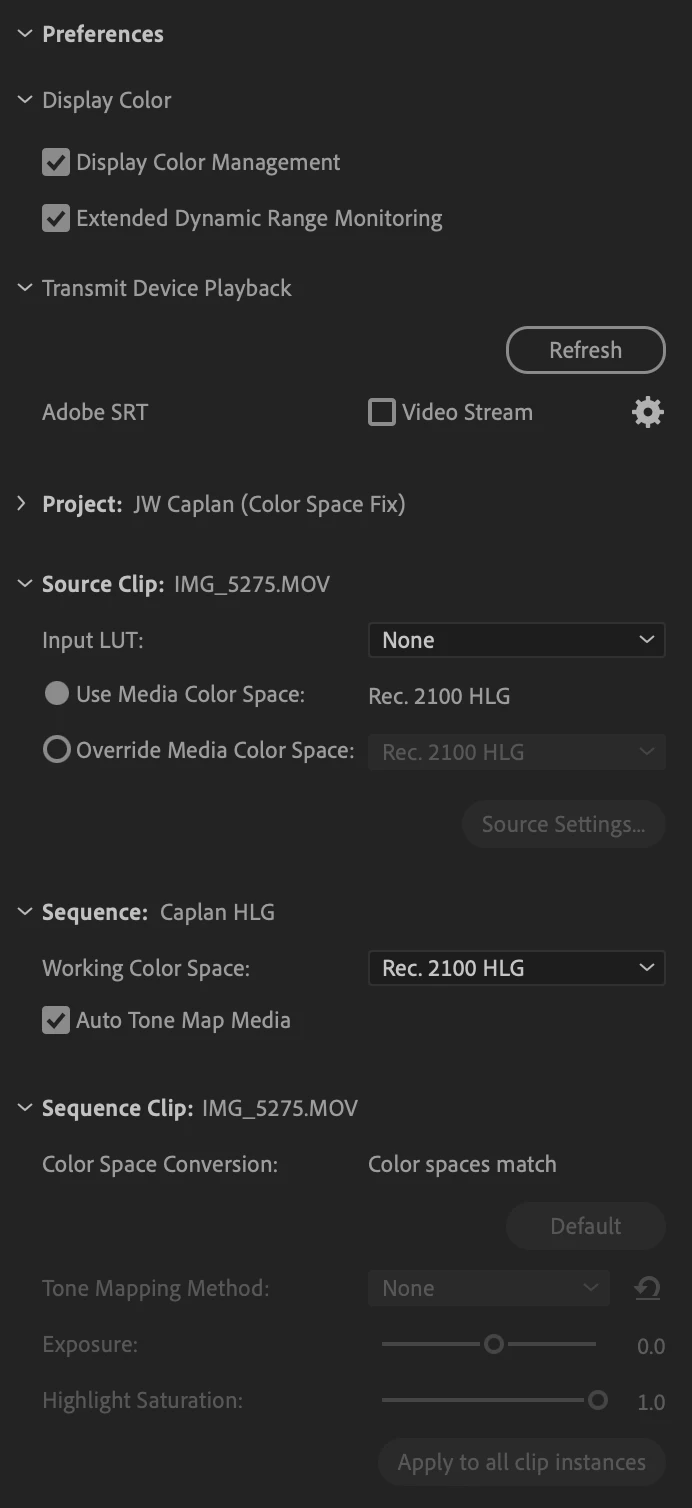
I'm having an issue with how the Rec 2100 HLG is being displayed in Premiere. Note: this is not the common issue of needing to set to correct color space in project settings. Everything is set correctly.


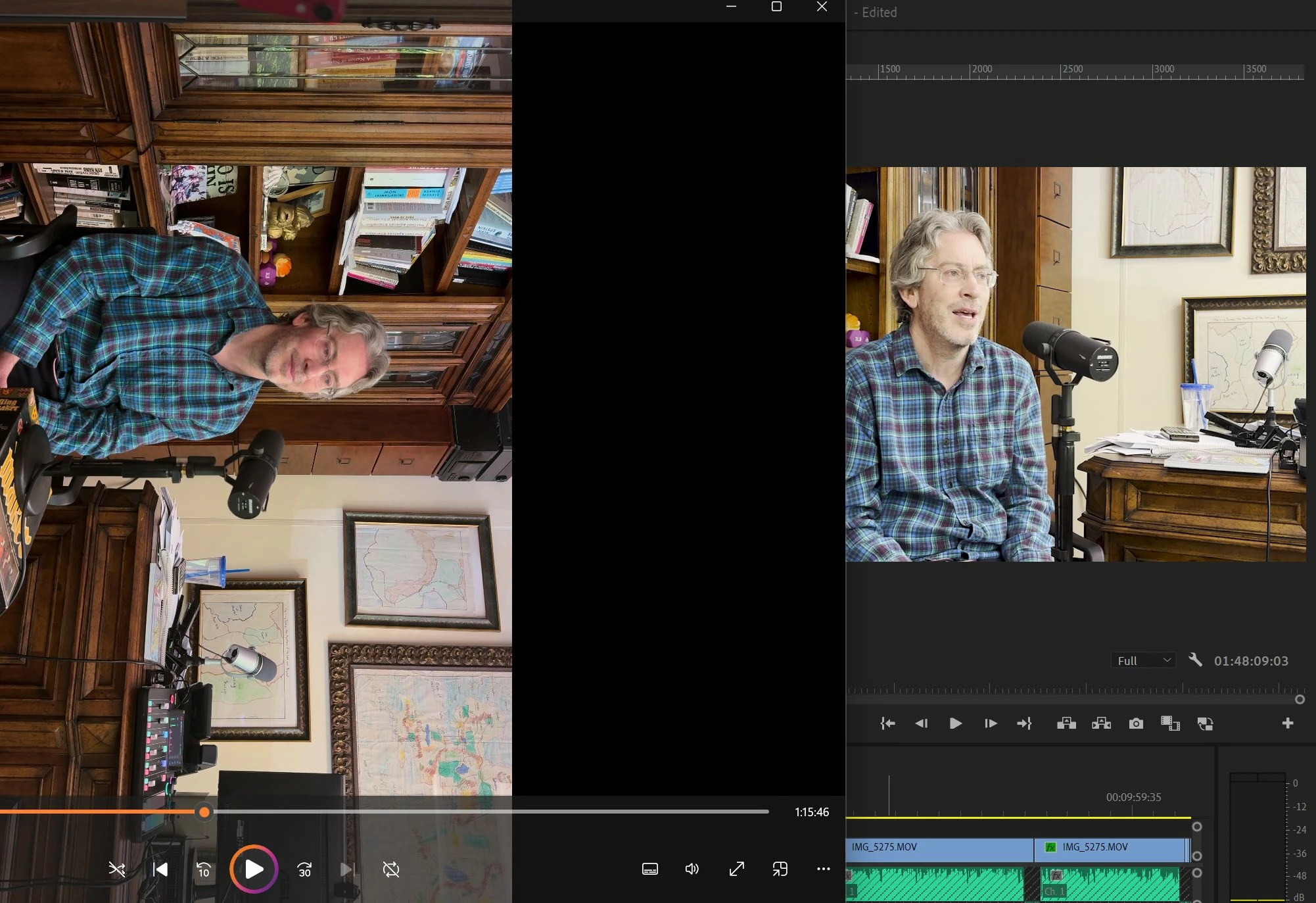
But it seems despite this, as the screenshot shows, if you play the footage in Windows Media Player for example and compare to the display in Premiere, it looks a bit desaturated and overexposed. This happens with exported files as well, even when they are set to correct color space.


Again to be clear this isn't the issue of it being set to the wrong color space in export because then it's extremely overexposed and blown out. Here it's a bit more subtle, but still quite noticable to be an issue to my client.

Also there is no extra LUT or color grading preset being applied here. It's the natural raw display. Any ideas?
This topic has been closed for replies.
Correct answer CGBESSELLIEU

Unfortunately you're hitting something you cannot completely fix. Nearly all colorists have a clause in their contract limiting all acceptable comments must be from viewing on specific monitors in controlled viewing circumstances.


As not even a pro colorist can absolutely match two "identical" monitors, fed the same signal, in the same room. With spectrophotometers costing more than you or I have in our total desktop computer setups.


That's just Reality. And as annoying as it is unavoidable.


OK super weird. So today woke up and noticed that now everything lists as 2100 HLG in the color settings and that "color spaces match". Initially it was super blown out and I was confused why everything had changed, then I clicked "extended dynamic range monitoring" and now it looks closer to the source footage, and that detail I was talking about in the beard etc seems to be there now in Premiere! 😄


3 replies

Peru Bob
Community Expert
Community Expert
May 11, 2024

Just a couple of guesses:


Try unchecking Composite in linear color in the sequence settings.
If that doesn't work, try turning off Hardware encoding in the export settings.

CGBESSELLIEU
Inspiring
May 11, 2024

"Composite in linear color" is unchecked (and greyed out) in sequence settings.

And export settings are already set to software encoding.

Participant
June 19, 2024

Did you manage to solve this problem? Could you send a list of the changes you made to fix it? I have the same problem, everything is correct, converted, I even used the SDR during export, and the skin tones don't match, and the contrast is also off even after adjusting.

Shebbe
Community Expert
Community Expert
May 11, 2024

Would you mind telling your sequence settings and deliverable intent? Is it Rec.709 or Rec2100 HLG? From the screenshot it simply looks like no conversion is applied and no display management either. You are simply looking at the HLG encoding as is which looks greenish and desaturated. If you want to create SDR video the sequence should be set to Rec.709. To view and manage it properly Auto Tone Map should be enabled and the clip interpretation should be set to Rec2100 HLG.

Shebbe
Community Expert
Community Expert
May 11, 2024

Well, then you should also make sure you are monitoring in HDR. What is the display you are viewing it on? Regardless, use display colormanagement should also be ticked in Premiere's color settings. If viewing on an SDR monitor you're out of luck. There is mechanically no such thing as previewing HDR in SDR in Premiere the same way as a video player converts the HDR data to a tone mapped SDR version for viewing. I've never tested it but you could try putting that HLG timeline in a new timeline that is Rec.709 and have Premiere tone map that original timeline so you can have somewhat of an idea just for viewing.

Regarding exporting, I don't know the exact settings but I believe it's best done with H265 mp4 high profile and that should bring the necessary HDR metadata along with it.

CGBESSELLIEU
Inspiring
May 11, 2024

I have two laptops, and therefore two displays I'm working with. A Macbook Pro 2021 M1 Pro (which Apple says as long as 2018 or later is supported) and a Windows Lenovo machine which does have HDR, but I have to check it on in display settings. I'm not sure about client's display.

Interestingly, when the Windows machine was set to SDR it still looks good (as shown in screenshot in the OP) in the Media Player (and notably an Dolby Vision icon appears).


As for the display color management box, when I tick this even with HDR enabled in the display, it looks even more blown out.

Thanks for the note about H.265. Sounds like H.264 was unideal all along? Noted!

Community Expert
May 11, 2024

What does it look like if you play the export in Premiere?

CGBESSELLIEU
Inspiring
May 11, 2024

It looks the same, has the same issue playing the export in Premiere.