

Rec 2100 HLG Display Issue
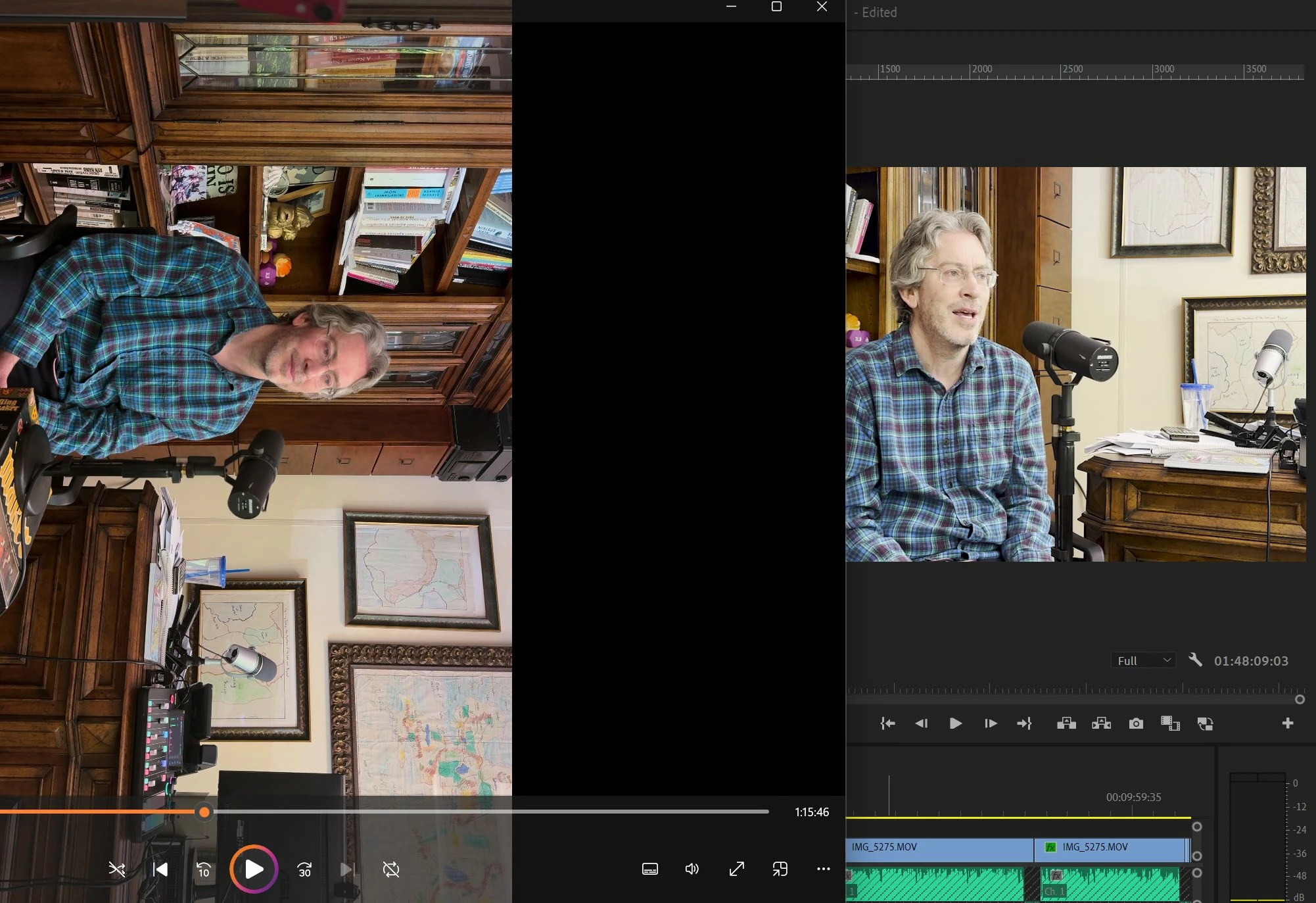
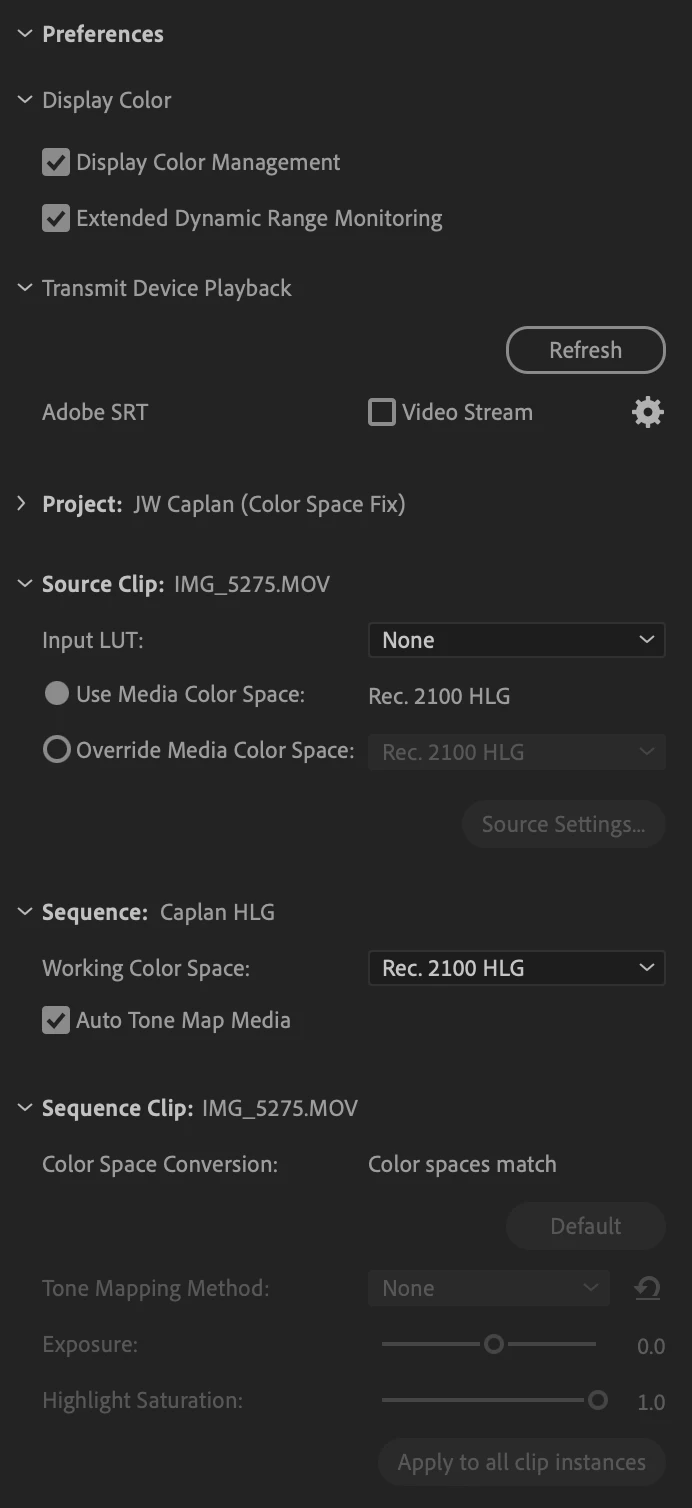
I'm having an issue with how the Rec 2100 HLG is being displayed in Premiere. Note: this is not the common issue of needing to set to correct color space in project settings. Everything is set correctly.
But it seems despite this, as the screenshot shows, if you play the footage in Windows Media Player for example and compare to the display in Premiere, it looks a bit desaturated and overexposed. This happens with exported files as well, even when they are set to correct color space.
Again to be clear this isn't the issue of it being set to the wrong color space in export because then it's extremely overexposed and blown out. Here it's a bit more subtle, but still quite noticable to be an issue to my client.
Also there is no extra LUT or color grading preset being applied here. It's the natural raw display. Any ideas?
 AdChoices