
leicaguy
Inspiring
June 1, 2022
Answered

Recovered drive won't let me open project. "Unknown error occurred"

  • June 1, 2022
  • 4 replies
  • 2702 views

Hello,

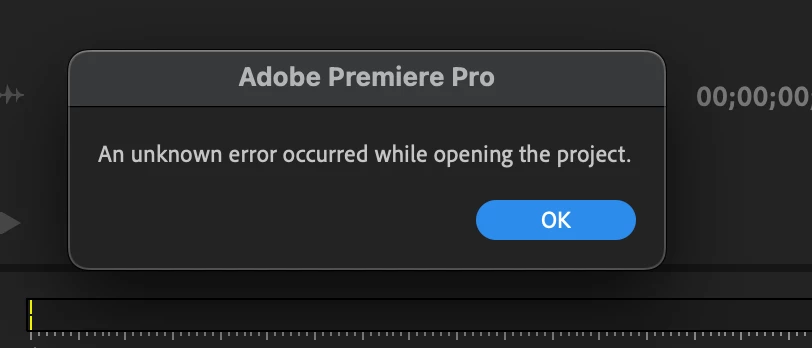
Hoping someone can help me. The external hard drive I was using as my working drive failed about a week ago. (Actually, it still operated, just the main project folder stopped showing up). Thankfully, I was able to recover everything using Disk Drill recovery software. When it finished processing I saved it all to a new drive. And now I'm trying to re-create the Premiere Pro project I was working on. However, the project won't open. I've tried opening the main project as well as many of the auto-saved files, and I always get the same pop up message... "An unknown error occurred while opening the project." (I've attached a screen grab). Any help or ideas of how to fix this would be most appreciated!


Thanks in advance!
This topic has been closed for replies.
Correct answer leicaguy

Good news (for me), in searching through the labyrinth of files recovered by Disk Drill (many of which were ghost files from previous uses of that drive), I stumbled upon another copy of the project files. But this time it opened! Woo Hoo! I'm going through and re-linking media and such but looks like my problem is solved. Thanks for all your help everyone! Really appreciate that this is a place I can come when things go wrong! Will be saving this project in other places as well going forward.

4 replies

Participant
October 17, 2022

I had this problem."An unknown error occurred while opening the project." It wouldn't open when I started Premiere Pro. The solution I found was to open the project from FINDER or FILES. Or open Premiere Pro, escape out of the opening box when starting PP. Then go to Files > Open recent. 

I first disconected my hard drives, restarted the computer, and then opening it directly from the file. Hours of work saved and yelling colorful words. 

Here is a youtube video I found on it. https://www.youtube.com/watch?v=euR3PO_W7XM

Hope this helps. 

leicaguy
leicaguyAuthorCorrect answer
Inspiring
June 3, 2022

Good news (for me), in searching through the labyrinth of files recovered by Disk Drill (many of which were ghost files from previous uses of that drive), I stumbled upon another copy of the project files. But this time it opened! Woo Hoo! I'm going through and re-linking media and such but looks like my problem is solved. Thanks for all your help everyone! Really appreciate that this is a place I can come when things go wrong! Will be saving this project in other places as well going forward.

Averdahl
Community Expert
Community Expert
June 1, 2022
quote

...Thankfully, I was able to recover everything using Disk Drill recovery software.


By @leicaguy


Was the failing drive an SSD or HDD?


Recovering large media files successfully from an SSD is hard. The files can be recovered but they fail to open. I deleted a file by mistake from a SSD disk yesterday and while the latest version of Disk Drill did recover the file it was damaged and could not be opened in any app.


So, if you create a brand new project, can you import any media files from the recovered main project folder?

Legend
June 2, 2022

I had a chip fail with the files corrupted and was able to use diskdrill to restore the files.  However, the files would not open.  I eventually found someone in Spain if I remember correctly who was able to successfully create a program to make the files usable...  I think they were mxf format.    If anyone needs some help with this, post back and I'll see if I can dig the info out from old emails...  If I remember correctly I sent him a single file and for about $100 US, he sent me a program that got the files working again.  worth every penny.  This was a multicamera shoot and there was a canon camera that had two cf cards and was supposed to automatically transfer to the second card...    Averdahl, if that file is important, let me know.  

Participant
May 7, 2023

I can use this mystery "fixer" in spain. My backup file was corrupted and can use a sergon. 


Ann Bens
Community Expert
Community Expert
June 1, 2022

Might not be able to resolve this but read this doc

FAQ: When to use "Save A Copy," or "Save As," or just "Save".

so you wont lose all your work next time something simular happens.

leicaguy
leicaguyAuthor
Inspiring
June 1, 2022

Thanks, I'll defintiely be changing up how I save projects in the future, but yeah, unfortunately doesn't solve the immediate issue.