Participant
May 21, 2021
Question

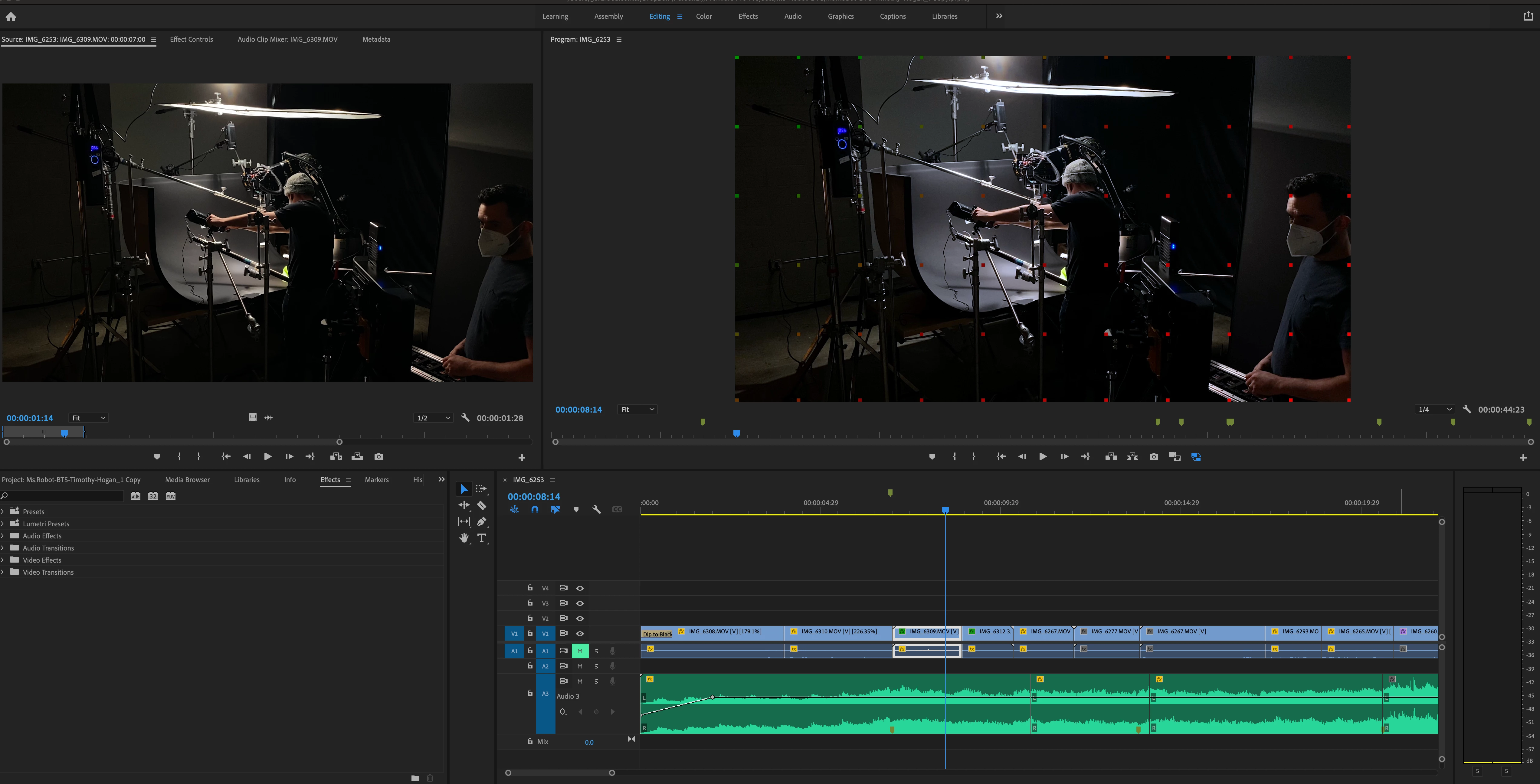
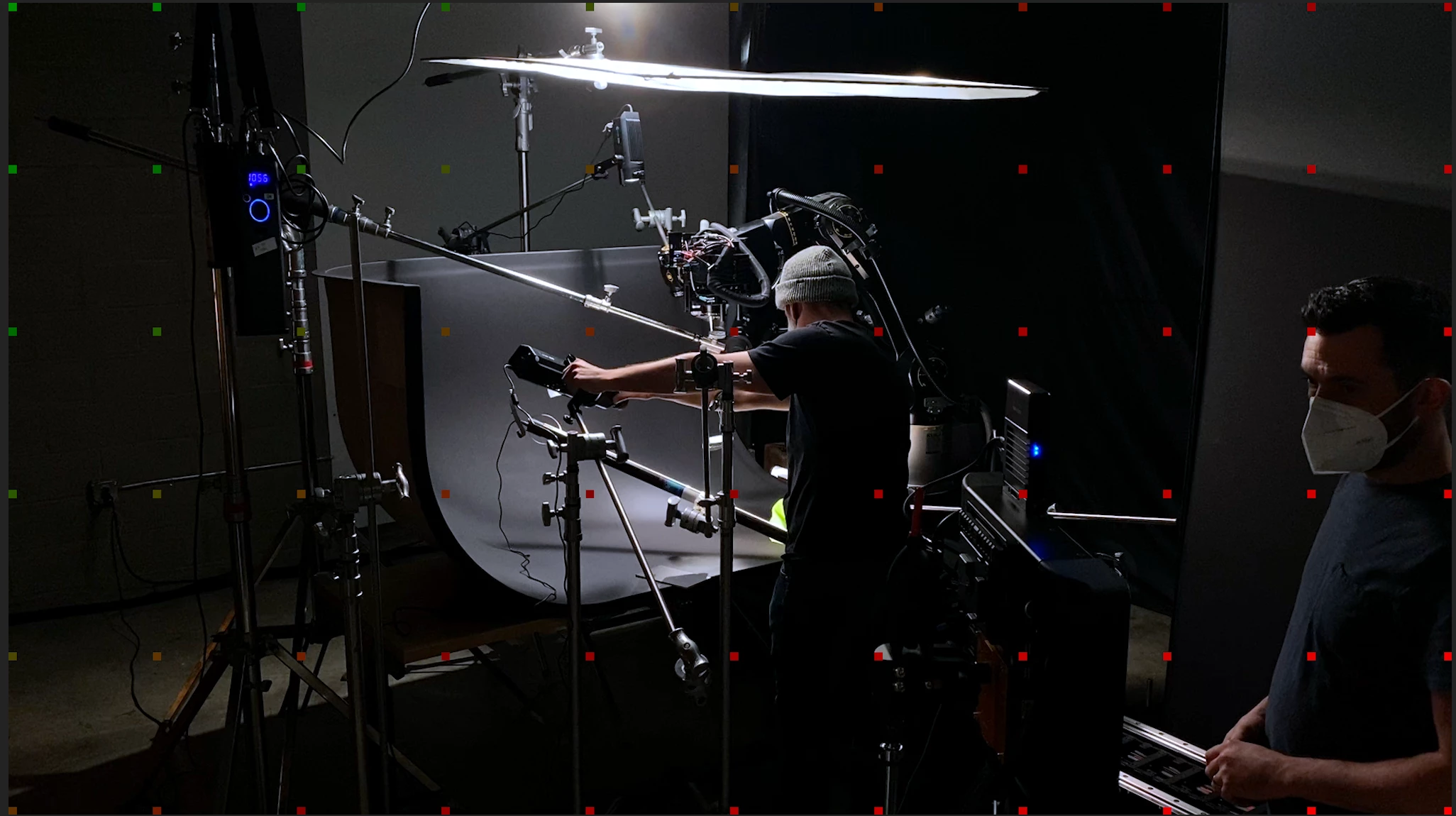
Red and Green Squares during playback

  • May 21, 2021
  • 2 replies
  • 1518 views

Hey, I'm wrapping up a BTS video for a client. After a few revisions, I noticed these green and red squares when I playback my timeline, they also show up when I export. Any idea what these means?
This topic has been closed for replies.

2 replies

Participating Frequently
February 5, 2023

I am having the same problem. It's killing me

Legend
February 5, 2023

Just a guess:  it's possible this is a "watermark" placed on your video because a third party filter has been applied to the clip...   and the filter hasn't been purchased or registered properly.   but if that's not it, please tell us your system specs: OS version, Premiere version, amount of RAM, Hardware specs including graphics card and your source properties and sequence settings..


Participating Frequently
February 5, 2023

Nitro 5 laptop 16 gb ram nvidia rtx 3060 graphics card 1 to of memory

Legend
May 21, 2021

first thing, Please tell us your system specs: OS version, Premiere version, amount of RAM, Hardware specs including graphics card and your source properties and sequence settings.


is any of the material from either a screen capture or from a smartphone?  If so, the issue is probably that your sources (or at least some of them) have a variable frame rate.  


use mediainfo to determine whether your source is variable or constant frame rate

https://mediaarea.net/en/MediaInfo/Download

if it's variable use handbrake to convert to constant frame rate

https://handbrake.fr
and here's a tutorial on how to use handbrake

https://www.youtube.com/watch?time_continue=34&v=xlvxgVREX-Y


If not, post back with the specs I requested.