Participant
May 21, 2021
Question

Red and Green Squares during playback

  • May 21, 2021
  • 2 replies
  • 1519 views

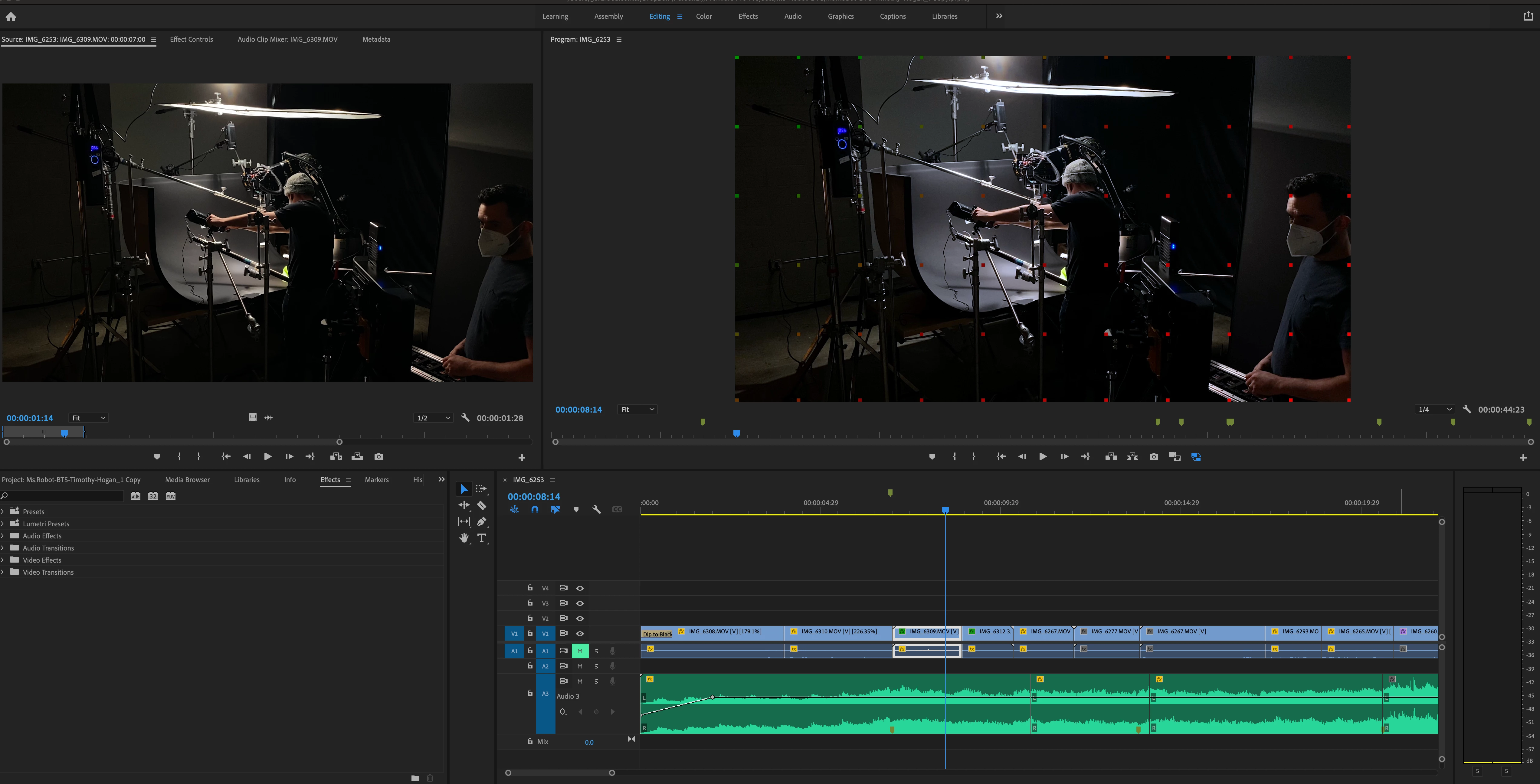
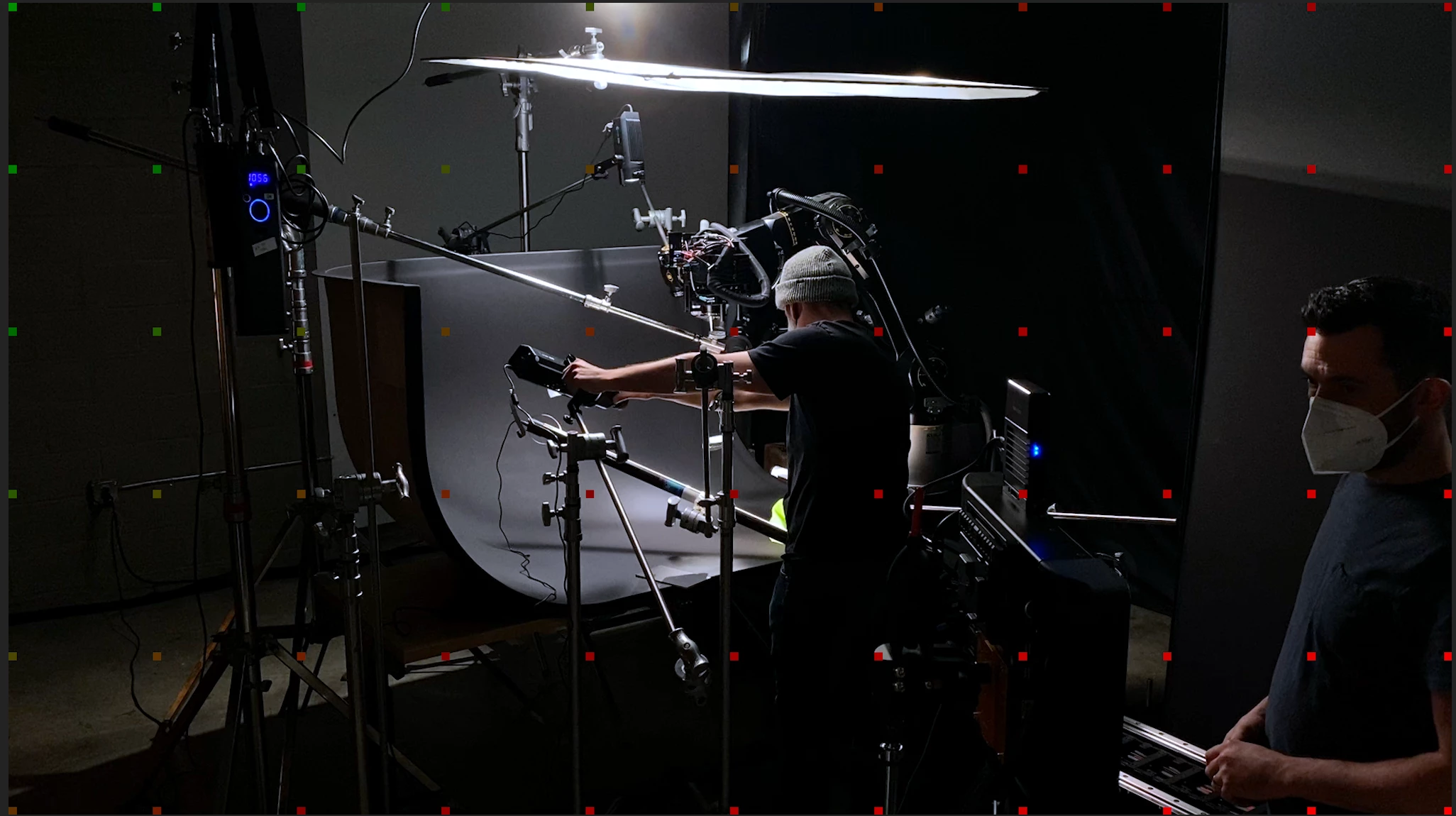
Hey, I'm wrapping up a BTS video for a client. After a few revisions, I noticed these green and red squares when I playback my timeline, they also show up when I export. Any idea what these means?
This topic has been closed for replies.

2 replies

Participating Frequently
February 5, 2023

I am having the same problem. It's killing me

Legend
February 5, 2023

Just a guess:  it's possible this is a "watermark" placed on your video because a third party filter has been applied to the clip...   and the filter hasn't been purchased or registered properly.   but if that's not it, please tell us your system specs: OS version, Premiere version, amount of RAM, Hardware specs including graphics card and your source properties and sequence settings..


Participating Frequently
February 5, 2023

have you applied any filters to the video?


Yes I used cinema grade but I just bought this new lap top and trying to transfer the files and this happened 

Legend
May 21, 2021

first thing, Please tell us your system specs: OS version, Premiere version, amount of RAM, Hardware specs including graphics card and your source properties and sequence settings.


is any of the material from either a screen capture or from a smartphone?  If so, the issue is probably that your sources (or at least some of them) have a variable frame rate.  


use mediainfo to determine whether your source is variable or constant frame rate

https://mediaarea.net/en/MediaInfo/Download

if it's variable use handbrake to convert to constant frame rate

https://handbrake.fr
and here's a tutorial on how to use handbrake

https://www.youtube.com/watch?time_continue=34&v=xlvxgVREX-Y


If not, post back with the specs I requested.