Answered
Red dots on playback screen!!
I opened a project only to find red dots on the playback screen. They are only visible on two of the sequences. Never seen those before. Any idea what they are?
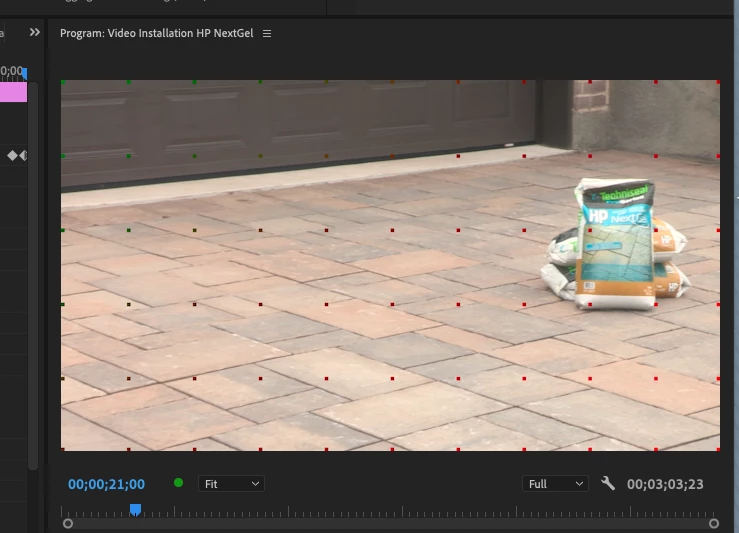

I opened a project only to find red dots on the playback screen. They are only visible on two of the sequences. Never seen those before. Any idea what they are?
I had a similar issue, and in my case, the problem was related to the Cinema Grade plugin and its license. After purchasing and registering the license, everything worked fine. However, the issue reappeared after restarting my computer.
The solution was to adjust the startup items settings. On macOS, you can find this under System Settings > Login Items. You need to enable or grant loading permissions for Color Grading Central LLC under that section.
Hope this helps!
Already have an account? Login
Enter your E-mail address. We'll send you an e-mail with instructions to reset your password.
 AdChoices