
Inspiring
May 4, 2021
Answered

Remove white background Premiere Pro

  • May 4, 2021
  • 2 replies
  • 4191 views

Hi everybody,


I filmed a whole bunch of the oil dye reactions which I'm going to layer over each other in Resolume (VDJ mixing software) but I want to remove the background and alpha channel but I'm a bit of a pleb. What's the quickist easiest way cut out the background and leave just the dish with a mask/what are the right export settings to remove alpha channel?
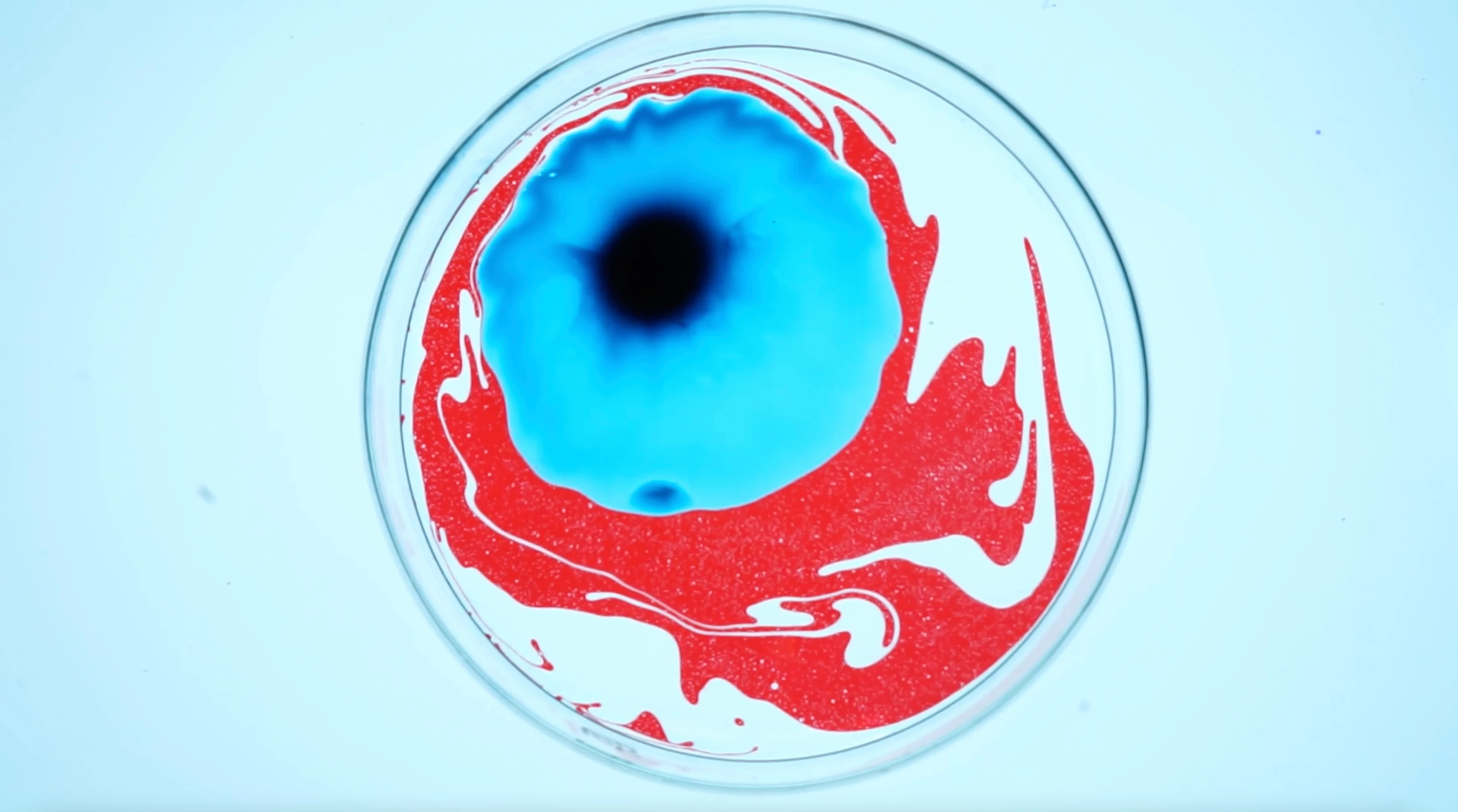
This topic has been closed for replies.
Correct answer tyriea21947108

Solved. A simple opacity mask does it and Resolume can remove the background alpha once it's black. 

2 replies

tyriea21947108AuthorCorrect answer
Inspiring
May 4, 2021

Solved. A simple opacity mask does it and Resolume can remove the background alpha once it's black. 

Inspiring
May 4, 2021

I may have the terminology wrong oops haha. Thank you for your helpo though!

Ann Bens
Community Expert
Community Expert
May 4, 2021

I want to remove the background and alpha channel

This image does not have an alpha channel.


Try Ultra Key and export with QT Prores+alpha.

Premiere does not export separate alpha channels. You need After Effects for that.