
Known Participant
May 3, 2017
Answered

render 60fps slow-mo into 30fps

  • May 3, 2017
  • 3 replies
  • 6455 views

Hey guys i shot some 60fps videos... for later preojects i want to slow them down and render them into 30fps videos.

This is how i tried it:

1. import file in PPCC 2015

2. right click on video --> Modify --> Interpret footage --> and set it to 30fps   (video is 50% slower like i want it and its 30fps)

3. export  --> choose 30fps in render settings (picture)
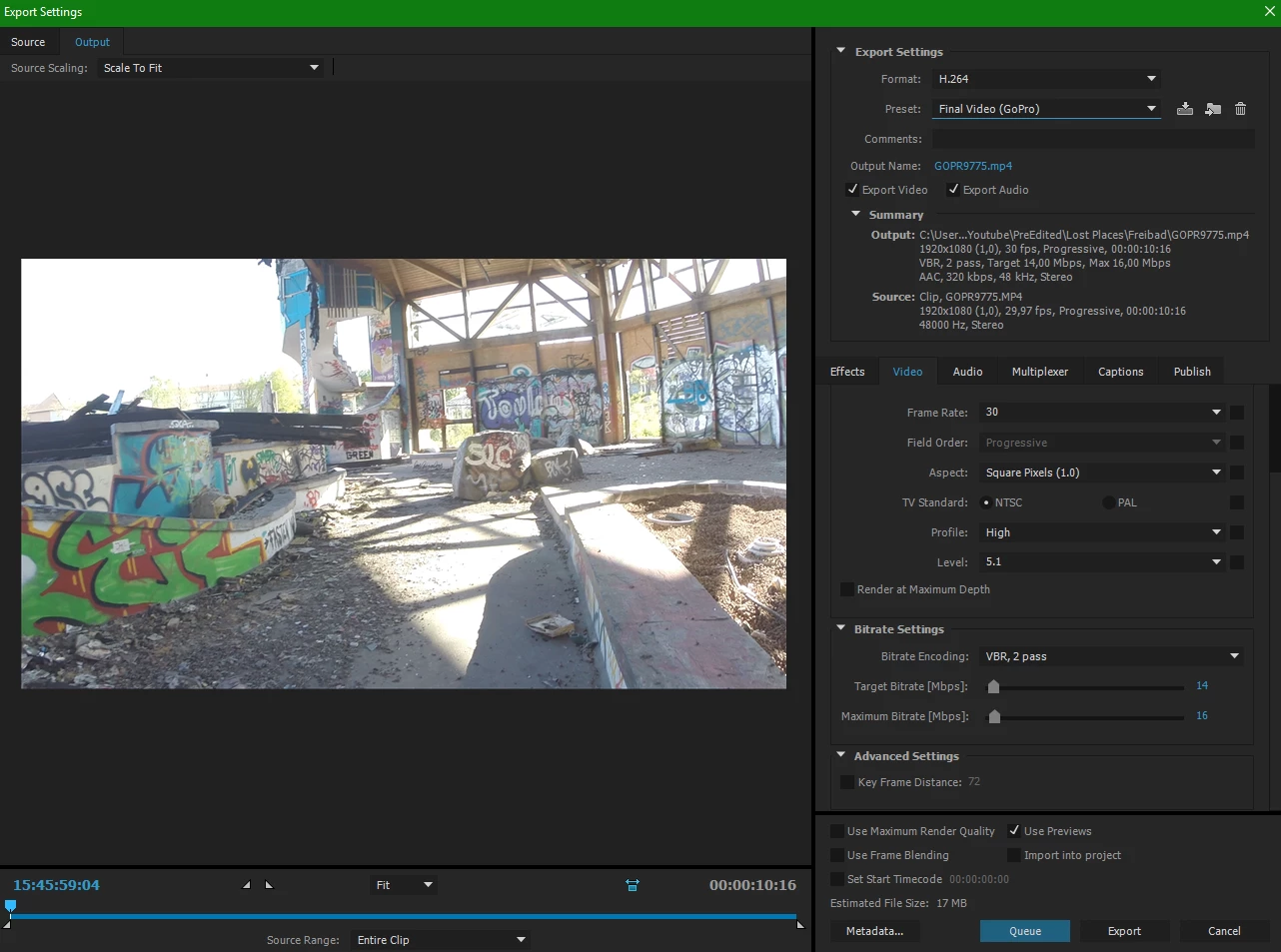
But now the video looks very jittery... as if frames are missing or so ...

I also tried frame blend but it still looks jittery

please help me ... and tell me your work flow and how you are doing this

This topic has been closed for replies.
Correct answer Ann Bens

It is slowed down!

this is the original Video- clip

i take this original clip ....right click on it.....Modify....Interpret footage... set it to 29.97fps

and export it and choose 29.97fps in render settings

it slows it down by half but its really jittery ...


I downloaded the original but its shot too fast and quite shaky.

I think that is why you are seeing what you are seeing: jitter.

If you set the interpret footage to its normal framerate

Use the speed option and set that to 25% and Optical flow

you will have a much better picture.

Dropbox - GOPR9775.mp4

3 replies

Legend
May 3, 2017

Your sequence is at 29.97.  Your export is at 30.

Correct that.

BikerSanAuthor
Known Participant
May 3, 2017

i changed the export to 29.97 but its still same jittery as before

BikerSanAuthor
Known Participant
May 3, 2017

I do see the issue.

This looks like the kind of judder I get when I move the camera too fast when shooting at 24 fps.  That even slowed down to 50% the motion goes pretty quick makes me thing it's the same here.

What shutter speed was used when you shot?


here is the same video but rendered as 60fps

click here

there is no jitter and laggs .... so something is wrong when i export it into 30fps

Ann Bens
Community Expert
Community Expert
May 3, 2017

Just reduce speed on the clip in the timeline and set it to Optical Flow.

Export to 30p and dont use preview files.

BikerSanAuthor
Known Participant
May 3, 2017

my version of adobe premiere pro doesnt support optical flow

chrisw44157881
Inspiring
May 3, 2017

does it look jittery if you do a render preview inside premiere? how are you playing it back?

BikerSanAuthor
Known Participant
May 3, 2017

no it doesnt look jittery in premiere .. its just jittery after the export

i play it back with the standard windows player