
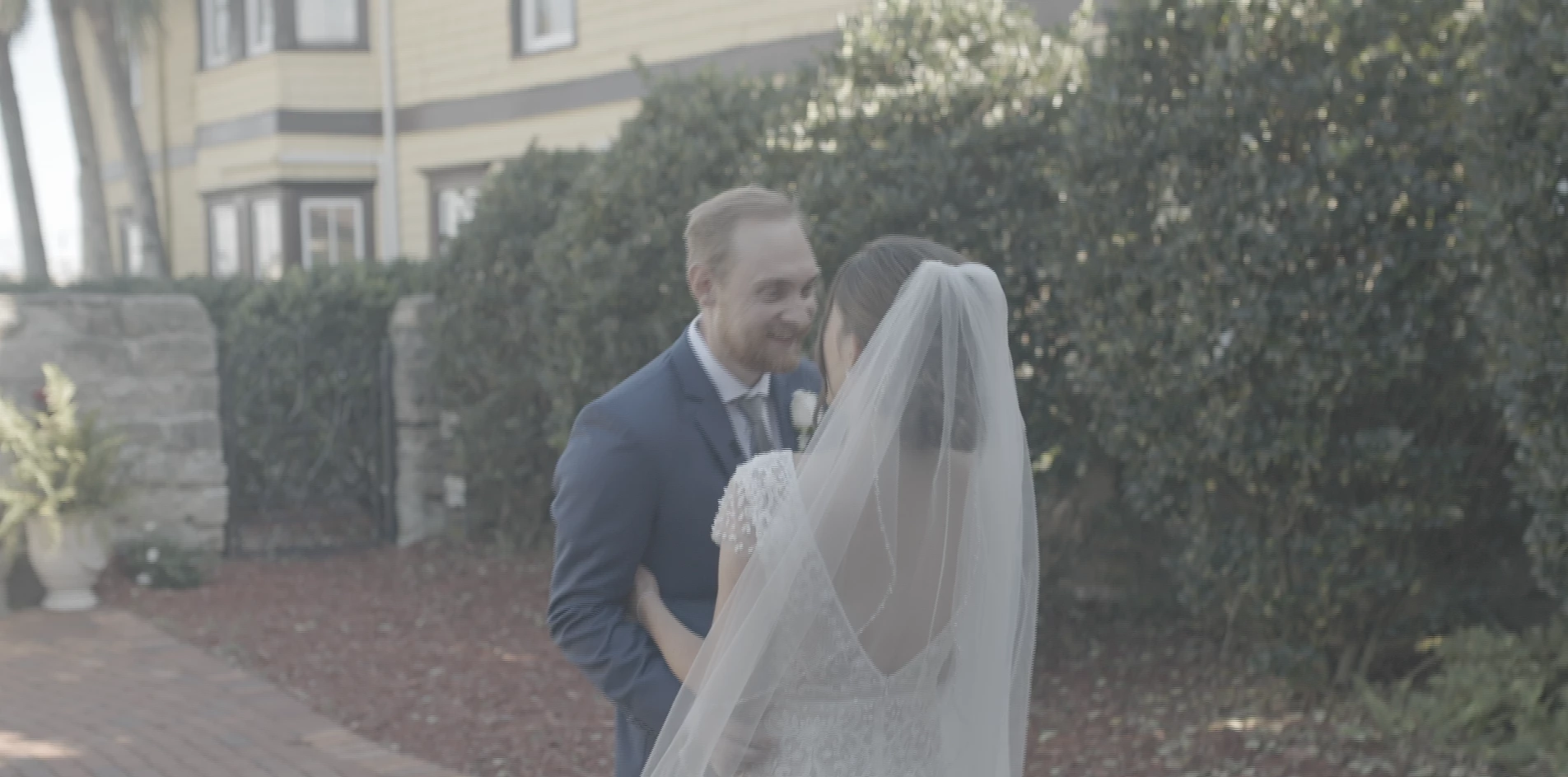
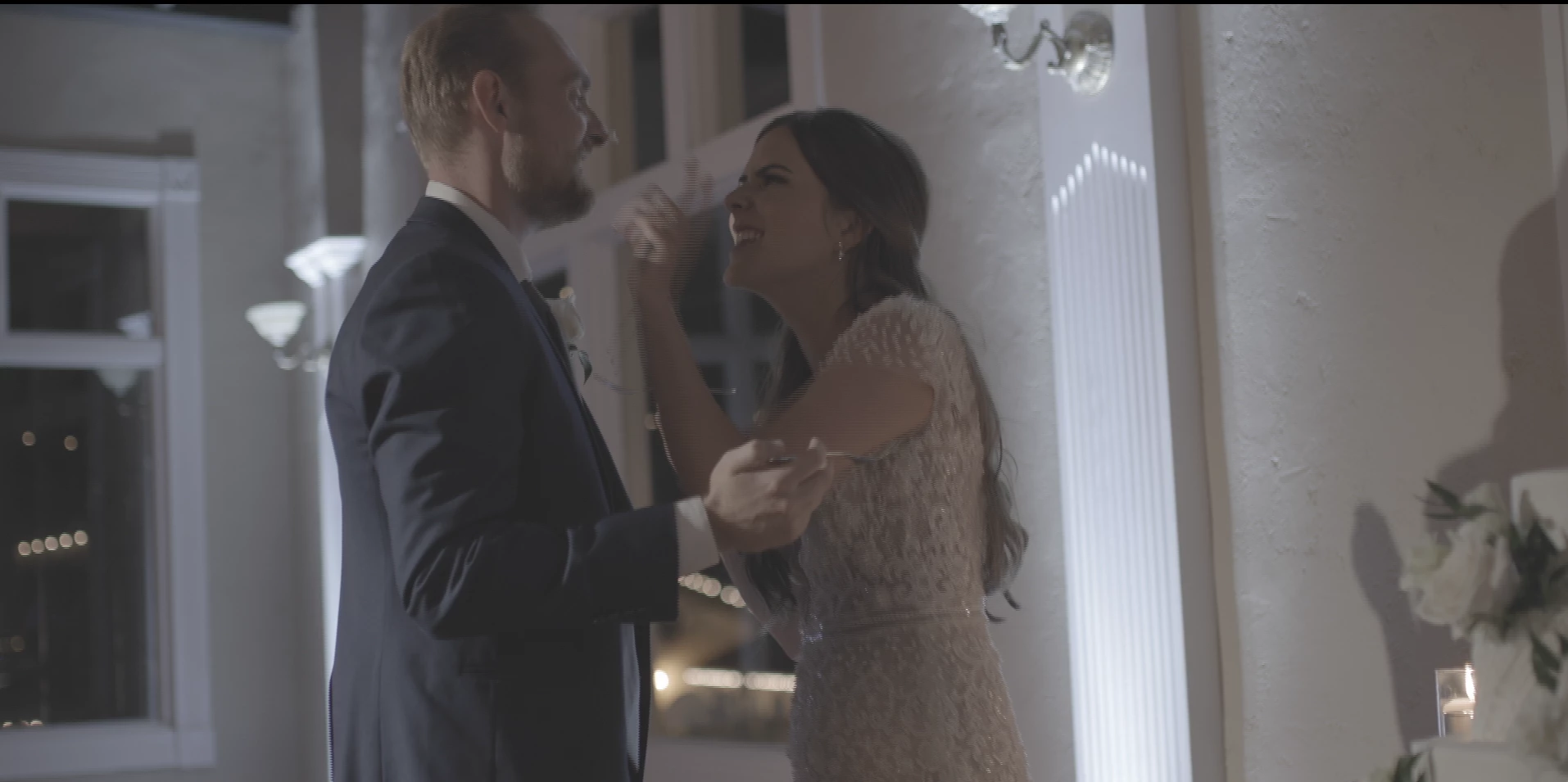
Render issues: Footage is becoming blurry and choppy on render.
I have been having issues lately with footage from canon cameras. When I go to render the footage from premiere the footage looks like it has aliasing lines or is just choppy. It isn't the footage because resolve has no issues with the footage. I have tried everything I can think of and nothing is working. I have tried searching for answers and nothing. Below is a breakdown of specs and what I have tried.
Specs
Mac Studio M1 max
and
Macbook pro 16in I9 with 32gb ram
Camera Footage
Canon R6, R5, C70 Clog 3 cinema gamut
Frame Rates: 23.976 and 59.976
4K footage 10bit
Timeline and Render
1920 x 1080 - 23.976
Tried rendering at 1920x1080 in every format offered and still had the same issue.
Tried making a new project same issue.
Tried changing bit depth same issue.
Tried changing frame sampling.
Ressolve seems to have no issue with the footage its only premiere doing this. Any one ever seen this or know what it is?
EXAMPLE
RAW FOOTAGE R5 59.976
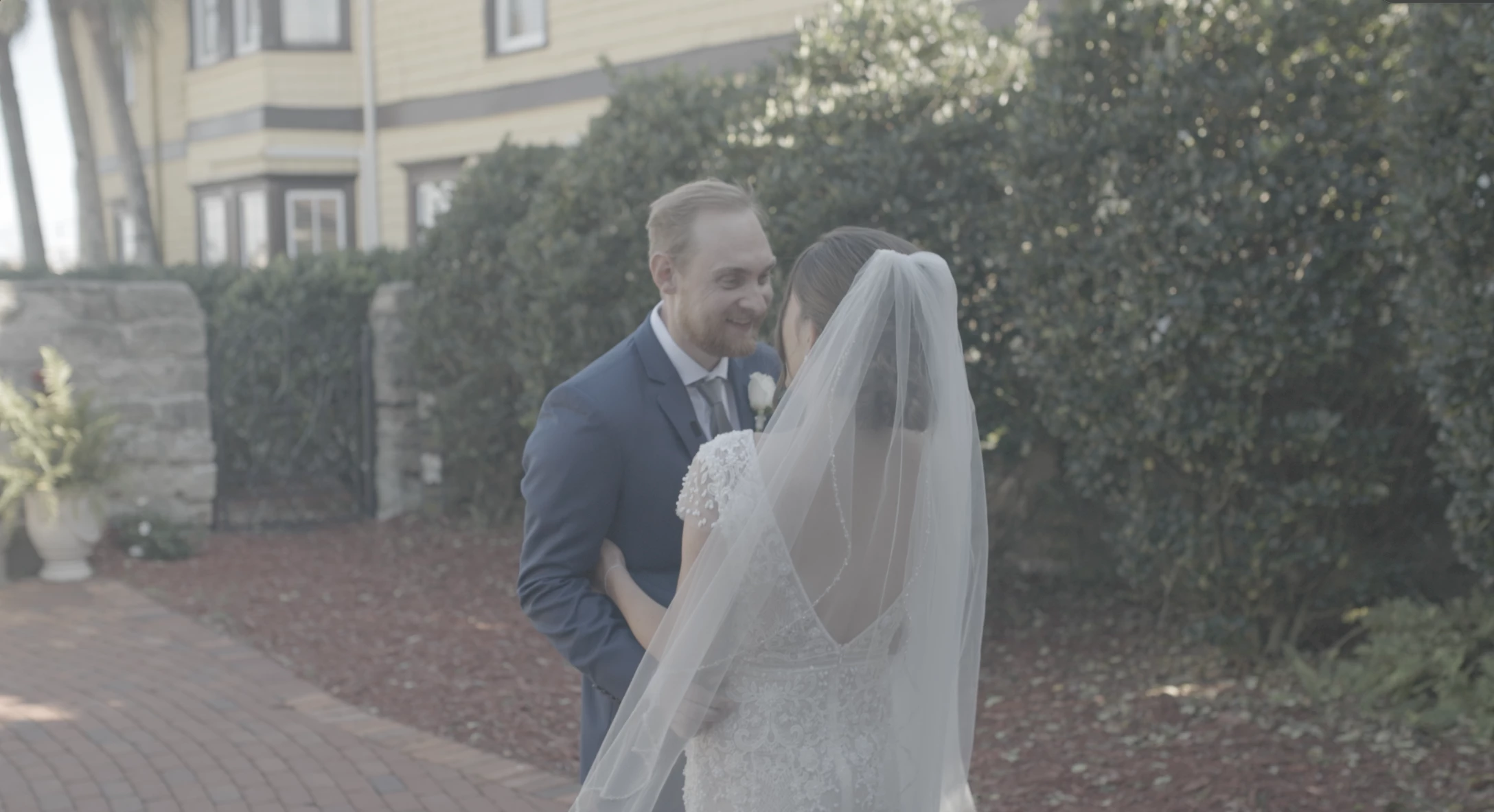 SAME FILE RENDERED FROM ADOBE
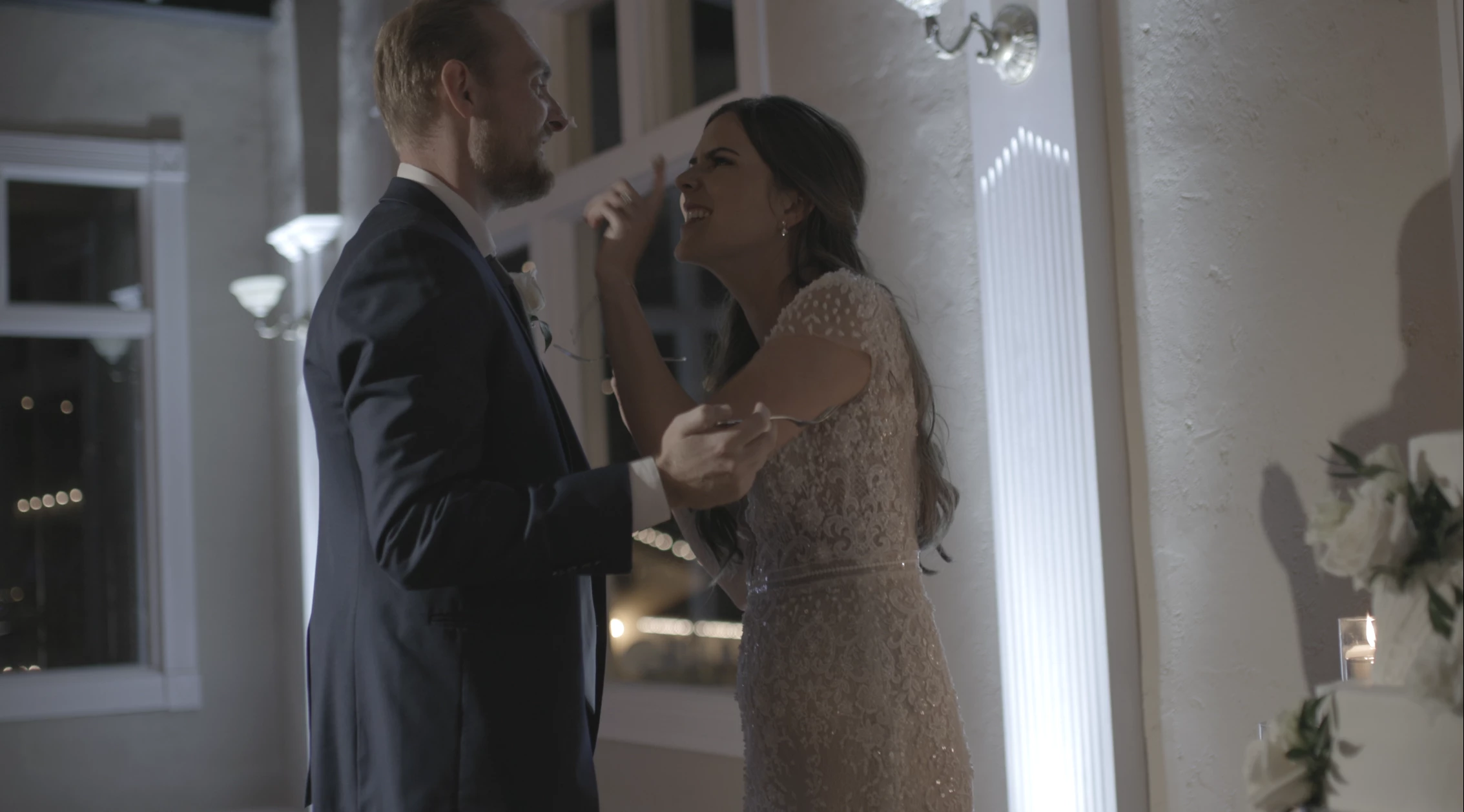
EXAMPLE 2
C70 23.976
RAW FOOTAGE
RENDERED FROM ADOBE
 AdChoices