

Render Sequence In/Out Is Taking Forever (over 20 hours for a 14 minute Sequence)
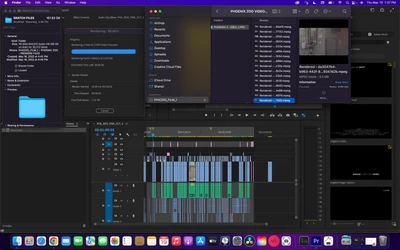
The sequence is roughly 14 minutes in length, and is a mix of BRAW (I downloaded the plugin a couple months ago), Mavic 2 Pro, and A7s III footage. The playback has suddenly lagged and become extremely choppy, so I did the normal reduce playback to 1/2, or 1/4, etc and still problematic. It hasn't been an issue. When I've had similar issues before, I render the Sequence from In to Out and it has fixed the slow playback. However, suddenly it now has been rendering for nearly 21 hours, and is at 99.08% complete... It got to 95% complete in about an hour yesterday, but has taken 20 hours to go from 95 to 99 percent. When I started this, I originally cleaned out my media cache and remapped it to the folder on an external ssd (this is the 4th attempt at rendering the sequence). This 14 minute sequence, has now rendered over 160GB of rendered files. When I go into the folder labeled Adobe Premiere Pro Video Previews, it has over 40,000 files, and when scrolling through these, they only seem to be coming from about 15 clips from BRAW footage from the first 5 minutes of the project. It seems as though it's rendering over 160gb of the same 15 clips, which in actuality are just 12 GB in BRAW form from the original footage....
I have just a couple of transition effects in a couple spots, but no effects on the footage itself, as I have only been editing for picturelock, no warp stablizer, no color, no speed ramps, etc, etc, only 4 graphic cards I created in after effects, but this issue has bee persisent prior to adding the graphics in. I am perplexed at this issue. All other projects I am working on render perfectly normal... This is my only project with BRAW Footage, so I'm guessing it has something to do with these files??
Macbook Pro 16inch 2019
My MAC OS is Monterey 12.3.1
2.4 GHz 8-core Intel Core i8
64GB 2667 MHz DDR4
AMD Radeon Pro 56000M 8GB
 AdChoices