
tylerh89149221
Known Participant
April 10, 2018
Question

Rendered footage in timeline looking blurry, compared to un rendered

  • April 10, 2018
  • 2 replies
  • 862 views

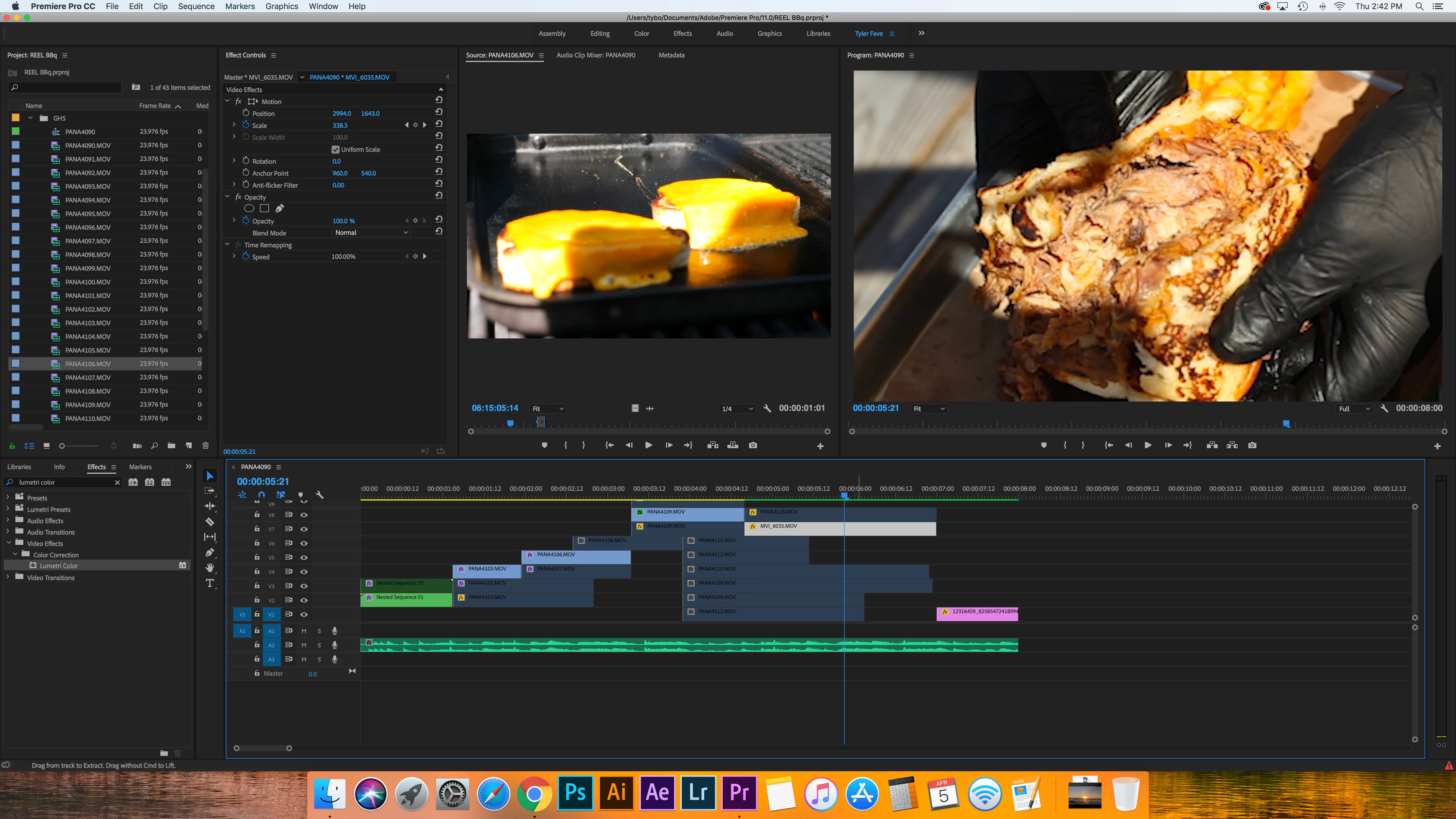
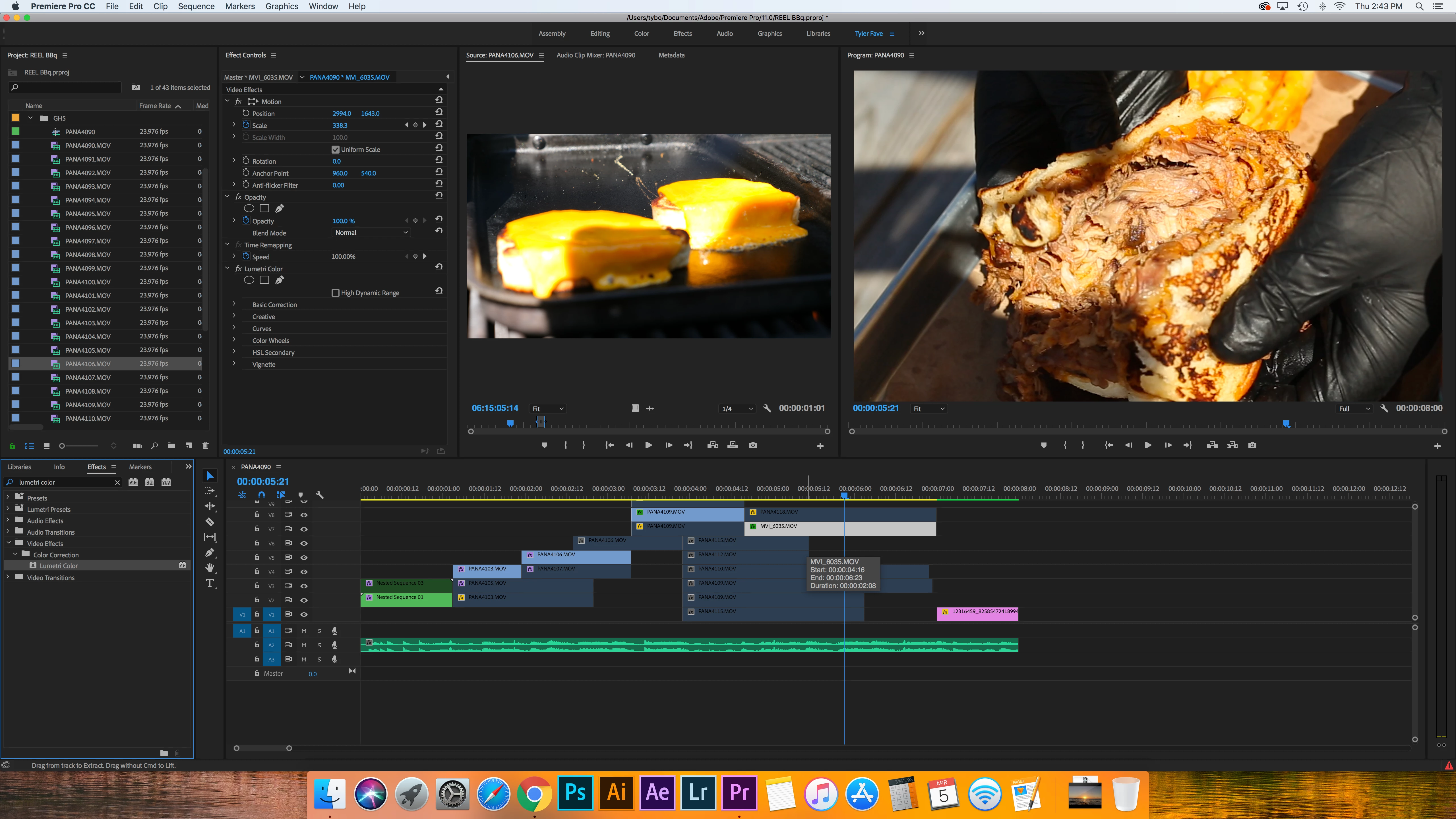
So recently on a project I was finishing up working on I noticed the clip looked like it was out of focus/blurry but I didn't remember it being out of focus the first time. I then went to add some color correction and noticed instantly after the first adjustment it was clear as day. At first, I thought it was my corrections that did the trick. But then i started noticing other footage that was blurry and tried fixing them. The first adjustment I did to every clip I was noticing made it clear and not blurry anymore. Then I noticed it once I rendered it all, it went back to be blurry. Why is this happening? Here are examples of the same exact clip, one rendered and one un rendered. The only thing I changed was the exposure by ".1". You can clearly see a difference in clarity. What is happening?
    This topic has been closed for replies.

    2 replies

    tylerh89149221
    Known Participant
    April 19, 2018

    But it is scaled the exact same in both shots. Nothing is different. Why would the other one be clear then?

    Kevin-Monahan
    Community Manager
    Community Manager
    May 16, 2018

    Hi TylerH,

    I agree with Ann. If you scale anything to 300% it will probably be blurry. Some formats hold up better than others. It depends on the compression scheme. Is it possible that the shots were acquired or formatted differently?

    Thanks,
    Kevin

    Kevin Monahan - Sr. Community and Engagement Strategist – Adobe Pro Video and Audio
    tylerh89149221
    Known Participant
    May 27, 2018

    It is the same exact clip, same exact project, same exact everything. The only difference I did was render it. When it was rendered, it went blurry. Any change I made to the clip, it went crystal clear. It is not that is was scaled, I understand that aspect. Why would the other clip that was scaled the exact same look clear then?

    Ann Bens
    Community Expert
    Community Expert
    April 10, 2018

    You do have your clip scaled 300+%. That will cause blurriness.

    Check your preview codec.