
Renderer Not Working, only showing Green
- May 11, 2025
- 8 replies
- 1057 views
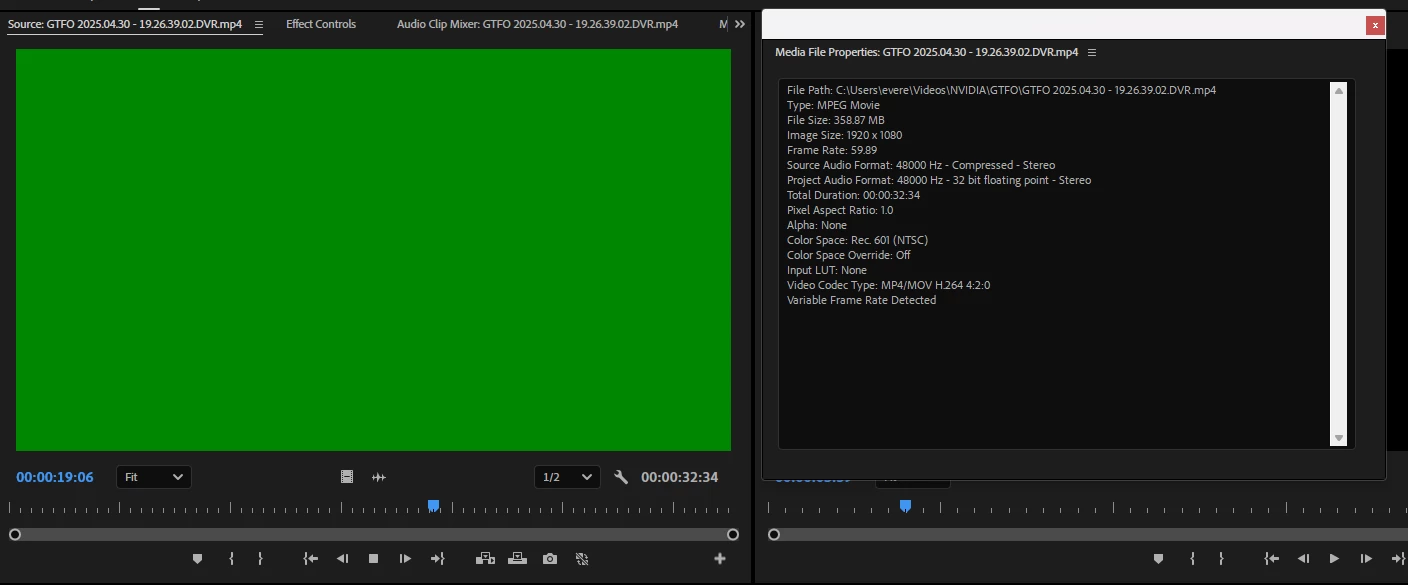
Upgraded my computer recently to a new system, and on this new system Premiere Pro is having issues rendering anything. When there is nothing playing, the renderer is black, and when something is playing, it shows nothing but green, as seen in the attatched photos. This happens for any project and with any video files I have, and is thusly reproducable just by trying to use the app. This particular example is a project I had just created on this computer so I don't believe the issue is with importing the projects from the old system.
In addition, as seen in the screenshots, the renderer option is greyed out within the project settings so I don't have any option to change it. Audio is completely unaffected. I have no plugins, add-ons nor anything of the sort, I'm just using the program out of the box. The issue persists on video files captured on the new computer as well.
System specs:
Processor: Intel i7-14700F
Graphics Card: NVIDIA GeForce RTX 4060
Memory: 32GB DDR5
OS: Windows 11 Home
Premiere is on version 25.2.3
Things I have tried:
1. Restarting my PC - no effect.
2. Clearing media cache files - no effect.
3. Reinstalling drivers - no effect. This was with both trying the Game Ready drivers (which I usually use) and the Studio drivers (which I switched off of once it didn't work).
4. Resetting preferences - no effect.
5. Launching in Software Only rendering - doing this makes everything seem normal, but obviously isn't a permanent solution as I would like to actually use my graphics card for rendering. This is also why I believe the issue is just with how Premiere is utilizing the GPU.
Willing to provide any more needed information or do anything that will be necessary to get to the bottom of this so I can get back to what I was working on. Thank you!
 AdChoices