
Rendering a vertical video
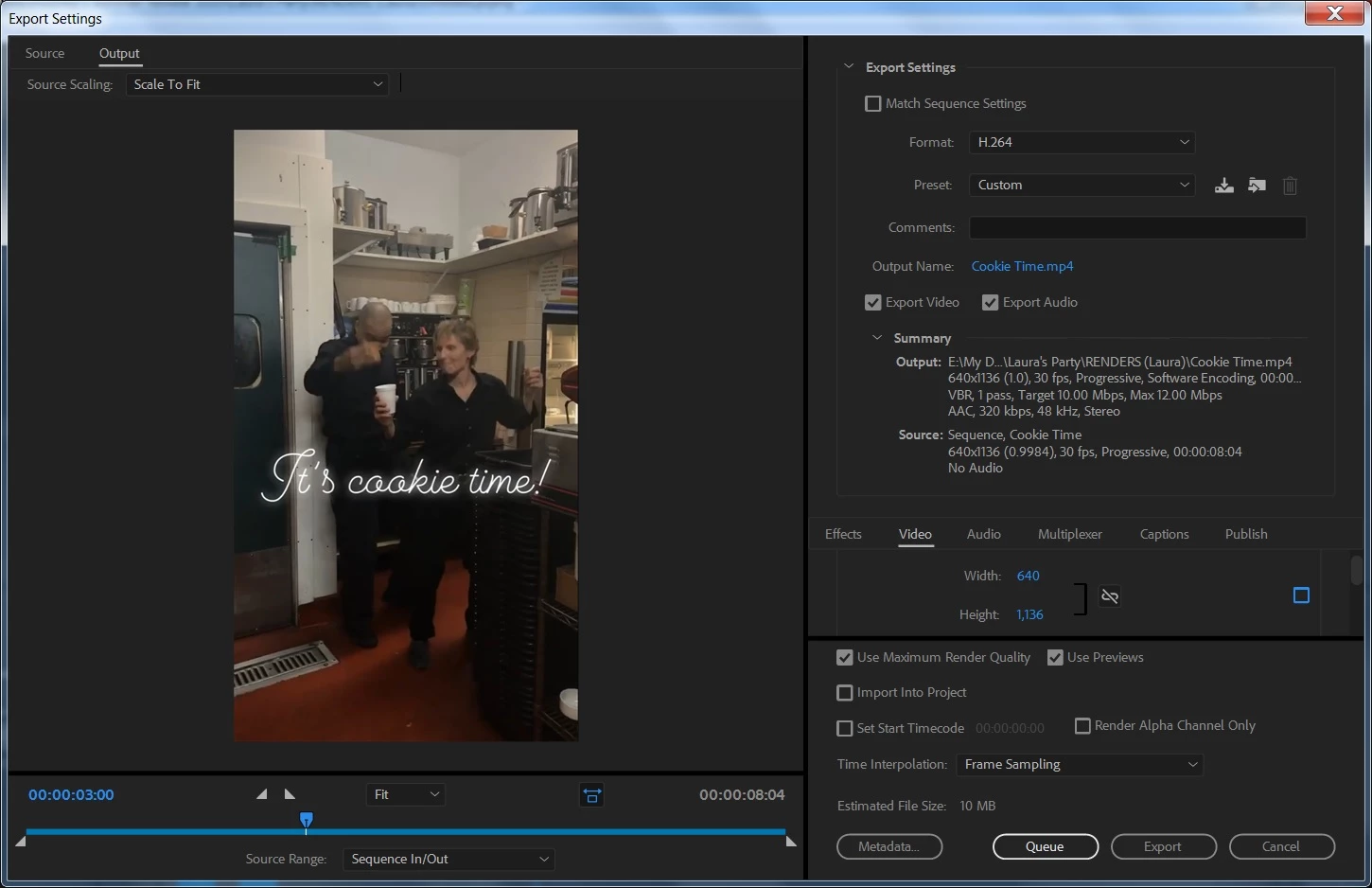
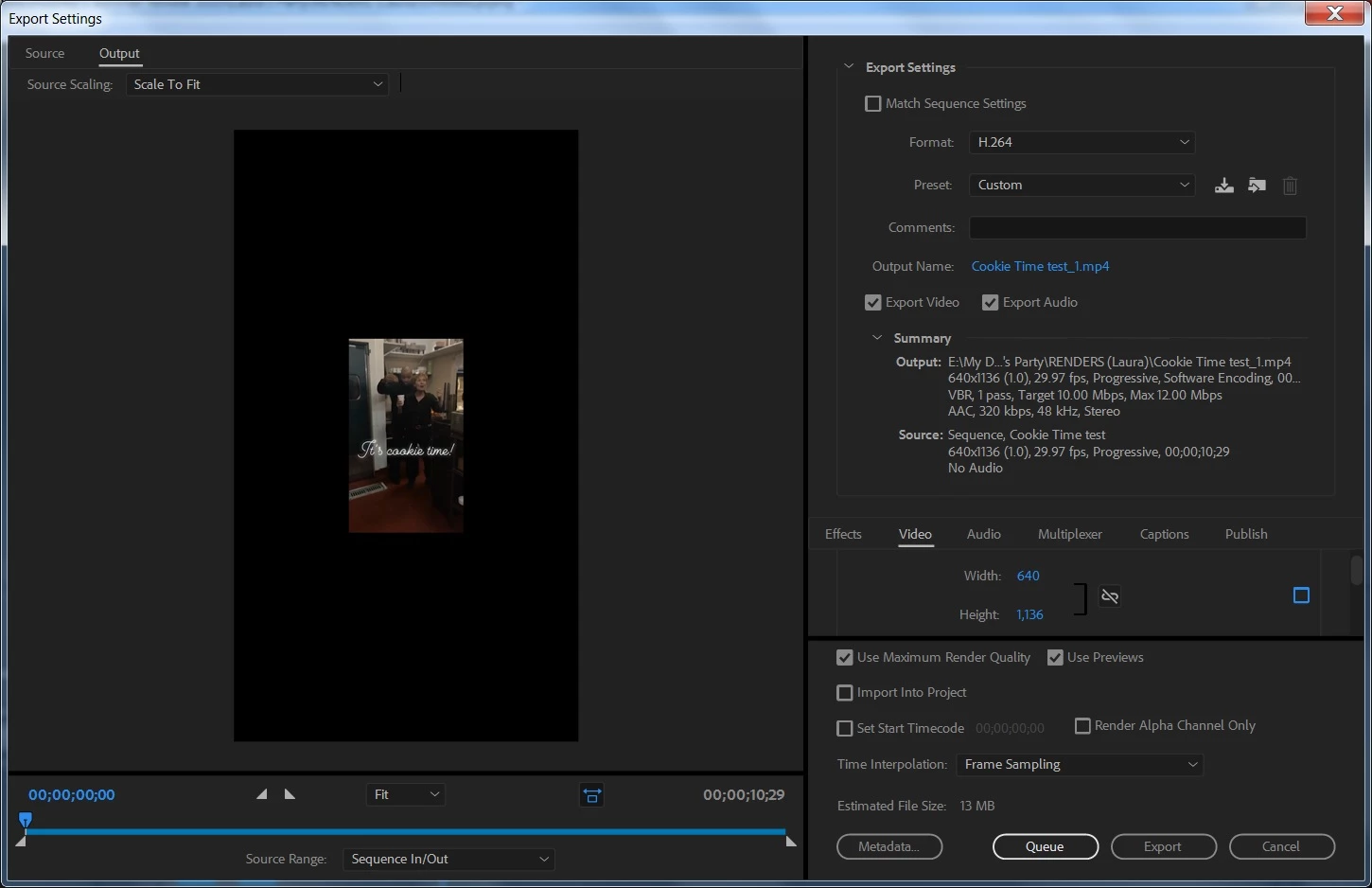
I have a video clip from someone's phone whose image dimension is 640 x1136. I need to copy this clip on the timeline and then dissolve the two clips together to give a smooth transition. How do I render the clip with the same dimension as the source video? I found something online which said to uncheck the Width and Height setting in the Export Settings dialogue box and put in the settings I want, which I did - 640 x 1136. (see screenshot) The original image, like all iPhone video, touches the top and bottom of the frame and has the black bars on the left and right of the image. The resulting file (2nd screenshot) appears smaller on the screen than the originial. How do I export so that the rendered clip looks the same proportionally as the original in Premiere Pro?
 AdChoices