
Replace Clip Option Missing in Properties Panel for Motion Graphics Transitions (AtomX) – Premiere
- May 9, 2025
- 3 replies
- 1417 views
Hi Adobe Team,
I'm facing an issue in Premiere Pro 2024 while using Motion Graphics Templates (MOGRTs) for transitions—specifically the AtomX (or similar third-party) transitions. Previously, it was straightforward to replace dummy media clips within these MOGRTs via the Properties panel, but this feature seems to be missing in the current version.
Problem Details:
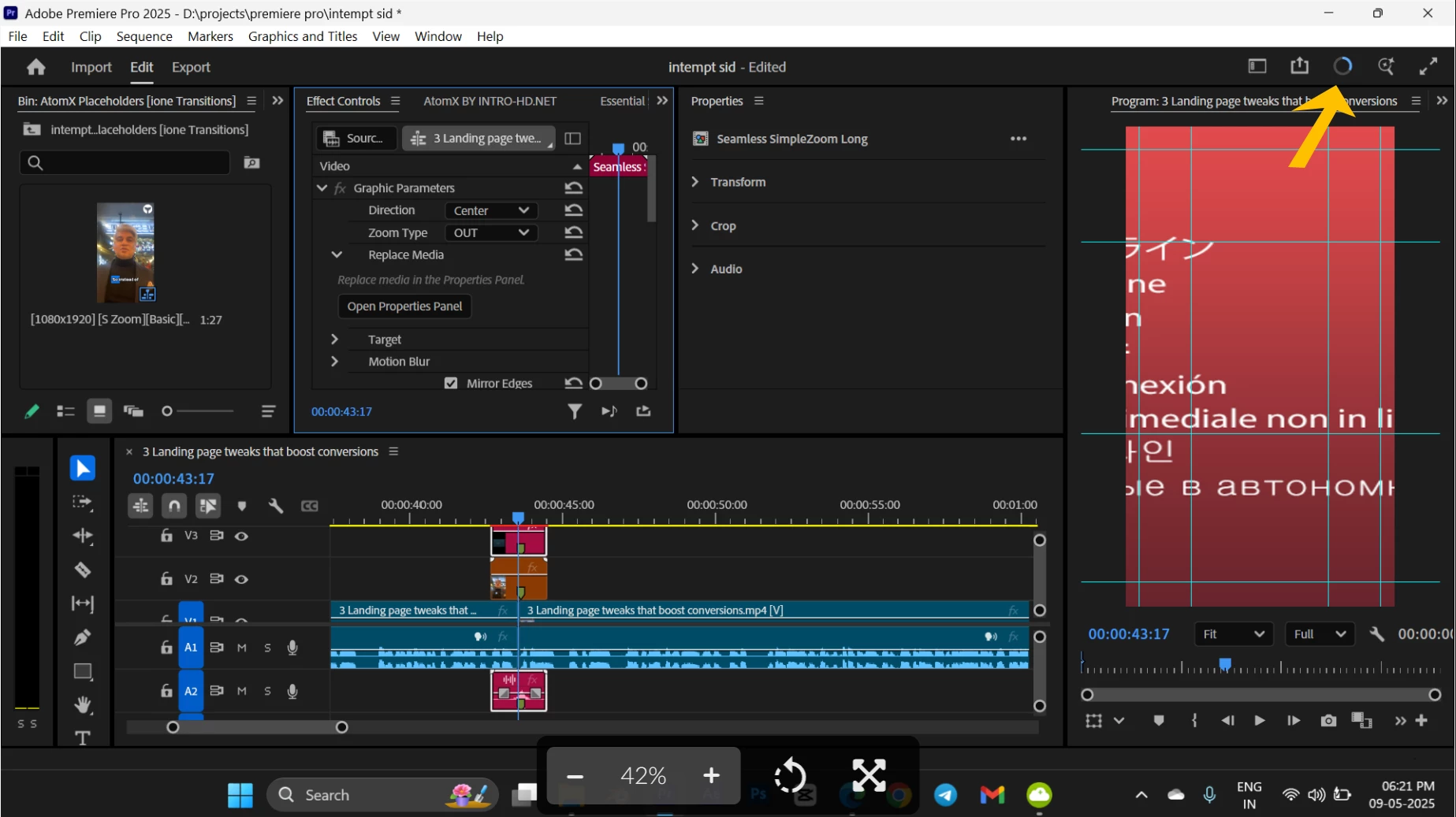
you can see in 2025 version there is no option for replace media to replace the dummy placeholder for transtition, in 2024 its easy changeable in essential graphics panel in second image
I'm using the Essential Graphics panel to apply transitions from AtomX (or similar).
These transitions typically come with placeholder/dummy clips that you replace with your own footage using the "Replace Clip" section in the Properties tab.
However, in the 2024 version, when I select the MOGRT layer (transition layer) in the timeline and go to the Properties tab, the usual Replace Clip interface is missing.
The Effects Controls panel shows a navigation tip saying: "Check the Properties tab to replace media," but the Replace Media section does not appear there at all.
What I've Tried:
Restarted Premiere Pro.
Reimported the MOGRT files.
Checked both Essential Graphics and Effects Controls panel for options.
Tried different transitions from the same pack.
Looked for any UI/UX setting that might have changed the panel view.
Questions:
Has Adobe moved the Replace Media option somewhere else?
Is this a bug or intentional change in the 2024 version?
Is there any workaround or fix to restore/enable the "Replace Clip" functionality?
This feature is essential for workflow efficiency, especially when working with large batches of transitions via AtomX or Motion Bro. It would be great if someone from the team or community can help clarify or resolve this.
Here is my system info, if helpful:
Premiere Pro version:2025
OS: , Windows 11
Transition pack used: AtomX
Thanks in advance!
Looking forward to a solution or workaround.
Best regards,
 AdChoices