
Answered
RGB on transparent PNG logo changes after video export
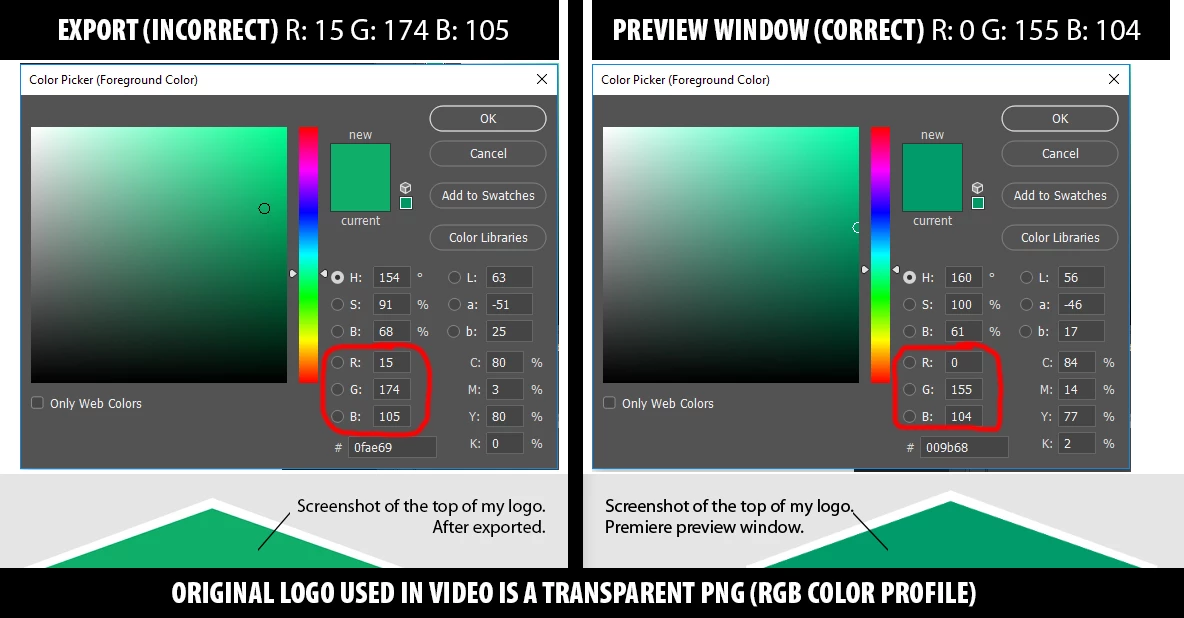
Does anyone know why my logo would be brightening after export?
I've tried all the usual default export settings (H.264 - Adaptive High/youtube 1080/ etc etc). I've also tried rendering at maximum depth/maximum render quality. I've never had a problem with this before. This is actually an old video that I'm updating. I've changed it many times before and never had this issue.
Now, I did recently update Premiere and also got a new computer. So maybe I lost a setting somewhere in the transition but I don't know what that would be.
My company takes branding very seriously and they don't want any deviations on their logo. Any help is appreciated.
 AdChoices