Answered
Ripple Edit tool
When I roll over the ripple edit tool it does not display the other tools under that tool (rolling edit, rate stretch tool) It did once. Does it have something to do with whats on your time line? I use a MACbook pro 10.13.4

When I roll over the ripple edit tool it does not display the other tools under that tool (rolling edit, rate stretch tool) It did once. Does it have something to do with whats on your time line? I use a MACbook pro 10.13.4
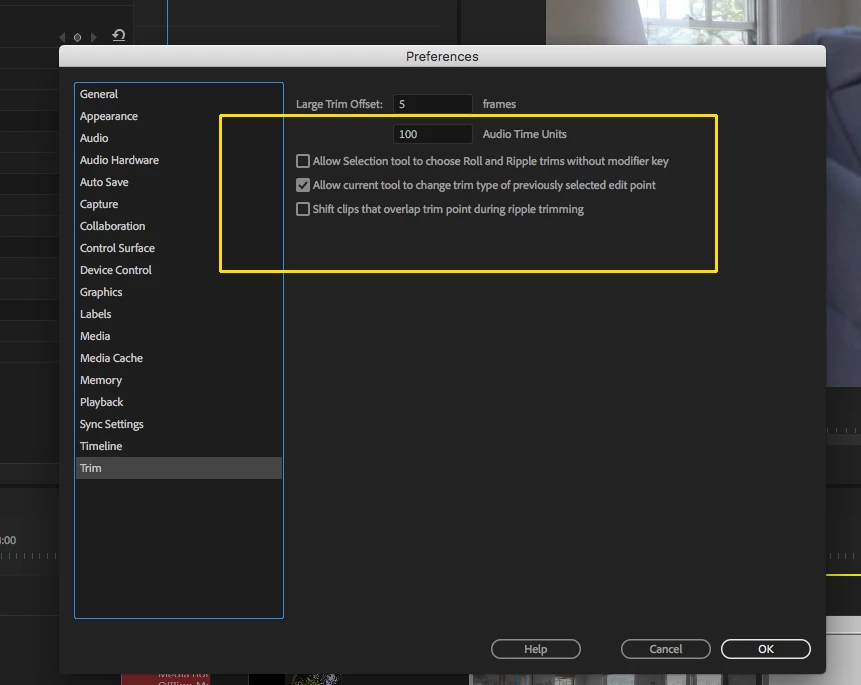
Those behaviors are controllable by going to Preferences > Trim:
MtD
Already have an account? Login
Enter your E-mail address. We'll send you an e-mail with instructions to reset your password.
 AdChoices