
Participant
June 14, 2018
Respondido

Rolling Shutter repair not working, taking forever, In Premier Pro 2018

  • June 14, 2018
  • 1 resposta
  • 935 Visualizações

I've got a 6 sec 4k test clip in xavc-s (from a6300) with terrible rolling shutter (as expected), it's been 1h since I applied the rolling shutter repair tool, yet the video is still red (unrendered). Tried with a 6 sec 1080p clip, same problem, it simply never renders. Tried 'render and replace', but it makes no difference whatsoever, the clip stays red, and the rendered clip in the folder has no repair applied to it. Also tried rendering into h.264 video to check if the format is the issue, but still no luck, same problem.

It is so strange that there are no threads even remotely referencing this issue..

Has anyone else had this kind of issue ?

My system:

Window 10

GTX970

i7-3770k

16GM RAM
Este tópico foi fechado para respostas.
Melhor resposta por Jeff Bugbee

1 Resposta

Legend
June 14, 2018

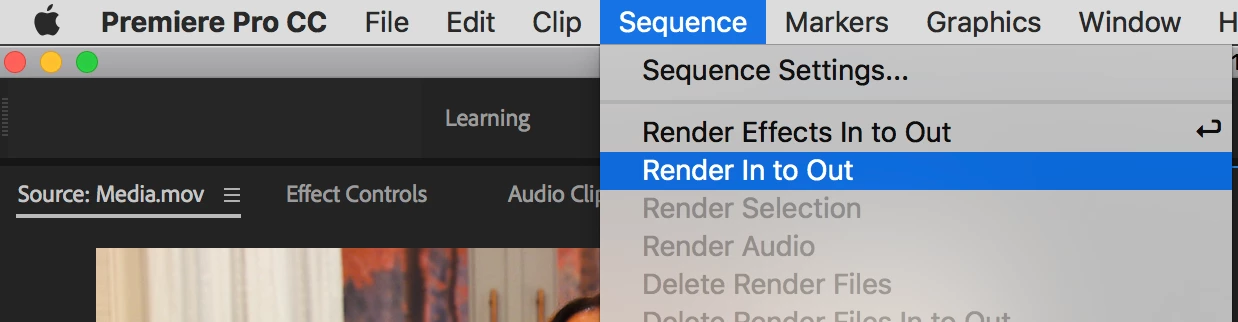
Renders don't occur automatically.  You have to initiate them.

Render and Replace will not bake in effects.

Participant
June 14, 2018

So how do I make the rolling shutter repair tool work ?

Jeff Bugbee
Community Expert
Community Expert
June 14, 2018

Awesome, this solves the problem! What's the difference between Render In to Out and Render Effects in to Out ?

Thank you.


Render Effects In to Out

Renders the sections of the video tracks lying within the In and Out points containing a red render bar.

Render In to Out

Renders the sections of the video tracks lying within the In and Out points containing either a red render bar or a yellow render bar.